
24/7 Customer Support

Free returns

Same-day & Next-day Delivery

Quality Guaranteed

Unlock Your Welcome Offers: FREE Delivery | Up to 80% OFF | Free 30-day JoyPlus trial
Download the APP
The Apple MacBook Air M5 13-inch 2026 is designed for people who want a portable Apple laptop for study, office work, communication, creative projects and entertainment. However, choosing the right configuration requires more than comparing the processor name or colour.
A lower-priced model may be suitable for browsing and documents, while a higher-memory version can make more sense for software development, photo work or long-term multitasking. Before ordering a 13-inch MacBook Air M5, check the specification, connectivity and after-sales details rather than relying on promotional wording.
A laptop may feel responsive when running a browser and a few documents, but heavier multitasking can place greater demands on unified memory. If you regularly use multiple browser tabs, video calls, spreadsheets and creative applications together, 16GB unified memory is a sensible starting point. Users working with larger media files or demanding applications may prefer 24GB.
Memory is integrated into Apple silicon laptops, so it is not normally a component you upgrade later. Selecting the correct capacity at purchase is therefore important.
A MacBook Air 16GB 512GB SSD configuration provides a practical balance for documents, applications, photos and everyday media. Yet 512GB is not the same as 512GB of completely available space: macOS, applications and cached files use part of the drive.
Students with cloud-based coursework may manage comfortably with this capacity. Professionals storing video projects, large design files or extensive offline media should consider the 1TB SSD model, or plan for a compatible external drive.
The MacBook Air is portable and fanless in design, which suits quiet working in libraries, cafés, offices and shared homes. It is not automatically the right choice for every specialist workflow. Before buying, check the applications you need, external display requirements, USB-C accessories and whether your existing software works with macOS and Apple silicon.
The two Thunderbolt 4 ports on the listed 13-inch configurations can handle compatible peripherals, but a desk setup may still require a hub or dock.
The listed 2026 MacBook Air models use an Apple M5 chip with a 10-core CPU. The 16GB/512GB version has an 8-core GPU, while the 24GB/1TB model has a 10-core GPU. The CPU supports general productivity, communication and multitasking; the GPU specification becomes more relevant for image editing, 3D work, video applications and graphics-heavy games.
This makes the M5 laptop suitable for many everyday and professional workloads, but buyers should match the graphics configuration to their software rather than paying for unused capacity.
The 13-inch model has a 13.6-inch Liquid Retina display with a listed native resolution of 2560 × 1664. The higher specification also lists 500 nits brightness, P3 wide colour and True Tone.
For study, email and office documents, the screen size supports portability without making the laptop excessively bulky. Creative users should still consider whether a larger external display would improve their workflow, particularly when working with timelines, large spreadsheets or detailed layouts.
The listed 24GB/1TB model includes two Thunderbolt 4 ports, MagSafe 3, a 3.5mm headphone jack, Wi-Fi 7 and Bluetooth 6. It also has a 12MP Center Stage camera, backlit Magic Keyboard with Touch ID and a Force Touch trackpad.
Check the included charger and your accessory requirements before purchase. If you need HDMI, SD card access, wired Ethernet or several USB devices, budget for a suitable UK-compatible hub or dock.
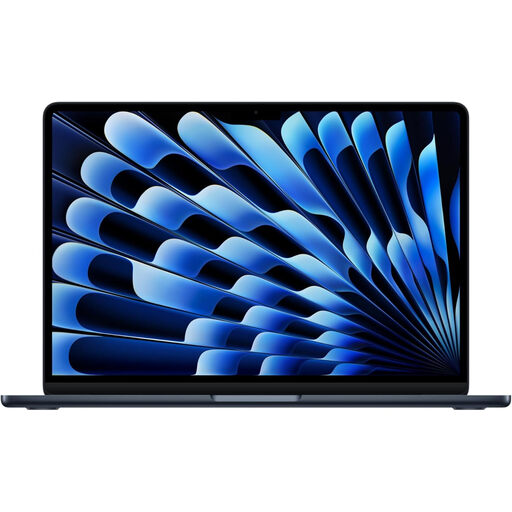
Why This Fits Their Persona: A practical match for students, first-time Mac buyers and everyday users who need a portable laptop for documents, web browsing, streaming and video calls around the UK.
The 16GB memory and 512GB SSD are clearly specified, helping buyers avoid an entry configuration that may feel restrictive as coursework, applications and files accumulate.
10-core CPU, Liquid Retina display, MagSafe charging, Thunderbolt 4 connectivity and a Midnight aluminium finish.
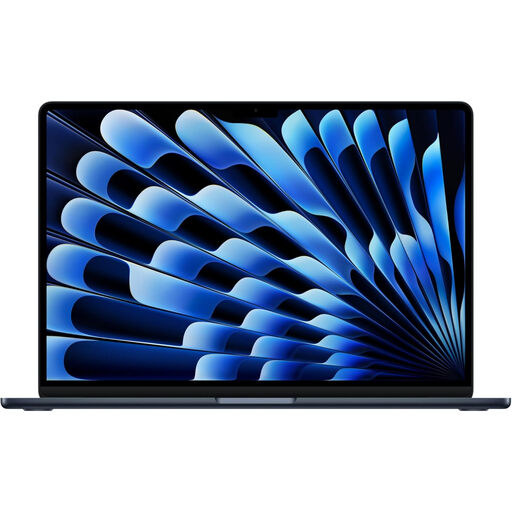
Why This Fits Their Persona: Suited to professionals, remote workers and creatives who want more memory and storage while retaining a compact 13-inch format for commuting and home-office use.
The 24GB unified memory and 1TB SSD provide additional working capacity, reducing the need to manage files or close applications as frequently.
10-core CPU, 10-core GPU, 13.6-inch 2560 × 1664 display, P3 colour, Wi-Fi 7 and 12MP Center Stage camera.
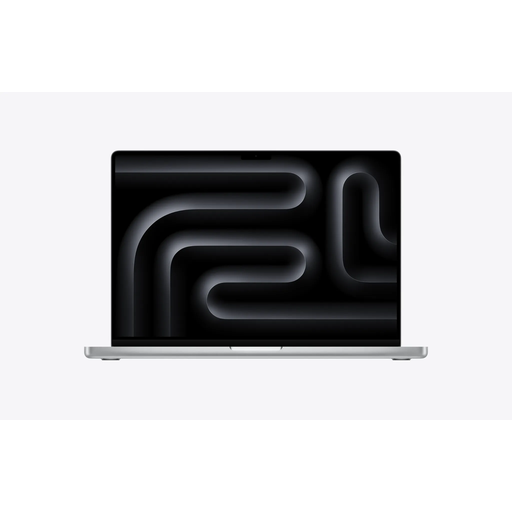
Why This Fits Their Persona: A more suitable direction for video editors, developers and creative professionals whose workloads demand a larger display, greater memory and expanded connectivity.
It avoids forcing a thin Air model into workloads that may benefit from a larger display, 36GB memory, 2TB storage and a broader selection of ports.
M5 Max chip, 18-core CPU, 32-core GPU, 36GB unified memory, 2TB SSD, Liquid Retina XDR display and Thunderbolt 5, HDMI and SDXC ports.
We have compiled a complete, real-time list of products that fully satisfy these strict selection criteria and UK safety regulations.
It can suit students who mainly use web research, word processing, presentations, video calls and streaming. The 13.6-inch display is portable for lectures and commuting, while 16GB memory and a 512GB SSD provide a practical configuration for general study. Check course-specific software requirements before ordering.
For everyday work, study and cloud storage, 512GB may be adequate. Choose 1TB if you keep large photo libraries, creative projects, games or media files locally. An external SSD can extend capacity, but it adds another item to carry and manage.