
24/7 Customer Support

Free returns

Same-day & Next-day Delivery

Quality Guaranteed

Unlock Your Welcome Offers: FREE Delivery | Up to 80% OFF | Free 30-day JoyPlus trial
Download the APP
Navigating the market for a new Apple laptop in 2026 can feel overwhelming. With the arrival of the powerful MacBook Air M5 and the sleek 13-inch MacBook Neo, the choices are more varied than ever. While new technology brings exciting possibilities, it also introduces new marketing tactics that can lead to costly mistakes. As a Joybuy Product Recommendation Officer, my role is to help you see past the hype and focus on what truly matters for your needs. Before you decide, let's look at three common pitfalls UK buyers face and how to sidestep them.
Many shoppers are upsold on "Pro" models, believing they need the highest specifications for a smooth experience. The reality is that for most professionals, students and home users, the performance offered by chips like the new Apple M5 chip or the efficient A18 Pro is more than sufficient for daily tasks like spreadsheets, video calls and streaming. Paying a premium for processing power designed for 8K video editing or complex 3D rendering is often an unnecessary expense.
The appeal of an ultra-thin, lightweight laptop for students and commuters is undeniable. However, this slim profile can come at the cost of essential ports. If your daily routine involves connecting to projectors (HDMI), using USB-A flash drives or plugging in peripherals, you could end up carrying a collection of adapters that negates the laptop's portability. It's crucial to balance a thin design with the practical connectivity you need.
"Buy more RAM and storage now to future-proof your device" is a common piece of advice. While well-intentioned, it often leads to overspending. Modern processors are incredibly efficient at managing memory and with the prevalence of fast cloud storage, a massive internal drive is no longer a necessity for everyone. A balanced configuration will serve you well for years without the excessive upfront cost.
To make an informed choice, focus on the specifications that directly impact your daily use. Here are the three most important factors to consider when you buy a new Apple laptop UK.
The processor is the engine of your laptop. The 2026 lineup presents two distinct options:
It's also worth noting the wider market, which includes new Copilot+ PC models like the ASUS Vivobook Snapdragon X, designed for integrated AI features within Windows. This highlights a growing trend towards on-device AI processing, which both Apple and its competitors are addressing.
Your choice of screen size is a direct trade-off between portability and productivity.
Don't get caught up in the numbers game. For the vast majority of users in 2026, 16GB of RAM is the sweet spot, providing ample headroom for multitasking across numerous browser tabs and applications. For lighter use cases centred on web browsing and document work, 8GB remains perfectly adequate. Similarly, a 512GB SSD offers a good balance of speed and space for applications and essential files, with cloud services easily handling the rest.
Instead of a one-size-fits-all approach, the right laptop depends on your lifestyle. Here are our recommendations matched to different user profiles.
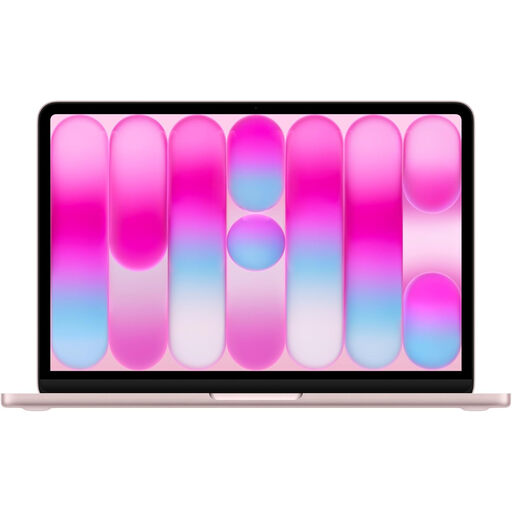
Why This Fits Their Persona: This model is ideal for writing essays, attending online lectures and streaming media. Its ultra-lightweight design makes it perfect for carrying across campus or on the daily commute, while the A18 Pro chip handles all essential productivity tasks with ease.
It directly counters the "Pro Power Trap" by offering highly efficient performance for everyday tasks without the premium price of a more powerful chip.
Exceptional portability and a vibrant Liquid Retina display in a stylish, modern design. The A18 Pro chip ensures long battery life for a full day of use.
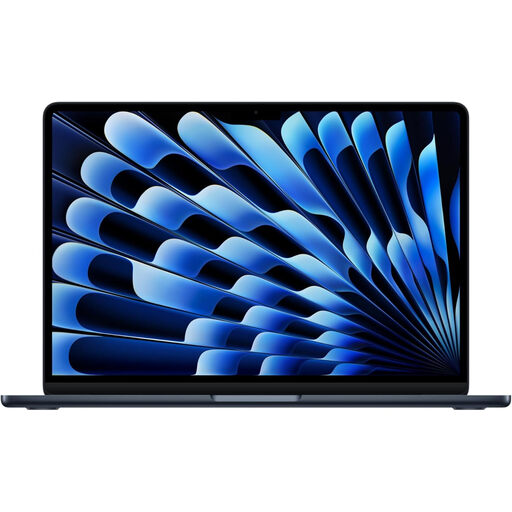
Why This Fits Their Persona: For professionals juggling spreadsheets, presentations and constant communication, the 15-inch screen is a game-changer for productivity. The M5 chip provides the power to run multiple demanding applications smoothly, all within a sleek, client-facing design.
This configuration avoids the "Future-Proofing Fallacy" by providing a balanced 16GB/512GB setup that is powerful for today's needs without the excessive cost of maxed-out specs.
A large 15-inch Liquid Retina display enhances productivity, while the fanless M5 design ensures silent operation during important meetings. It's a true desktop replacement in a portable form.
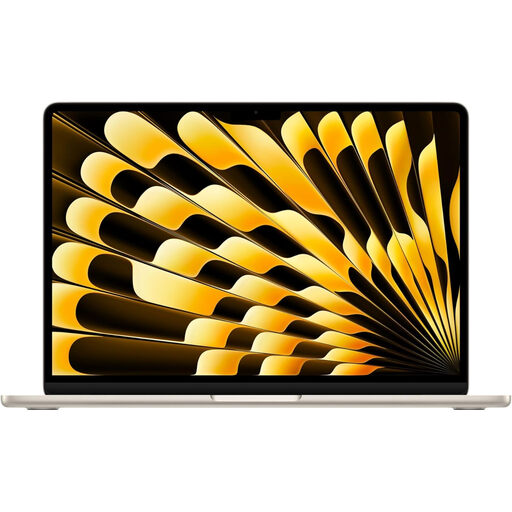
Why This Fits Their Persona: This is for the user who needs significant processing power for tasks like coding, design mockups or data analysis, but cannot sacrifice portability. It packs the full M5 chip into the classic, easy-to-carry 13-inch frame.
It sidesteps the Portability vs. Practicality Imbalance by delivering M5-level performance in a supremely portable package, offering a better solution than a heavier, bulkier "Pro" model for mobile work.
Uncompromised M5 performance in the most portable form factor. The 16GB of unified memory ensures smooth operation even when running intensive applications on the move.
We have compiled a complete, real-time list of products that fully satisfy these strict selection criteria and UK safety regulations.
For the majority of users, 16GB of RAM is an excellent choice that provides smooth multitasking performance for years to come. If your usage is primarily web browsing, streaming and office documents, 8GB is still a very capable option, especially with the efficiency of the A18 Pro and M5 chips. You likely only need more than 16GB if you are a professional video editor, 3D artist or software developer working with extremely large projects.
While it is larger than its 13-inch counterpart, the 15-inch MacBook Air 2026 is engineered to be exceptionally thin and light for its size. It fits comfortably in most standard backpacks and is manageable on public transport. The key consideration is your priority: if you value maximum screen space for productivity at your destination, the 15-inch model is a superb choice. If every gram counts on your journey, the 13-inch models offer better portability.
The 2026 MacBook Air models primarily feature Thunderbolt / USB-C ports for charging and connectivity. If you have older accessories that use USB-A, HDMI or SD card readers, you will likely need a multiport adapter or hub. It's a good idea to factor the cost of a quality adapter into your budget to avoid the "port-ability problem" and ensure you can connect all your essential devices.