
24/7 Customer Support

Free returns

Same-day & Next-day Delivery

Quality Guaranteed

Unlock Your Welcome Offers: FREE Delivery | Up to 80% OFF | Free 30-day JoyPlus trial
Download the APP
Choosing Apple MacBook laptops involves more than comparing colours and processor names. The difference between a MacBook Neo, MacBook Air and MacBook Pro can affect daily comfort, software compatibility, storage capacity and the total cost of ownership.
For UK shoppers, the most sensible approach is to match the specification to your actual workload. A student writing essays does not necessarily need a MacBook Pro, while a video editor or developer may regret choosing an entry-level configuration to save money.
Chip names can make a laptop appear more powerful than you need. An M5 MacBook Air is designed for everyday productivity, multitasking and many creative tasks, while an M5 Pro or M5 Max model is intended for heavier workloads such as professional video editing, 3D applications, software development and local AI processing.
If your routine consists mainly of web browsing, Microsoft 365, video calls and streaming, extra GPU cores may add cost without noticeably improving your experience.
A 15-inch MacBook Air provides more room for documents and side-by-side windows than a 13-inch MacBook Air. However, a larger display can be less convenient for commuting on trains, carrying between university buildings or working in small cafés.
The 14-inch MacBook Pro offers a practical middle ground, while the 16-inch MacBook Pro is more suitable when display area and sustained performance matter more than portability.
A low storage configuration can become restrictive once you add photos, creative projects, applications and offline media. Cloud storage can help, but it does not replace local capacity for large video, design or development files.
Also check what is included in the box. Several MacBook Pro configurations include a USB-C to MagSafe 3 cable but require a separately purchased USB-C power adapter or USB Power Delivery charger. This can change the real purchase cost.
For everyday use, the Apple M5 chip in the MacBook Air provides a suitable balance of responsiveness and portability. Configurations include a 10-core CPU, with either an 8-core or 10-core GPU depending on the model.
The M5 Pro is more appropriate for sustained professional workloads, external displays and demanding creative applications. The M5 Max versions provide higher GPU core counts, making them more relevant to advanced editing, 3D rendering, machine learning and other graphics-heavy tasks.
The MacBook Neo A18 Pro is positioned around everyday computing. Its 6-core CPU, 5-core GPU and 8GB memory configuration are more appropriate for documents, web use, online communication and media consumption than demanding professional software.
Memory affects how comfortably a laptop handles multiple applications and large projects at the same time. 16GB unified memory is a practical starting point for general productivity, study and moderate creative work. A 24GB configuration gives more headroom for multitasking and demanding applications.
Professional users should consider 24GB, 36GB or 48GB configurations according to their software and project sizes. For example, the 36GB MacBook Pro M5 Max models and the 48GB version are designed around intensive workflows rather than occasional use.
A Liquid Retina display is available across the MacBook Air and MacBook Neo range, while MacBook Pro models feature a Liquid Retina XDR display. The Pro display specifications include up to 1,600 nits peak HDR brightness, a 1,000,000:1 contrast ratio and ProMotion refresh rates up to 120Hz.
For storage, a MacBook with 2TB SSD is useful for large media libraries, software projects and professional files. A 512GB SSD may be sufficient for office work and study, but users who regularly work with high-resolution footage should calculate their likely storage needs before ordering.
Connectivity is another practical distinction. MacBook Air models include Thunderbolt 4 ports, MagSafe 3 and a headphone jack. MacBook Pro models add Thunderbolt 5, HDMI and an SDXC card slot, which can reduce the need for adapters when working with cameras and external displays.
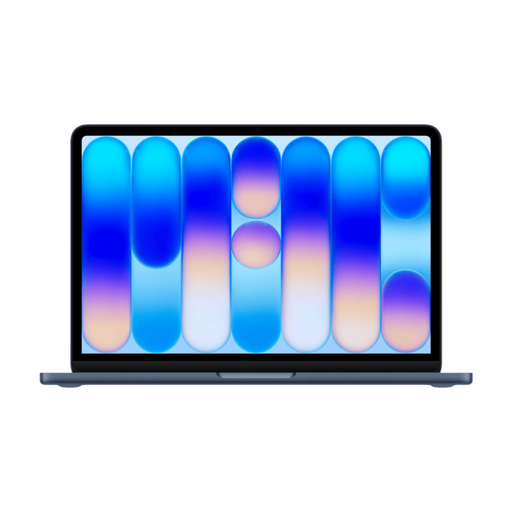
Why This Fits Their Persona: A compact Apple laptop for students, home users and anyone prioritising everyday portability for documents, browsing, streaming and online communication.
Its specification makes its intended use clear, helping buyers avoid paying for professional graphics performance they may not need.
13-inch Liquid Retina display, Touch ID, 512GB SSD and four available finishes across the range.
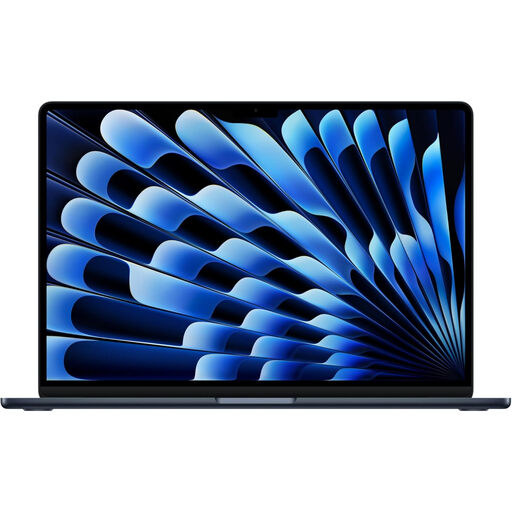
Why This Fits Their Persona: A thin, quiet and portable choice for professionals, students and hybrid workers who want additional memory and storage without moving to the Pro range.
The 24GB memory and 1TB SSD reduce the likelihood of quickly outgrowing a basic configuration during multitasking and creative work.
10-core CPU, 10-core GPU, 13.6-inch Liquid Retina display and 1TB SSD storage.
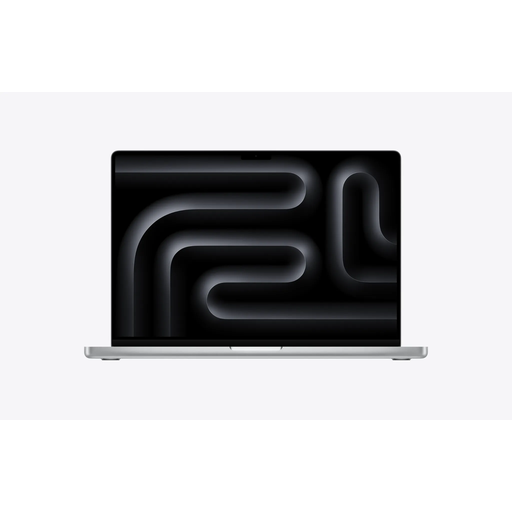
Why This Fits Their Persona: Built for content creators, developers and MacBook professionals handling large projects, graphics-heavy applications or advanced on-device AI workloads.
The higher memory, GPU core count and 2TB SSD address the common pitfalls of insufficient capacity and underpowered graphics hardware.
Liquid Retina XDR display, 36GB unified memory, 2TB SSD, Thunderbolt 5, HDMI and SDXC card slot.
We have compiled a complete, real-time list of products that fully satisfy these strict selection criteria and UK safety regulations.
Before placing an order, check:
Yes, MacBook Neo and MacBook Air models are suitable for common student tasks such as research, essays, presentations, video calls and streaming. The MacBook Air generally offers more memory and storage flexibility, while MacBook Neo is aimed at straightforward everyday use.
Usable lifespan depends on workload, battery condition, software support and how the laptop is handled. Choosing sufficient memory and storage at purchase can help delay the need to upgrade. Keep macOS updated, avoid moisture and extreme temperatures, and use compatible charging accessories.
Electricity use depends on workload, screen brightness and charging habits. MacBook Pro models require a suitable USB-C power adapter, and some configurations do not include one. Check the charging requirements before purchase and compare the adapter cost with the laptop price.