
24/7 Customer Support

Free returns

Same-day & Next-day Delivery

Quality Guaranteed

Unlock Your Welcome Offers: FREE Delivery | Up to 80% OFF | Free 30-day JoyPlus trial
Download the APP
The arrival of the new MacBook 2026 lineup, powered by the anticipated Apple M5 chip, brings a fresh wave of performance and capability. With updated MacBook Air and MacBook Pro models available, the choice can feel overwhelming. Are you a student needing a lightweight machine for lectures, or a creative professional requiring maximum power for demanding projects?
This guide is designed to help you navigate the key differences between the MacBook Air M5 and MacBook Pro M5 models. As your Joybuy Product Recommendation Officer, my goal is to provide clear, practical information to help you select the right device for your needs and budget, without the marketing jargon.
Before looking at specific models, consider these key factors. Understanding your own requirements is the first step to making a confident purchase.
The core of the new lineup is the M5 chip, but it comes in several variations.
Your daily routine should influence your choice. The 13-inch MacBook Air is incredibly light and portable, making it ideal for those who are constantly on the move. The 14 inch MacBook Pro offers a balance, providing more power and a superior display in a still-manageable form factor. For those who prioritise screen real estate and performance over portability, the 16 inch MacBook Pro provides an expansive canvas for multitasking and immersive creative work.
Consider the accessories and external devices you use daily. The MacBook Air M5 is streamlined, typically featuring Thunderbolt ports and MagSafe charging. The MacBook Pro models offer a more extensive array of ports, including HDMI, an SDXC card slot and additional Thunderbolt 5 ports, reducing the need for dongles and adapters for many professional workflows.
Here are our recommendations from the new MacBook M5 lineup, selected to cover a range of common user needs.

View Product: Apple MacBook Air 13-inch (M5) - 16GB, 512GB SSD - Starlight
Why It Stands Out: The MacBook Air with the M5 chip continues its legacy of blending performance with ultimate portability. Its fanless design ensures silent operation, while the M5 chip provides a notable boost in speed and efficiency for everyday tasks. The Liquid Retina display is bright and vibrant and with all-day battery life, it’s a reliable companion for work, study and leisure.
Pros:
Who is it for? Students, writers, office professionals and anyone who prioritises portability and needs a fast, reliable laptop for everyday productivity, web browsing and media consumption.
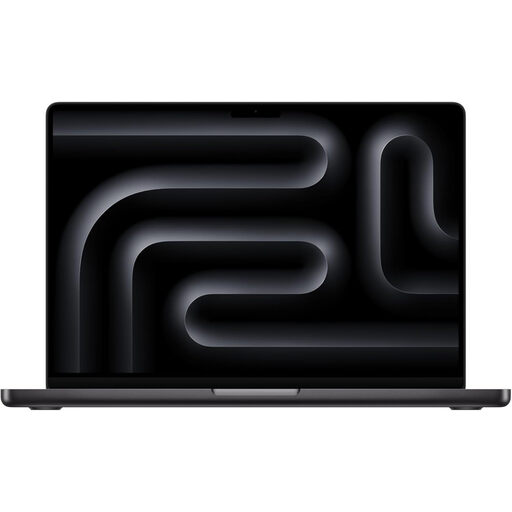
View Product: Apple MacBook Pro 14.2-inch (M5 Pro) - 24GB, 2TB, Space Black
Why It Stands Out: This model hits the sweet spot between power and portability. The M5 Pro chip, configured here with a 15-core CPU and 16-core GPU, delivers the performance needed for demanding creative work like video editing and music production. Its stunning Liquid Retina XDR display offers exceptional brightness and contrast, while the expanded port selection—including Thunderbolt 5, HDMI and an SDXC card slot—enhances its professional utility.
Pros:
Who is it for? Photographers, video editors, developers and creative professionals who need a powerful machine that is still portable enough to take on location or travel with.
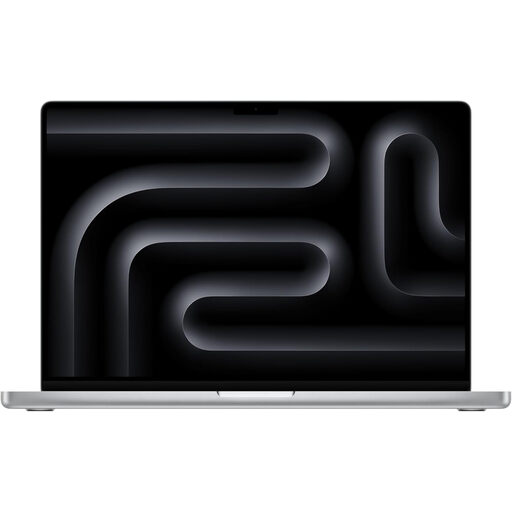
View Product: Apple MacBook Pro 16.2-inch (M5 Max) - 48GB, 2TB SSD - Silver
Why It Stands Out: For those who require uncompromising performance, the 16-inch MacBook Pro with the M5 Max chip is the definitive choice. Engineered for the most intensive tasks, its 18-core CPU and 40-core GPU can handle complex 3D rendering, 8K video timelines and large-scale code compilations without hesitation. The expansive 16.2-inch Liquid Retina XDR display provides an immersive workspace, complemented by a high-fidelity six-speaker sound system.
Pros:
Who is it for? 3D artists, visual effects professionals, high-end video editors, data scientists and anyone whose work demands the highest level of computational power available in a laptop.
While the new MacBook M5 lineup is impressive, it's part of a wider market of powerful laptops. If you're exploring different options or need a machine with specific features for gaming or specialised software, there are many other choices to consider.
Explore our full range of GPU Computers to find the perfect high-performance laptop for your needs.
1. What is the main difference between the M5 Pro and M5 Max chips? The primary difference lies in performance, particularly for graphics-intensive tasks. The M5 Max chip features significantly more GPU cores and greater memory bandwidth than the M5 Pro. This makes the M5 Max better suited for demanding workflows like 3D modelling, high-resolution video editing and complex scientific computations, while the M5 Pro offers a powerful balance for a broader range of professional tasks.
2. Is the MacBook Air M5 powerful enough for video editing? For light video editing, such as creating content for social media or working with 1080p footage, the MacBook Air M5 is quite capable. However, for more complex projects involving 4K footage, multiple video streams or heavy visual effects, a MacBook Pro with an M5 Pro or M5 Max chip would provide a much smoother and faster experience.
3. How much does the new MacBook M5 cost in the UK? The MacBook M5 price varies depending on the model (Air or Pro), screen size, chip configuration (M5, M5 Pro, M5 Max) and the amount of unified memory and SSD storage. To see the current pricing for specific configurations, it is best to check the individual product pages.