
24/7 Customer Support

Free returns

Same-day & Next-day Delivery

Quality Guaranteed

Unlock Your Welcome Offers: FREE Delivery | Up to 80% OFF | Free 30-day JoyPlus trial
Download the APP
A compact Apple laptop can make studying, commuting and working from home more convenient, but choosing the right configuration requires more than comparing colours or headline chip names. The Apple MacBook Neo 13-inch is designed around portability and everyday computing, while higher-specification MacBook Air alternatives may suit heavier workloads.
Before you buy, check the details that affect how the laptop will feel after several months of use: memory capacity, storage, display comfort and whether the machine matches your actual software needs.
The Apple MacBook Neo A18 Pro configuration combines a 6-core CPU, 5-core GPU and 8GB memory. This is a relevant specification for documents, web browsing, streaming, video calls and general multitasking.
However, processor branding alone does not determine suitability. Buyers working with large creative files, virtual machines, extensive spreadsheets or demanding professional applications should also consider memory and storage. A laptop with 16GB unified memory, such as the listed MacBook Air configurations, may provide more headroom when several resource-intensive applications are open.
The MacBook Neo 512GB SSD configuration offers considerably more working space than a 256GB model. An SSD provides fast access to applications and files, but available capacity is lower than the advertised figure after macOS, applications and system data are installed.
Students storing lecture recordings, coursework and downloaded media should consider how quickly files accumulate. Remote workers may also need room for documents, video-call software and offline files. If you regularly store large photo, video or design projects locally, a 1TB SSD MacBook Air may be a more suitable option.
MacBook Neo finishes including Indigo, Silver and Citrus can influence your choice, particularly if the laptop is used daily. Yet colour does not change performance, memory or storage. Check the complete product configuration before selecting a finish, as availability can vary between variants.
The MacBook Neo listed here uses an A18 Pro chip with a 6-core CPU and 5-core GPU, alongside 8GB memory. This combination is aimed at ordinary productivity rather than automatically indicating suitability for every specialist workload.
For everyday use, 8GB may be appropriate when your typical tasks include:
If your routine involves simultaneous creative applications, extensive multitasking or large local projects, compare it with a MacBook Air offering 16GB unified memory.
Choose 512GB SSD storage if you want a practical balance between application space and personal files. It is particularly useful for students and commuters who may work offline between home, university, office or train journeys.
A 1TB SSD configuration is worth considering when you keep substantial media libraries or project folders on the laptop. Cloud storage and external drives can extend capacity, but they may add subscription costs or reduce convenience when travelling.
The MacBook Neo Liquid Retina display is a 13-inch panel designed for sharp text, colourful media and comfortable everyday viewing. A 13-inch screen is easier to carry than a larger laptop, although users who work with wide spreadsheets or multiple windows may prefer an external monitor at home.
The Magic Keyboard provides a familiar typing layout, while Touch ID supports device unlocking and authentication. This makes an Apple laptop with Touch ID convenient for people who frequently move between study spaces, offices and shared homes. Set up Touch ID during initial configuration and keep your macOS software updated.

Why This Fits Their Persona: A practical 13-inch MacBook Neo for students, home users and commuters who prioritise a portable Apple laptop for documents, browsing, streaming and online communication.
The 512GB SSD avoids the tighter capacity of an entry-level 256GB model, while the listed 8GB memory keeps expectations clear for everyday rather than specialist workloads.
A18 Pro chip, 512GB SSD, Liquid Retina display, Magic Keyboard and Touch ID in a compact format.
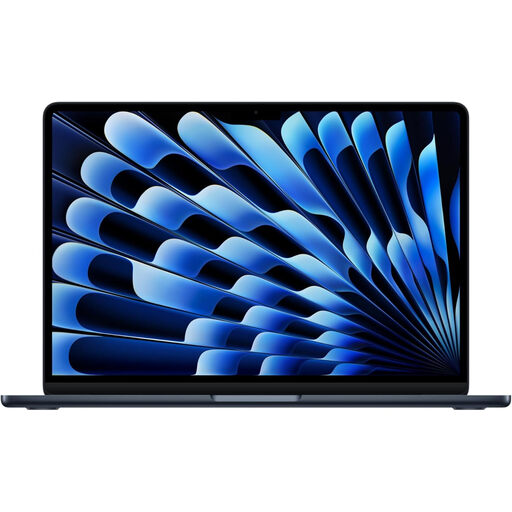
Why This Fits Their Persona: Suitable for professionals and students wanting a lightweight Apple laptop with more memory for frequent multitasking, video calls and productivity applications.
Its listed 16GB memory provides a clear step up from the Neo’s 8GB configuration for users who regularly keep several applications open.
M5 chip, 16GB unified memory, 512GB SSD, Liquid Retina display, MagSafe charging and Thunderbolt 4 ports.
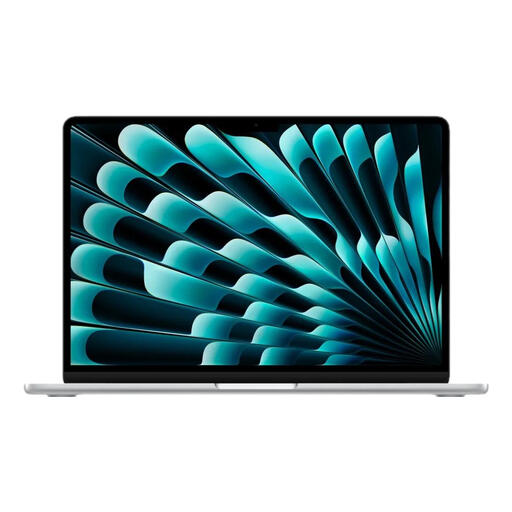
Why This Fits Their Persona: A stronger match for users handling larger project folders, extensive media libraries or demanding multitasking while still wanting a portable 13-inch form factor.
The 1TB SSD reduces the need to move files to external storage frequently, while 16GB memory is specified for more demanding everyday multitasking.
M5 chip, 10-core CPU, 10-core GPU, 16GB unified memory and 1TB SSD storage.
We have compiled a complete, real-time list of products that fully satisfy these strict selection criteria and UK safety regulations.
It can suit students whose regular tasks include essays, presentations, browsing, streaming, email and video calls. The 512GB SSD is useful for keeping coursework and applications locally. Students using specialist creative, engineering or data software should check each application’s system requirements and consider whether 8GB memory is sufficient.
The listed configuration includes Touch ID within its Magic Keyboard. It can be used for unlocking the laptop and authentication. During setup, follow the on-screen instructions and register a finger that is convenient for your usual typing position.
Choose the MacBook Neo when portability, everyday productivity and 512GB storage are your main priorities. Consider a MacBook Air when your workload would benefit from the listed 16GB memory, a 1TB SSD, Thunderbolt 4 connectivity or a 10-core CPU and larger GPU configuration. Check the precise variant, storage and colour before ordering.