
24/7 Customer Support

Free returns

Same-day & Next-day Delivery

Quality Guaranteed

Unlock Your Welcome Offers: FREE Delivery | Up to 80% OFF | Free 30-day JoyPlus trial
Download the APP
The Apple MacBook Pro 14-inch M5 Pro 24GB 2TB is aimed at people who need more than a standard everyday laptop. Developers, designers, video editors, business users and students working with demanding applications may value its processing power, generous storage and portable 14.2-inch form factor.
However, premium specifications do not automatically make every configuration suitable for every buyer. The key is matching the hardware to your workload while checking what is included, which ports you need and whether the smaller screen works for your daily routine.
An Apple M5 Pro MacBook with a 15-core CPU, 16-core GPU and 24GB unified memory is designed for demanding multitasking, development environments, creative applications and on-device AI workloads. If your usage mainly involves email, web browsing and basic documents, a lower-powered Mac may be more economical.
Conversely, choosing a configuration that is too modest can lead to compromises when running virtual machines, large code projects, high-resolution video timelines or multiple professional applications together.
The 2TB SSD stores applications, project files, footage and documents. The 24GB unified memory helps macOS and applications handle active tasks simultaneously. These specifications solve different problems.
A large SSD will not compensate for insufficient memory during complex editing or development work. Likewise, ample memory cannot replace sufficient storage if you work with large media libraries or local AI files.
The MacBook Pro includes a USB-C to MagSafe 3 charging cable, but the product information states that a separate USB-C power adapter or USB Power Delivery charger rated at 70W or above is required. A compatible 70W or 96W adapter supports the stated fast-charging capability.
Check the box contents before purchase, especially if this is your first USB-C MacBook or if you are replacing an older Apple laptop with a different charger.
The configuration associated with the target keyword uses the M5 Pro chip with a 15-core CPU and 16-core GPU. CPU cores are important for compiling code, exporting projects, running calculations and handling general application workloads. GPU cores are more relevant to graphics, video effects, 3D work and supported AI processing.
The M5 Pro model can support up to three external displays, according to the supplied product information. This may suit a developer using several screens, a financial professional working across multiple dashboards or a content creator building a desktop-style workspace.
Unlike a conventional laptop with separate system and graphics memory, Apple silicon uses unified memory shared by the CPU and GPU. The 24GB unified memory configuration provides headroom for large documents, creative applications, browser tabs, development tools and background processes.
When comparing MacBook Pro models, consider your likely workload over the laptop’s useful life rather than only your current needs. Memory is not normally user-upgradable after purchase, so selecting the right capacity at checkout is important.
A 2TB SSD offers room for applications, photos, video projects, software development files and offline documents. It can reduce reliance on external drives, although a separate backup remains sensible for important work.
The 14.2-inch Liquid Retina XDR display has a 3024 × 1964 resolution, up to 1,600 nits peak brightness, up to 1,000 nits sustained brightness and a stated 1,000,000:1 contrast ratio. These are useful specifications for HDR media, colour-sensitive work and detailed image editing. They do not, however, remove the need to check application compatibility and your preferred external monitor setup.
This Thunderbolt 5 MacBook includes three Thunderbolt 5 ports, MagSafe 3, HDMI, an SDXC card reader and a 3.5mm headphone jack. The SDXC slot is particularly convenient for photographers and video creators transferring files from compatible cards.
Wireless connectivity is listed as Wi-Fi 7 and Bluetooth 6. Before buying, check whether your existing dock, display, card reader or other accessories require a particular cable, adapter or connection standard.
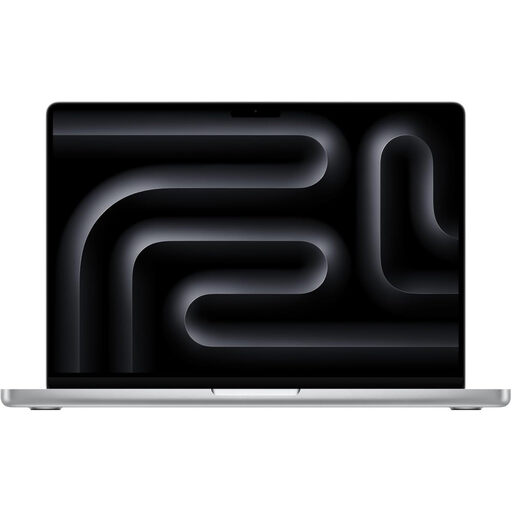
Why This Fits Their Persona: This is the practical starting configuration for students, developers and professionals who need Pro-level specifications in a portable silver laptop without moving immediately to a higher M5 Pro or M5 Max tier.
It combines 24GB memory and 2TB storage, avoiding the common mistake of choosing a large drive while leaving too little capacity for active professional workloads.
15-core CPU, 16-core GPU, 2TB SSD, SDXC card reader and three Thunderbolt 5 ports in a 14.2-inch design.
Why This Fits Their Persona: The additional CPU and GPU cores suit creative professionals and business users who want a compact workstation for regular exports, graphics processing and intensive multitasking.
It preserves the same 24GB unified memory and 2TB SSD while increasing the listed core counts, making the specification easier to match to graphics-heavy software.
18-core CPU, 20-core GPU, Liquid Retina XDR display and support for up to three external displays.
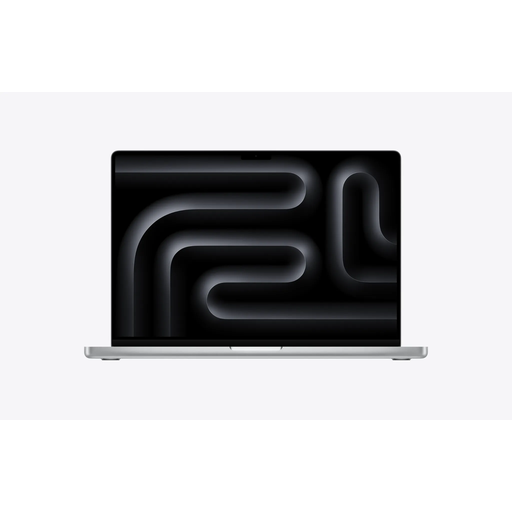
Why This Fits Their Persona: The larger display and M5 Max chip are suited to users working with complex video timelines, 3D applications, advanced graphics or substantial AI workloads at a desk or studio.
It is a clear alternative for users whose workloads exceed the practical focus of a portable 14-inch M5 Pro configuration, rather than paying for unused performance without a larger workspace.
18-core CPU, 32-core GPU, 36GB unified memory, 2TB SSD and a 16.2-inch Liquid Retina XDR display.
We have compiled a complete, real-time list of products that fully satisfy these strict selection criteria and UK safety regulations.
Yes, the specification is suitable for many demanding development workflows. The 15-core CPU, 24GB unified memory and 2TB SSD provide capacity for development environments, containers, local databases and large project files. Check the system requirements of any virtualisation or specialist software before ordering.
The supplied product information lists a USB-C to MagSafe 3 cable, but states that the USB-C power adapter is separate. Buyers should budget for a compatible 70W or higher USB-C PD charger if they do not already own one.