The arrival of the new Apple MacBook Pro M5 series marks a significant moment for creative and tech professionals across the UK. With the introduction of the powerful M5 family of chips and the integration of Apple Intelligence, choosing the right machine for your demanding workload has become more nuanced. Whether you are a video editor, developer or business executive, your primary need is a professional laptop that delivers sustained performance without compromise.
This guide is designed to help you navigate the key features of the 2026 MacBook Pro M5 lineup. We will break down the differences between the models, helping you identify the configuration that aligns with your specific professional requirements.
Choosing Your MacBook Pro M5: A Quick Guide
Making the right choice comes down to understanding how the core components match your daily tasks. Here are a few key considerations.
1. Selecting the Right Chip: M5, M5 Pro or M5 Max?
The heart of the new MacBook Pro is the M5 chip. The main distinction between the M5, M5 Pro and M5 Max lies in their processing power and graphics capabilities.
- M5: The standard M5 chip offers a substantial performance uplift, making it an excellent choice for demanding everyday productivity, high-resolution photo editing and moderate coding tasks. It's engineered to handle on-device AI workloads efficiently.
- M5 Pro: For professionals who regularly work with multiple streams of 4K video, complex software development or large datasets, the M5 Pro MacBook Pro provides more CPU and GPU cores, along with higher memory bandwidth. This translates to smoother performance in applications like Final Cut Pro, Xcode and MATLAB.
- M5 Max: The M5 Max MacBook Pro is built for the most intensive creative workflows. With the highest number of GPU cores and the most memory bandwidth in the lineup, it excels at 3D rendering, 8K video editing and training complex machine learning models. The choice between the M5 Pro vs M5 Max ultimately depends on whether your work can leverage the extra graphical and processing headroom.
2. Screen Size and Portability: 14-inch vs. 16-inch
Your work environment often dictates the ideal screen size.
- The 14 inch MacBook Pro M5 offers a brilliant balance of power and portability. It's a popular choice for professionals who are frequently on the move, working between the office, home and client sites, without sacrificing performance.
- The 16 inch MacBook Pro M5 provides a larger Liquid Retina XDR display, offering more screen real estate for multitasking and a more immersive creative canvas. It is well-suited for those who primarily work from a desk and need to manage complex timelines, large spreadsheets or multiple windows simultaneously.
3. The Role of Apple Intelligence
A key feature of this generation is its deep integration with MacBook Pro with Apple Intelligence. The M5 chips are specifically designed with an enhanced Neural Engine to accelerate on-device AI tasks. This enables powerful, privacy-focused features that can help you write, communicate and create more efficiently, all while your personal data remains secure on your device.
Top Product Recommendations
Here are a few standout configurations from the new lineup, selected to meet a range of professional needs.
Apple MacBook Pro 14.2-inch (M5 Pro) - Space Black
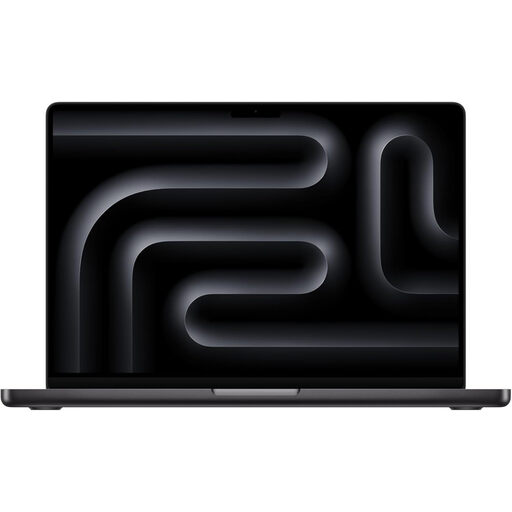
- Why It Stands Out: This model strikes an impressive balance between portability and serious processing power. The M5 Pro chip, with its 15-core CPU and 16-core GPU, is more than capable of handling demanding creative and technical projects. The sleek Space Black MacBook Pro finish offers a professional and modern aesthetic.
- Pros:
- Excellent performance for video editing, coding and design work.
- Compact 14.2-inch form factor is ideal for hybrid work.
- Extensive connectivity with three Thunderbolt 5 ports, HDMI and an SDXC card slot.
- Optimised for on-device AI with Apple Intelligence.
- Who is it for? Creative professionals, developers and power users who need a high-performance machine that is easy to carry between locations.
Apple MacBook Pro 16.2-inch (M5 Max) - Silver
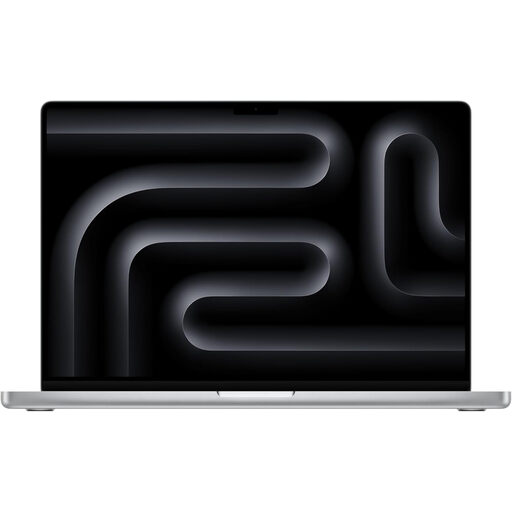
- Why It Stands Out: As a top-tier professional laptop for video editing and other intensive tasks, this 16-inch model is equipped with the formidable M5 Max chip. Its 18-core CPU and massive 40-core GPU, paired with 48GB of unified memory, are designed to tackle the most demanding projects without hesitation.
- Pros:
- Exceptional performance for 8K video, 3D rendering and complex simulations.
- Large 16.2-inch Liquid Retina XDR display provides an expansive workspace.
- Supports up to four external displays for the ultimate multi-monitor setup.
- All-day battery life, even under heavy workloads.
- Who is it for? Film-makers, 3D artists, AI engineers and any professional whose workflow involves processing vast amounts of data and requires maximum graphical power.
Apple MacBook Pro 14.2-inch (M5) - Space Black
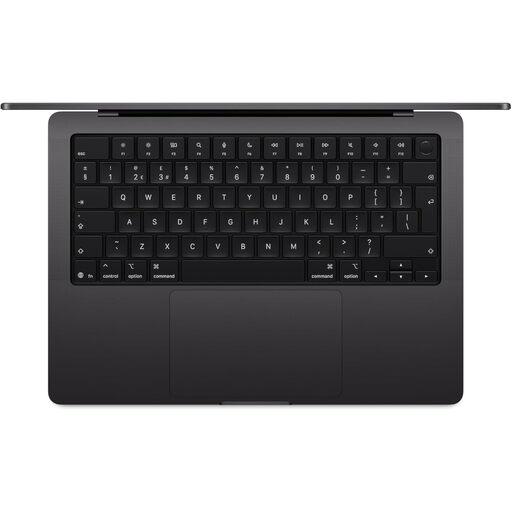
- Why It Stands Out: This model brings the Pro feature set to a wider audience. The standard M5 chip provides a significant leap in performance for everyday professional tasks, while retaining the premium Liquid Retina XDR display, advanced camera and audio and extensive port selection of the Pro line.
- Pros:
- Strong performance for productivity, web development and photo editing.
- Up to 24 hours of battery life for all-day use.
- Features the same high-quality display and build as the more powerful models.
- A more accessible entry point into the MacBook Pro ecosystem.
- Who is it for? Business executives, writers, academics and professionals who need a reliable, high-performance laptop for demanding office applications and content creation, but do not require the extreme power of the Pro or Max chips.
Looking for Other Home & Office Essentials?
While you're optimising your professional toolkit with a new laptop, it might also be a good time to upgrade other appliances that simplify your daily routine. For a modern and efficient kitchen solution, consider exploring our range of microwave flatbed cooker models, which offer even cooking and easy cleaning.
Frequently Asked Questions
What is the price of the MacBook Pro M5 in the UK?
The MacBook Pro M5 price UK varies depending on the configuration you choose, including the chip (M5, M5 Pro, M5 Max), screen size, unified memory and storage capacity. For the most current pricing on specific models, we recommend visiting the product pages directly.
Is the M5 Max worth it for video editing?
For professional video editors working with high-resolution footage (4K, 6K or 8K), multiple camera angles or complex visual effects, the M5 Max chip is a very strong contender. Its additional GPU cores and higher memory bandwidth can significantly reduce render times and provide a smoother editing experience, making it a worthwhile consideration for demanding creative workflows.
Where can I buy the MacBook Pro M5?
You can buy MacBook Pro M5 models directly from our site. The latest 14-inch and 16-inch configurations are available now. You can explore the options featured in this guide or browse our full collection to find the perfect fit for your needs.


