
24/7 Customer Support

Free returns

Same-day & Next-day Delivery

Quality Guaranteed

Unlock Your Welcome Offers: FREE Delivery | Up to 80% OFF | Free 30-day JoyPlus trial
Download the APP
A small projector can turn a bedroom wall, student flat or garden shed into a flexible viewing space. However, product listings often place more emphasis on phrases such as “8K supported”, “cinema experience” and “smart Android” than on the specifications that affect everyday use.
The Magcubic HY300 Pro mini projector is designed for buyers who want a compact, affordable device for films, casual gaming, presentations and phone screen mirroring. Its specification sheet includes 720p native resolution, 1080p and 8K support, Android 14, Wi-Fi 6, Bluetooth 5.4, auto keystone correction and a 180-degree rotating stand. The important question is whether those features match your room, viewing habits and expectations.
“8K supported projector” does not mean that the projector displays an 8K image. It refers to the device’s ability to decode or accept certain high-resolution video files. The Magcubic HY300 Pro has a native resolution of 1280 × 720, while its specification lists support for 1080p and selected 8K decoding formats.
For sharper text, detailed gaming graphics and larger screens, a native 1080p projector is generally more suitable. For occasional films in a dark bedroom or travel use, a 720p native projector may offer a more budget-conscious balance.
Brightness can be listed in different ways. The HY300 Pro is specified at 290 ANSI lumens, a recognised measurement method that is more useful than vague “high lumen” descriptions. This level is intended for darker indoor spaces and can work outdoors after sunset, but it is not designed to compete with daylight or a bright living room.
Close curtains, reduce lamps and use a pale, smooth wall or projector screen to improve perceived contrast. A large 140-inch image may be possible according to the product specification, but a smaller image will usually look more concentrated and easier to view.
Android 14 provides a smart interface and access to compatible applications, but app availability and certification can vary between projector models and regions. Some services may require an HDMI streaming stick, laptop or games console.
Before buying, check whether your preferred services are available on the specific device. HDMI and USB connections provide useful alternatives, while phone screen mirroring can be convenient for photos, presentations and compatible video content.
The HY300 Pro uses a 720p native projector panel with a 16:9 aspect ratio. Its listed throw distance is 0.6–2.5 metres, with a stated screen range of 35–140 inches. In practical terms:
The listed 80% zoom function can reduce image size without moving the projector, although digital zoom may reduce the effective image area.
The product lists 290 ANSI lumens, a 10,000:1 contrast ratio and 75% uniformity. Contrast figures are useful for comparison but do not fully predict the viewing experience, as room lighting, wall colour and content also matter.
For a bedroom projector or evening home cinema projector, these specifications may be suitable when the room is dim. For daytime sport, classroom presentations or a garden with surrounding lighting, consider a brighter model such as a native 1080p option with a higher stated ANSI rating.
The HY300 Pro includes automatic vertical keystone correction, which helps square the image when the projector is not perfectly aligned with the wall. It still uses manual focus, so you may need to adjust the focus ring after changing its position.
Its 180-degree rotating stand supports flexible projection angles, including wall and ceiling use when placed securely. Wi-Fi 6 uses dual-band 2.4GHz and 5GHz connectivity, while Bluetooth 5.4 supports wireless audio devices. The available physical ports are one HDMI, one USB and one DC input.
For UK homes, use the supplied power equipment, keep ventilation openings clear and place the unit on a stable, dry surface. Do not use it in rain or damp outdoor conditions. As with other bright electronic displays, children should not look directly into the active lens.
The following selections are matched to different usage profiles rather than presented as one universal choice.
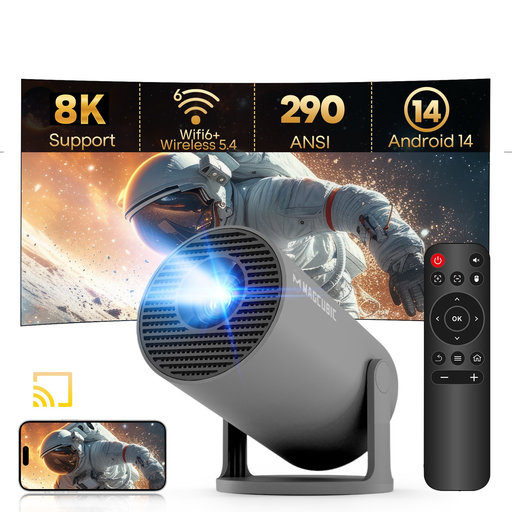
Why This Fits Their Persona: A compact option for students, first-time projector buyers and households wanting occasional films without dedicating space to a television.
Its listing clearly identifies 720p native resolution and 290 ANSI lumens, helping buyers set realistic expectations rather than confusing decoding support with display resolution.
Android 14, Wi-Fi 6, Bluetooth 5.4, auto keystone correction and a 180-degree rotating stand in a 0.77-pound design.

Why This Fits Their Persona: Suitable for viewers who want more detailed Full HD images and higher stated brightness for regular film nights, gaming or larger indoor projection.
The listing separates native 1080p resolution from 8K support and specifies autofocus and automatic keystone functions.
The stated specification includes native 1080p, 900 ANSI lumens, Android 14, Wi-Fi 6, Bluetooth 5.4 and auto focus.
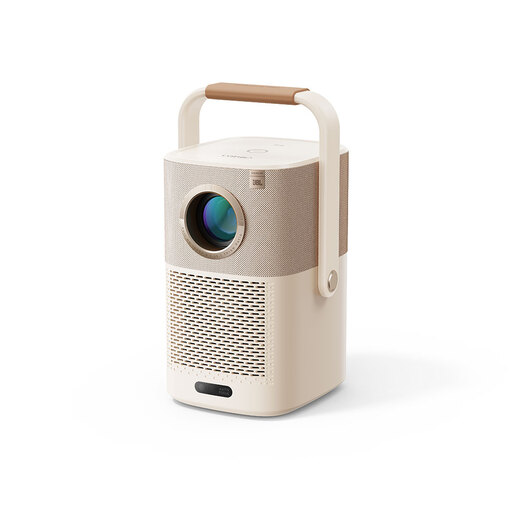
Why This Fits Their Persona: A practical match for users moving between rooms, taking a projector on trips or arranging evening garden viewing near a power source.
Its built-in battery is listed for up to 2.5 hours of video playback, reducing reliance on an immediate mains connection, although outdoor use still requires dry conditions.
Native 1080p resolution, Wi-Fi 6, autofocus, auto keystone correction and built-in Google TV functionality.
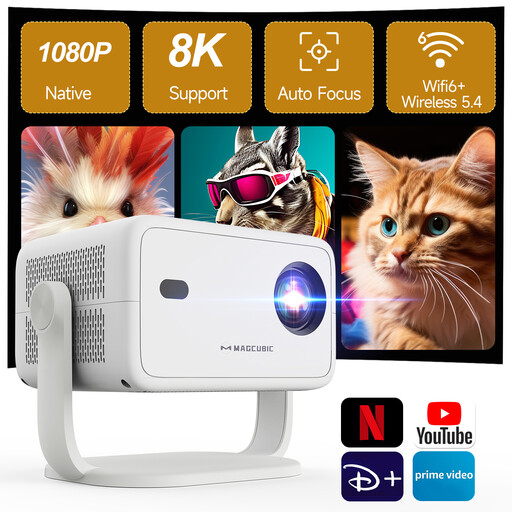
Why This Fits Their Persona: Designed for households wanting a more detailed image for films, console gaming and regular indoor or evening outdoor entertainment.
It states native 1080p separately from 4K and 8K support, while also listing auto focus, auto keystone correction and a 50–100% zoom range.
The listed specifications include 650 ANSI lumens, Wi-Fi 6, Bluetooth 5.4 and wireless mirroring from phones, tablets and laptops.
We have compiled a complete, real-time list of products that fully satisfy these strict selection criteria and UK safety regulations.
It can be used outdoors for evening viewing, provided it remains protected from rain, condensation, dust and damp conditions. Its 290 ANSI lumens are more appropriate after sunset than in daylight. Use a stable surface, keep the vents clear and bring the projector indoors after use.
The product specification lists a 30,000-hour LED lamp life. Actual service life can depend on operating temperature, ventilation, usage frequency and handling. Allow the projector to cool before unplugging and store it in a dry, dust-free place.