
24/7 Customer Support

Free returns

Same-day & Next-day Delivery

Quality Guaranteed

Unlock Your Welcome Offers: FREE Delivery | Up to 80% OFF | Free 30-day JoyPlus trial
Download the APP
A magnetic gaming keyboard can offer adjustable actuation and rapid-trigger functions that suit competitive play, particularly in fast FPS games. However, product listings often place emphasis on technical figures without explaining what they mean at your desk.
Before buying, UK gamers should look beyond colourful keycaps and headline specifications. Layout, software support, connection type and build quality can have a greater effect on everyday usability than a single precision figure.
A rapid trigger keyboard can detect when a key begins to move upwards and reset it without waiting for a fixed release point. This may be useful for repeated movement inputs, counter-strafing and quick direction changes.
However, rapid trigger settings still need to suit your typing style and game. An overly sensitive setting can cause unintended inputs, especially when resting your fingers on movement keys. Check whether the keyboard provides adjustable actuation and reset settings rather than assuming that every magnetic switch behaves identically.
A 68-key gaming keyboard usually keeps the main typing area and arrow keys while removing the traditional function row and number pad. A 75% gaming keyboard generally includes a compact function row, making it more familiar for shortcuts and everyday use.
A smaller board creates more mouse space, which can help FPS players using low sensitivity. On the other hand, the missing keys may be inconvenient for productivity, programming or games that use many function-key commands.
An aluminium alloy gaming keyboard can provide a rigid outer frame and a substantial feel. It does not, by itself, confirm the quality of the switches, stabilisers, keycaps, feet or internal software.
Before purchasing, check the full specification. Also look for a suitable USB cable, sensible key spacing and a layout that fits your existing desk mat and mouse position. A strong case cannot compensate for poor compatibility or an unsuitable form factor.
A Hall effect gaming keyboard uses magnetic sensing to detect key movement rather than relying on conventional metal contact points. This design allows manufacturers to offer adjustable actuation and rapid-trigger functions.
For competitive gaming, focus on:
Some Royalaxe keyboards list RT precision of 0.001mm. Treat this as a stated product specification rather than a guarantee of improved results in every game or setup. Game engine behaviour, USB performance, firmware and your own input control also influence responsiveness.
Choose a 68-key layout if mouse clearance and compactness are priorities. It can be a practical choice for an FPS gaming keyboard, especially where the mouse needs a broad horizontal movement area.
A 75% gaming keyboard is a more balanced option for users who switch between gaming and general PC use. The additional function row can make shortcuts easier to access without taking up the space of a full-size board.
A Type-C mechanical keyboard normally uses a detachable USB-C cable, making cable replacement and desk setup simpler. Confirm whether the product is wired-only before ordering if you need Bluetooth or 2.4GHz wireless use.
Also check whether the listing specifies an aluminium frame or full aluminium construction. These terms may describe different parts of the board. Wired connection can be a straightforward choice for esports gaming, as it avoids charging and wireless pairing considerations.
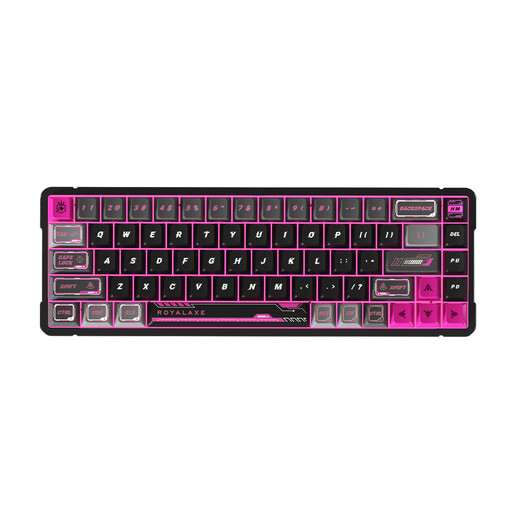
Why This Fits Their Persona: Its 68-key layout suits a first compact setup for UK gamers who want more mouse room while retaining a wired connection.
The listing identifies a wired Type-C single-mode connection and magnetic jade switches, helping avoid assumptions about wireless support.
68-key compact layout; aluminium alloy chassis; magnetic jade switch specification.
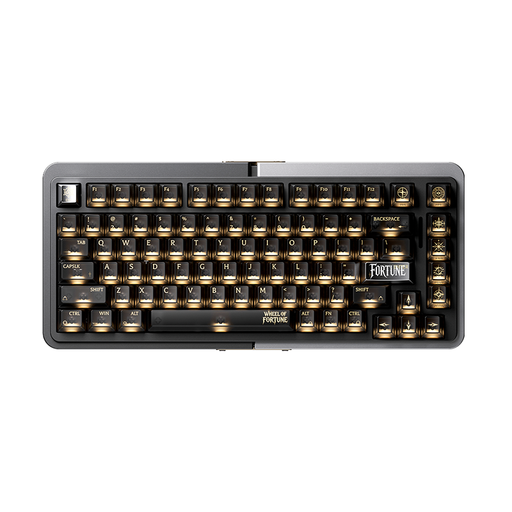
Why This Fits Their Persona: The 75% format provides a compact footprint with a more familiar arrangement for gaming, study and everyday desktop use.
The product name states the 75% layout, aluminium alloy frame, Type-C interface and RT precision figure, making key buying details easier to verify.
75% layout; Oracle magnetic switches; aluminium alloy frame; Type-C interface.
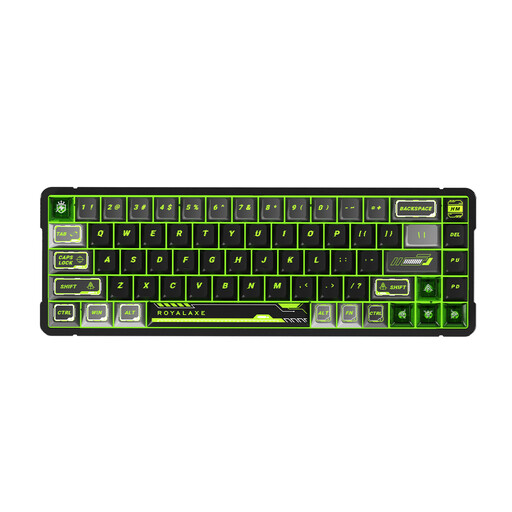
Why This Fits Their Persona: This compact option is aimed at FPS-focused users who prioritise desk space, an aluminium frame and the listed RT precision specification.
Its stated 68-key format and full aluminium alloy frame address two common omissions in compact keyboard listings: exact size and construction.
68-key layout; full aluminium alloy frame; listed 0.001mm RT precision.
We have compiled a complete, real-time list of products that fully satisfy these strict selection criteria and UK safety regulations.
Yes, provided the actuation settings are configured for comfortable use. A lower actuation point may feel responsive for games but can register accidental presses during typing. Choose a board with adjustable settings and use a less sensitive profile for documents and messaging.
Not necessarily. Rapid trigger changes how the keyboard registers key movement, but the overall experience also depends on the game, computer, USB connection, firmware and display setup. It is most relevant to games where repeated directional inputs matter.
A wired magnetic gaming keyboard does not require battery charging, so its ongoing electricity use is limited to the connected PC and keyboard electronics. Running cost is generally modest, but check the connection type and included accessories before purchase.