
24/7 Customer Support

Free returns

Same-day & Next-day Delivery

Quality Guaranteed

Unlock Your Welcome Offers: FREE Delivery | Up to 80% OFF | Free 30-day JoyPlus trial
Download the APP
A magnetic phone holder can make navigation, video calls and hands-free viewing more convenient, but the wrong design may become loose, charge inconsistently or fail to support your phone safely. UK shoppers also need to consider dashboard temperatures, uneven road surfaces and compatibility with both iPhone and Android devices.
Before buying, watch for three common pitfalls:
Check whether your phone supports a magnetic connection directly or through a compatible case or magnetic ring. A MagSafe phone holder is designed around the magnetic layout used by compatible iPhones, while many Android users will need an additional ring or case.
A magnetic ring should be positioned centrally and attached to a clean, dry surface. Thick metal cases, wallets and card holders can weaken the connection or affect alignment. For larger phones, a mount with a stable locking mechanism is generally more suitable than a small, single-point magnet.
If you are comparing an iPhone and Android phone holder, read the listed phone size range and attachment requirements rather than relying only on “universal” wording.
Your intended location should determine the mount type:
In every case, place the holder so it does not obstruct your view or interfere with vehicle controls. Set navigation before driving and avoid handling the phone while the vehicle is moving.
A wireless charging car mount must be connected to a suitable USB power source. Confirm whether the phone supports Qi wireless charging and whether the advertised output applies to your particular model. The stated maximum is not always the actual charging speed in every vehicle or situation.
Qi2 is a recognised magnetic wireless charging standard. For example, the HyperJuice stand lists Qi2-certified charging up to 15W for compatible iPhones, with separate 5W positions for Apple Watch and AirPods. It also lists USB-C input, 30–60-degree adjustment and a foldable design.
A 360-degree rotating phone mount can make portrait and landscape viewing easier. However, rotation should be paired with a firm hinge or locking mechanism; otherwise, vibration can gradually change the viewing angle.
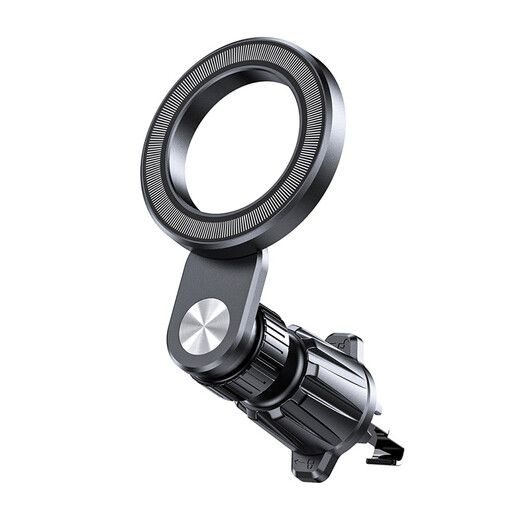
Why This Fits Their Persona: A compact option for commuters who want quick air-vent installation without a larger dashboard base.
It uses a metal clip and rotating locking structure rather than relying only on a loose vent grip. Non-MagSafe phones can use a compatible metal ring.
360-degree adjustment, dual-lock air-vent attachment and a compact ABS construction.
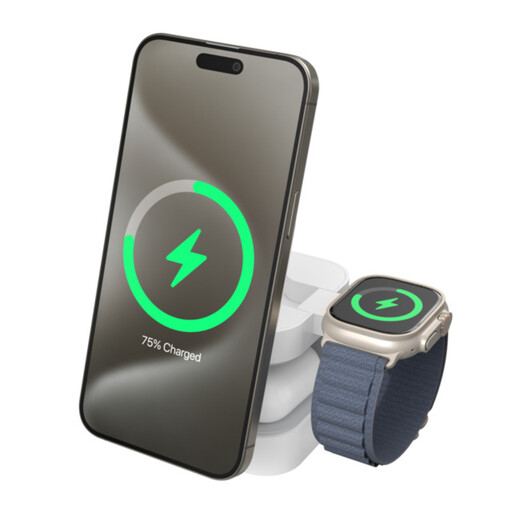
Why This Fits Their Persona: Suitable for Apple users who want one organised charging point at home, in the office or in a travel bag.
Its listed Qi2 certification and defined output make the charging specification clearer than vague “fast charging” claims.
Up to 15W Qi2 charging for compatible iPhones, simultaneous charging for three devices and a 30–60-degree viewing range.
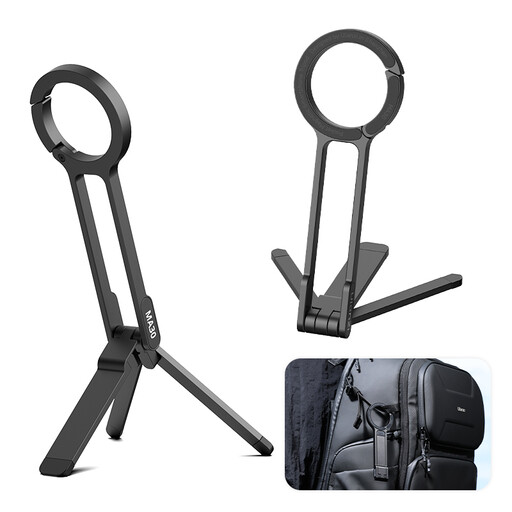
Why This Fits Their Persona: Designed for creators, travellers and commuters who need a pocket-sized holder that can change between grip, stand and tripod use.
Its safety guidance specifies stable, flat surfaces for tripod use and secure closure when using the carabiner, helping prevent careless placement.
Foldable aluminium mini design, dual-sided magnets and a carabiner-mounted quick-release format.
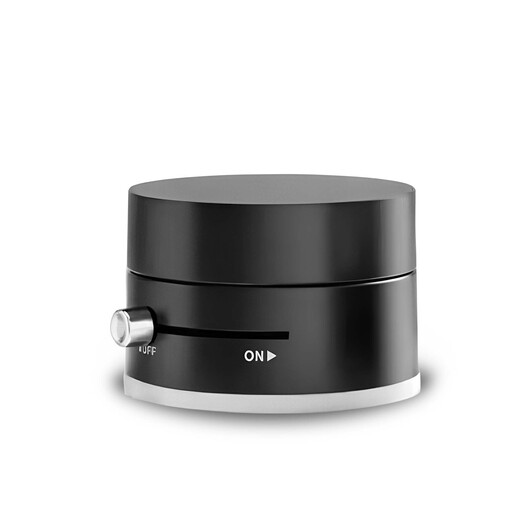
Why This Fits Their Persona: A practical choice for drivers who prefer a dashboard position and want to move the mount between a car, desk or smooth surface.
The on/off suction switch makes it possible to release the base correctly instead of pulling against the cup. It also states that non-magnetic phones need an insert.
Foldable construction, 360-degree adjustment and a vacuum locking switch for suitable smooth surfaces.
We have compiled a complete, real-time list of products that fully satisfy these strict selection criteria and UK safety regulations.
It can, but compatibility depends on the phone and case. Some Qi2-enabled Android devices support magnetic alignment, while others require a magnetic case or adhesive ring. Check the product listing before purchase and avoid placing thick cards or metal accessories between the phone and mount.
A mount should be installed firmly and positioned where it does not block the windscreen view, controls or safety equipment. Use the locking mechanism as instructed, check the phone is attached before setting off and do not adjust or handle the device while driving.
A standard magnetic holder does not need power. A wireless charging car mount does require a USB connection and draws power from the vehicle. Charging performance depends on the phone, case, cable, adapter and alignment, so check all components rather than judging by the magnet strength alone.