
24/7 全天候客户支持

免费退货

当日/次日达

品质保障

开启新人专享福利: 全场免邮 | 低至 2 折 | 免费试用 30 天 JoyPlus 会员
下载 Joybuy
As a Joybuy Product Recommendation Officer, my role is to help you navigate the crowded market of tech accessories. This guide focuses on a game-changing tool for content creators and professionals: the magnetic portable SSD. If you've ever been frustrated by the "Storage Full" notification while shooting high-quality video on your iPhone or transferring large project files, you'll understand the need for a fast, reliable external storage solution.
We'll explore what to look for in a high-speed external solid state drive and present some carefully selected options that cater to different needs, from mobile filmmaking to massive data backups.
Finding the right external drive involves more than just picking the largest capacity. Here are a few key factors to consider to ensure you get a device that fits your workflow.
The speed of your drive determines how quickly you can move files. For demanding tasks like editing 4K video or direct SSD for ProRes recording, speed is critical. Look for drives with a USB-C interface, specifically USB 3.2 Gen 2 or Gen 2x2. These standards offer theoretical speeds of up to 10 Gbps (around 1,250 MB/s) and 20 Gbps (around 2,500 MB/s) respectively. A fast transfer drive for Mac or PC with these specifications will significantly reduce waiting times.
How much storage do you need? A 1TB portable SSD is often a great starting point for many users, offering a good balance of space and cost. However, if you're a professional videographer, you might need more. Consider the physical size and weight. A compact, lightweight drive is essential for mobile filmmaking storage, and a MagSafe SSD or magnetic equivalent offers the added convenience of attaching directly to your iPhone, creating a streamlined, cable-managed setup.
A portable drive will inevitably face bumps and knocks. Look for models with a robust construction, such as an aluminium alloy casing, which helps with both durability and heat dissipation. Features like shock and vibration resistance are also important indicators of a drive's ability to protect your data while you're on the move.
Here are a few standout options from our catalogue, each suited to different user requirements.
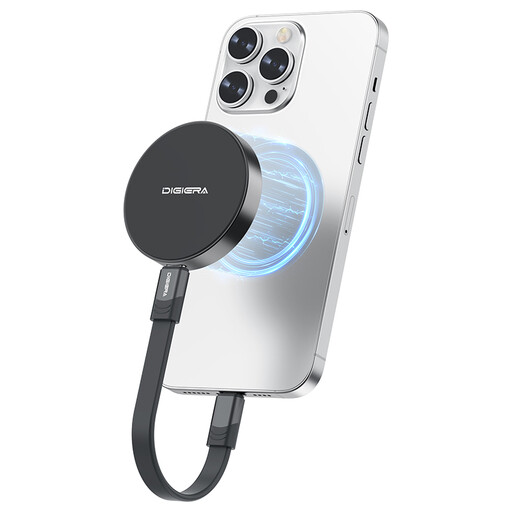
Why It Stands Out: This drive is designed specifically for the modern content creator. Its main appeal is the built-in magnetic system, which allows it to snap securely onto the back of an iPhone 15 or 16 Pro. This, combined with its blistering USB 3.2 Gen 2x2 interface, makes it an exceptional tool for shooting 4K ProRes video directly to external storage without cumbersome rigs.
Pros:
Who is it for? This is an ideal choice for iPhone content creators, mobile journalists and videographers who need a seamless and high-performance external SSD for iPhone 15 Pro or iPhone 16. It's also a great option for any professional needing a fast, pocket-sized drive for their USB-C laptop or tablet.
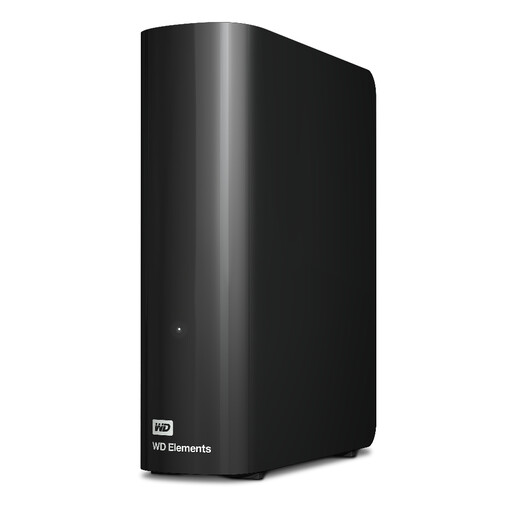
Why It Stands Out: While not a portable SSD, the WD Elements Desktop drive addresses a different but equally important need: mass storage and backup. With a colossal 12TB of capacity, it serves as a central digital library for all your projects, photos and media files. It offers a straightforward, plug-and-play solution for expanding your desktop's storage.
Pros:
Who is it for? This drive is for home or office users, video editors and photographers who need a high-capacity, stationary hub to archive completed projects and back up their primary computer. It is not intended for on-the-go use.
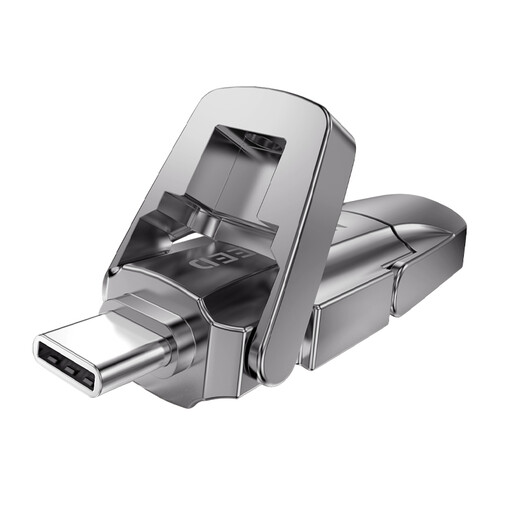
Why It Stands Out: This device blurs the line between a traditional thumb drive and an SSD. It packs impressive read/write speeds (up to 1090MB/s) into a tiny form factor. Its key feature is the dual-interface design, with both USB-A and USB-C connectors, making it incredibly versatile for transferring files between new and old devices without needing an adapter.
Pros:
Who is it for? This is for the user who values ultimate portability and versatility. It's perfect for quickly moving files between a new MacBook, an older desktop PC and an iPhone, or for anyone needing a high-speed drive that is small enough to live on a keychain.
The world of external storage is vast, with solutions tailored to every budget and need. If these specific models aren't quite what you're looking for, we invite you to browse our complete collection.
? Explore our full range of USB storage devices for more choices.
Yes. With an iPhone 15 Pro, iPhone 15 Pro Max or newer Pro models, you can connect a compatible external SSD via the USB-C port and record high-resolution ProRes video directly to the drive. This bypasses the phone's internal storage, allowing for much longer recording sessions. A drive with high write speeds is essential for this.
The primary difference is the technology inside. A Solid State Drive (SSD) uses flash memory, has no moving parts and is therefore significantly faster, more durable and more compact. A Hard Disk Drive (HDD) uses spinning magnetic platters, which makes it slower, more fragile and bulkier, but it generally offers more storage capacity for a lower price.
While you can use any compatible USB-C SSD, a drive with a magnetic attachment system (often called a MagSafe SSD) offers a major convenience for mobile recording. It secures the drive to the back of your phone, preventing it from dangling by the cable, which reduces the risk of accidental disconnection and creates a much cleaner, more stable filming rig.