
24/7 Customer Support

Free returns

Same-day & Next-day Delivery

Quality Guaranteed

Unlock Your Welcome Offers: FREE Delivery | Up to 80% OFF | Free 30-day JoyPlus trial
Download the APP
Dim rooms, harsh ceiling lights and shadows across the face can make otherwise good photos and videos look flat. A magnetic selfie light offers a compact way to add front-facing illumination to a phone, laptop or camera setup, but not every model offers the same compatibility, control or practical value.
As the Joybuy Product Recommendation Officer, I focus on the details that are easy to overlook beneath attractive product descriptions. Before buying, watch for these common pitfalls.
A MagSafe selfie light is designed to attach magnetically to compatible iPhones, but many Android phones do not have an integrated magnetic mounting system. Some products work with Android devices only when used with an included adhesive metal ring or a separate magnetic case.
Check whether the package includes a metal ring adapter, and consider where it will sit on your phone case. A poorly positioned ring may obstruct wireless charging or interfere with your case’s fit.
A high brightness figure does not automatically mean flattering lighting. Intense, direct light can create glare and hard shadows, particularly in close-up beauty videos. For a more adaptable portable LED selfie light, look for:
A light that dims smoothly from low to high is more useful than one that is simply described as “bright”.
Small rechargeable selfie lights are convenient, but their running time depends heavily on brightness. A stated maximum runtime may relate to the lowest setting, while use at full output can be considerably shorter.
Check the battery capacity, charging connection and whether the light can be used while charging. USB-C is particularly convenient for UK users who already carry a compatible cable for a phone, tablet or laptop.
For an iPhone selfie light, confirm whether the phone is MagSafe-enabled or whether an adapter ring is supplied. For Android phone fill light use, check the ring, clip or bracket arrangement before ordering.
A magnetic mount should hold the light securely without pressing against buttons or camera lenses. For laptops, a clip may be more suitable than a magnet. Never assume a magnetic accessory will attach safely to a bare device unless the product information specifically says so.
Colour temperature is measured in Kelvin:
Three selectable temperatures are useful for changing from warm indoor surroundings to neutral video-call lighting. A product listing that mentions CRI95+ LED light or CRI ≥95 indicates a high colour-rendering specification on paper, meaning colours are represented closer to the light source’s reference standard. It does not guarantee that every phone camera or skin tone will appear identical in every room.
For travel, a compact circular light that fits in a coat pocket is easier to carry than a larger video panel. However, a larger panel may provide broader illumination for product photography or full-body filming.
Also check whether the light rotates. A 360° rotating selfie light can face the user for selfies, then turn towards a background or product without removing the accessory. A built-in mirror may help with quick make-up checks, although it adds a little weight and thickness.
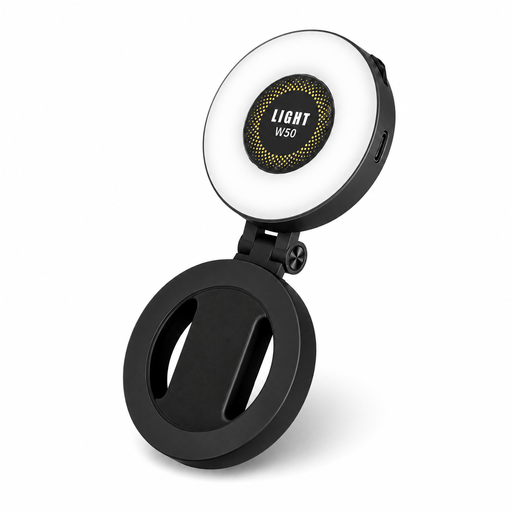
Why This Fits Their Persona: A straightforward pocket-sized option for people starting with selfies, TikTok lighting or occasional video calls from a bedroom, kitchen or home office.
It includes a metal ring adapter for non-MagSafe devices and offers brightness adjustment from 10% to 100%, rather than relying on one harsh setting.
Three listed colour temperatures—2700K, 5600K and 7500K—plus a built-in 56mm mirror and 360° rotation.
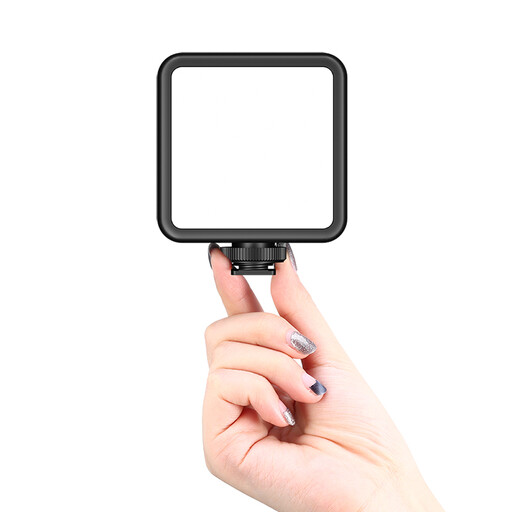
Why This Fits Their Persona: Suited to creators who want more control for YouTube vlogs, product shots and controlled home-studio scenes rather than only front-facing selfies.
Its magnetic back supports mounting flexibility, while the wider light format is more appropriate when a small circular phone light is not sufficient.
A listed 2000mAh battery and adjustable 2500K–9500K colour range provide broader setup options.
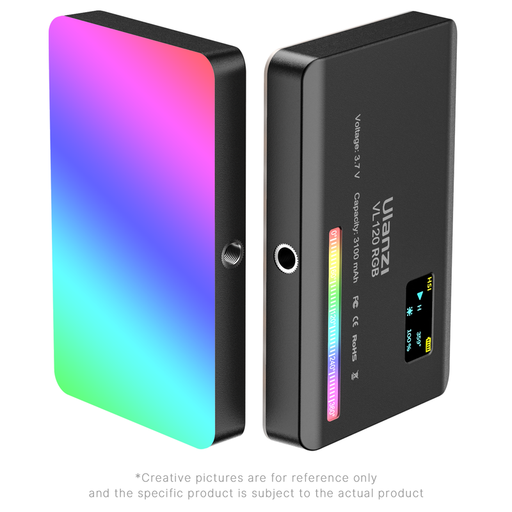
Why This Fits Their Persona: A practical choice for frequent vloggers, livestreamers and photographers who need colour effects as well as adjustable white light.
It is a broader video-light format rather than a selfie-only accessory, with specified operating warnings that encourage ventilation and careful charging.
The specification lists a 3100mAh battery, 2500K–9000K adjustment, 360° colour control, 20 lighting effects and CRI ≥95.
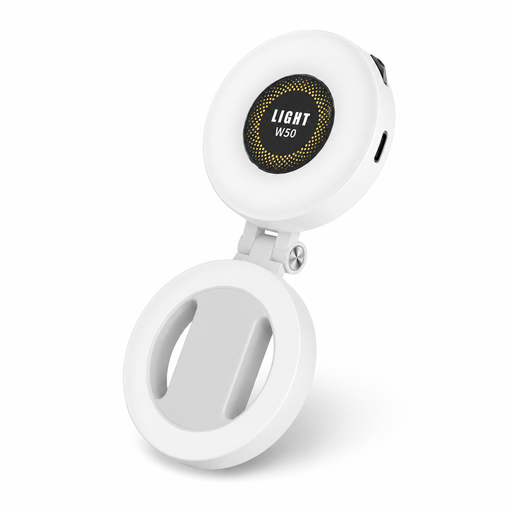
Why This Fits Their Persona: The mirror and compact handheld format suit make-up users, commuters and anyone who wants quick adjustments before a selfie or video call.
The rotating design can switch between illuminating the face and directing light towards a scene, reducing the need to remove and reposition it.
The listing specifies a 95+ colour-rendering index, three colour temperatures and USB-C charging.
Position the light close to the phone lens so illumination comes from roughly the same direction as the camera. Start at a low brightness and increase it gradually. A light placed too far to one side may emphasise shadows, while one held very close at full output can create an unnatural appearance.
For Zoom call light use, place the phone or laptop at eye level and choose a neutral colour temperature. Avoid pointing an LED directly into your eyes, and follow the manufacturer’s instructions about heat, moisture and charging. Lights containing lithium batteries should not be disassembled or exposed to extreme heat.
We have compiled a complete, real-time list of products that fully satisfy these strict selection criteria and UK safety regulations.
It can be, but compatibility depends on the mounting method. Android users should look for a supplied metal ring, magnetic phone case or clip. The ring must be attached securely and positioned so it does not block cameras, buttons or charging features.
Runtime varies according to battery size, brightness and lighting mode. Maximum runtime figures generally refer to low brightness. For regular filming or livestreaming, choose a model with a larger battery and USB-C charging, and charge it before an important session.
It may help when your room lighting creates shadows or leaves your face underexposed. It is most useful when positioned near the camera at a moderate brightness. It will not replace a properly positioned room lamp, but its portability makes it useful for changing rooms, travel and temporary workspaces.