For a passenger playing match-three games on a road trip, choose the connection plan before paying for cellular hardware. A Wi-Fi tablet can suit a game that works offline after any necessary downloads, or a journey with a dependable hotspot; a cellular model gives the tablet its own mobile-data option but still needs a suitable plan and coverage. Check the game’s requirements, the exact tablet variant and your charging setup before leaving.
Who is this for?
Passengers who want connection flexibility
If dependable Wi-Fi is unlikely during the journey, compare a tablet with its own mobile-data capability against using a phone hotspot. Check what the particular game needs online before choosing either setup.
Casual players planning ahead
If you mainly want a larger screen for touch games, a Wi-Fi tablet may fit your plans when the game allows the necessary content to be downloaded before departure.
Families sharing a travel tablet
If several passengers will use the tablet, consider screen size and built-in storage alongside how you will keep it charged throughout the journey.
What matters when choosing?
iPad with cellular
Consider it: If you want an iPadOS tablet that can use mobile data without a hotspot, Apple offers a Wi-Fi + Cellular version of the 11-inch iPad (A16).
Bear in mind: The cellular configuration requires a mobile-data plan and costs more than a comparable Wi-Fi configuration.
Android with 5G
Consider it: Samsung’s Galaxy Tab A9+ 5G combines an 11-inch Android tablet with mobile-data capability and microSD storage for media.
Bear in mind: Samsung says 5G speed varies with network conditions and that microSD storage cannot hold applications.
Wi-Fi tablet
Consider it: Lenovo’s 11-inch Tab M11 Wi-Fi configuration suits passengers prepared to download content or arrange a hotspot.
Bear in mind: The cited Lenovo configuration has no independent mobile-data connection, and Lenovo says its box has no charging adapter.
| Concern |
What to check |
Who this matters to |
| Play away from Wi-Fi |
Check the exact connectivity variant and the game’s offline, download and update requirements. For cellular use, check your data plan and coverage. |
If I cannot count on Wi-Fi or a hotspot, I want to know whether the tablet can connect on its own when the game needs it. Around 40% of consumers put connection flexibility first. |
| Casual play and preparation |
Compare built-in storage and the included charging equipment, then decide whether downloading before departure fits your game. |
If I am happy to prepare my games before leaving, I would rather focus on the tablet and essentials I will actually use. For around 30% of consumers, that prepared approach is the primary concern. |
| Screen, storage and charging |
Check display size, built-in app storage and the charging kit. Confirm whether a memory card can store apps or only media. |
When several people will share a tablet, I want a screen that suits them and enough space and charging equipment for the trip. Those practicalities come first for around 30% of consumers. |
Mistakes to avoid
-
Assuming Wi-Fi and cellular versions work the same way
A Wi-Fi-only tablet cannot independently use mobile data away from Wi-Fi. Cellular hardware offers another way to connect, but it does not guarantee coverage.
Decide whether you will download what the game needs, use a hotspot or give the tablet its own mobile-data connection before choosing a variant.
A cellular connection may also require a separate mobile-data plan.
-
Counting a microSD card as space for installed games
Samsung says external memory on the Galaxy Tab A9+ can store media, not applications. A card therefore does not resolve a shortage of built-in space for game installs.
Check the tablet’s built-in storage against the games and other apps you intend to install.
-
Leaving the charging setup until departure
Lenovo says the cited Tab M11 configuration includes a USB-A-to-USB-C cable but no charging adapter.
Check the exact box contents and whether your existing charger, vehicle charger or power bank is compatible.
If you do not already have a compatible charging adapter, you may need one separately.
-
Planning to play while driving
GOV.UK states that holding and using a tablet or another device that can send or receive data while driving is illegal, including while stopped in traffic or at lights.
Leave gameplay to passengers or wait until the driver is safely parked.
Relevant brands to consider
Apple
The 11-inch iPad (A16) offers an iPadOS option with 128GB starting storage and a choice of Wi-Fi or Wi-Fi + Cellular configurations.
- Apple specifies Wi-Fi 6 across these models and 5G on Wi-Fi + Cellular versions.
- Using the cellular option requires a mobile-data plan; check the exact configuration before ordering.
Samsung
The Galaxy Tab A9+ is an 11-inch Android option with a 5G variant, a display refresh rate of up to 90Hz and microSD support.
- Samsung specifies microSD expansion of up to 1TB for media storage.
- Samsung says external memory cannot store applications, while 5G availability and speed vary with the network and location.
Lenovo
The cited Tab M11 is an 11-inch Android Wi-Fi configuration with 4GB memory and 128GB built-in storage.
- Lenovo specifies a 1920 × 1200 anti-glare display and a 7040mAh battery for this configuration; capacity alone does not establish gaming runtime.
- Lenovo says a USB-A-to-USB-C cable is included but a charging adapter is not.
Tablets for passenger play
These tablets cover different screen sizes and connection choices for passengers playing on a road trip. Check the exact game’s requirements and each variant’s connectivity and charging arrangements before relying on it away from home.
 No image available
TECLAST ArtPad Pro 2025 Edition, 12.7-inch, 256GB, with stylus
For a passenger who wants a large touch area and a mobile-data option, this variant lists a 12.7-inch 2K display, 256GB storage and Dual SIM 4G LTE.
It also lists a Helio G99 processor, Android 15, 8GB RAM plus 12GB virtual RAM, a 10,000mAh battery and 18W input. Battery capacity does not establish gaming runtime; check charging equipment and network compatibility for your journey.
View on Joybuy
 No image available
Apple iPad Pro 13-inch (M5), Wi-Fi + Cellular, 1TB, Standard Glass, Silver
For a passenger who wants a 13-inch iPad with its own cellular option, this variant specifies Wi-Fi + Cellular and 1TB storage.
The larger format is worth considering if you will hold the tablet during play. Cellular use still depends on a suitable data plan and usable coverage.
View on Joybuy
 No image available
DOOGEE Tab E3+, 12-inch FHD+, SIM slot, Black
For a passenger interested in a 12-inch screen and a possible SIM-based setup, this Android 15 tablet lists a SIM card slot.
Its title also specifies a 90Hz display, Helio G100 processor and 8800mAh battery. Check the precise storage variant, UK network compatibility and charging equipment before travel; battery capacity does not establish gaming runtime.
View on Joybuy
 No image available
Xiaomi Pad 8 Pro, Gray, 12G RAM, 512G ROM
For a passenger prioritising built-in space for games and other apps, this variant lists 512G ROM and 12G RAM.
If you need a connection away from Wi-Fi or a hotspot, confirm the exact connectivity variant. Check the included charging equipment before setting off.
View on Joybuy
 No image available
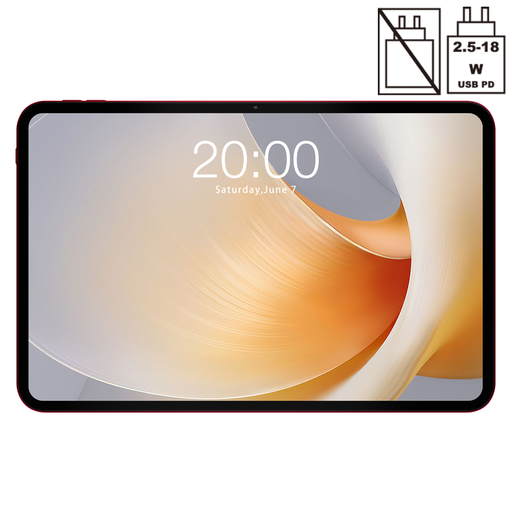
TECLAST T65 Plus, 13.4-inch, 128GB, Dual SIM 4G
For a passenger who wants a particularly large display and direct mobile-data hardware, this Android 15 tablet lists a 13.4-inch 120Hz screen and Dual SIM 4G.
It also specifies a Helio G99 processor, 128GB storage and 8GB RAM plus 12GB virtual RAM. Consider whether the size will be comfortable to hold, and check UK carrier compatibility before relying on mobile data.
View on Joybuy
Frequently asked questions
Can the driver play match-three games on a tablet during a UK road trip?
No: GOV.UK states that holding and using a tablet or another device that can send or receive data while driving is illegal, including while stopped at traffic lights or queuing. Leave gameplay to passengers or wait until the driver is safely parked.
Is a Wi-Fi tablet enough for games on a road trip?
A Wi-Fi tablet can work if the particular game supports the way you intend to play after downloading what it needs, or if you have dependable hotspot access. Check the game’s current app-store listing for offline play, downloads and updates before departure; choose cellular hardware if the tablet itself needs a mobile-data option.
Can a microSD card hold installed games on the Galaxy Tab A9+?
Do not count on it. Samsung says external microSD memory on the Tab A9+ stores media, not applications, so compare your intended games and updates with the tablet’s built-in storage.
Does the Lenovo Tab M11 come with a charging adapter?
The cited UK Tab M11 ZADA0213GB configuration includes a USB-A-to-USB-C cable but, according to Lenovo, no charging adapter. Confirm the exact bundle and check that your existing travel-charging equipment is compatible.


