What should you check first?
Choose the household’s control app first, then check each device’s setup path, access permissions and stated support period.
| Priority |
What to check |
Your needs |
| Initial setup |
Check the manufacturer’s installation steps, required app or account, and internet and phone or tablet requirements. The National Cyber Security Centre says these are commonly needed to set up household smart devices. |
I want to be able to install and manage the device with the connection and mobile device available at home. |
| Compatibility |
Check the exact model’s supported ecosystem, Matter device category and apps. For Thread, confirm that the chosen setup has a compatible border router or hub. |
If I add another brand later, I want to know whether it can join my chosen setup—not just whether its box says “smart”. |
| Shared access |
Compare invitations or profiles, local and remote permissions, and any hub requirement. Apple documents distinct Home resident and guest access; Amazon documents invited Alexa profiles. |
Other household members should be able to control appropriate devices without using the owner’s password, especially when cameras are involved. |
| Security support |
Find the manufacturer’s minimum period for important security updates and its security-issue contact. The National Cyber Security Centre advises checking support before buying a smart device. |
I want to know how long the manufacturer says it will provide security updates, so I can consider that period alongside the device’s intended use. |
Ecosystem references
The controller ecosystem affects pairing and household access; these platform features do not establish compatibility with every accessory.
Apple
Apple Home is a route for households already using Apple devices and seeking Home-app control.
- Apple Support describes Matter accessory pairing and separate resident and guest roles in Home.
- Thread accessories may require a Thread-enabled home hub or compatible third-party border router. Remote and guest access also have platform and hub conditions.
Amazon Alexa
Alexa is a route for households intending to use the Alexa app and Echo-based control.
- Amazon documents invited adult profiles that can manage shared smart-home devices without using the account owner’s login.
- For Matter-over-Thread setup, check which online Thread-enabled Alexa device or compatible border router the accessory requires.
Google Home
Google Home is a route for households using Google Home or Nest devices and considering compatible Matter accessories.
- Google Nest Help describes simultaneous control of compatible Matter devices through multiple Matter-certified apps.
- Google’s Matter setup model calls for a Matter-enabled Google Home hub; Thread accessories also need a suitable Thread-capable network arrangement. Check current household-access permissions for the intended devices.
Connected-device options on Joybuy
These options cover a smart plug, a monitor light and app-connected cameras. Choose by the job the device will do, then check how that particular model joins and is managed within your home setup.
 No image available
Eve Energy Matter Smart Plug with Power Meter, UK Type G
For adding remote switching, scheduling and power-use monitoring to a plug-in appliance. The listing specifies Matter over Thread, a UK Type G plug and a maximum load of 13A/2900W.
A compatible Matter controller and Thread border router are stated as requirements for full functionality. Check the manufacturer’s security-update period and the sharing permissions available in your chosen ecosystem.
View on Joybuy
 No image available
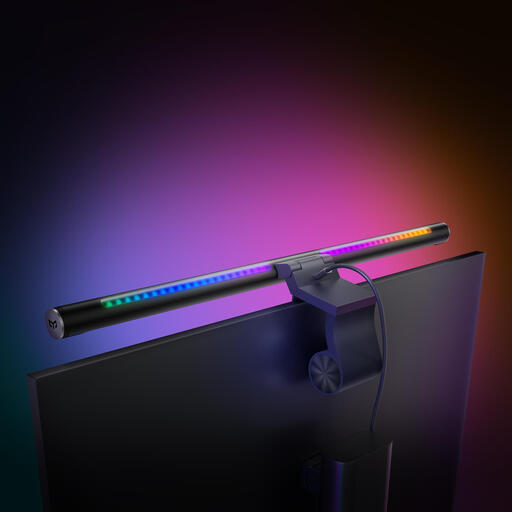
Yeelight Screen Light Bar Pro Libra 2
For connected lighting at a desk or monitor. Its description specifies a control knob, brightness and colour-temperature adjustment, Matter compatibility, and Alexa, Google Home and Apple Home voice control.
Confirm the exact Matter category and setup requirements for your chosen ecosystem, as well as the manufacturer’s security-update period and household-sharing options.
View on Joybuy
 No image available
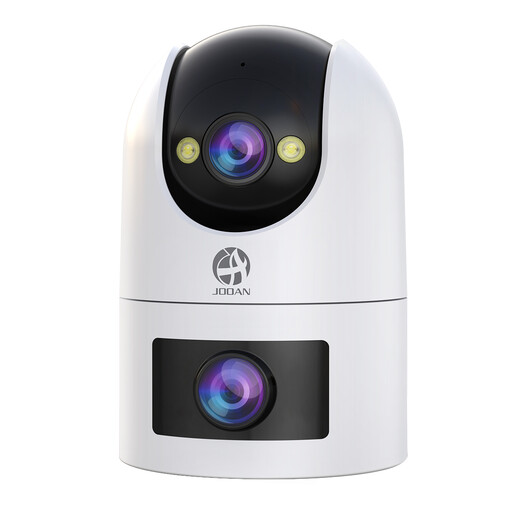
JOOAN Dual-Lens 5G 2.4G Wi-Fi Security Camera
For app-based camera viewing: the description specifies dual lenses, pan-tilt viewing, two-way audio and CAM720 app control. It says up to five CAM720 app users can view simultaneously, but that does not establish what each user can manage.
Check CAM720 permissions before sharing access. Local recording requires a microSD card; for outdoor placement, follow the mounting instructions and keep power connections dry.
View on Joybuy
 No image available
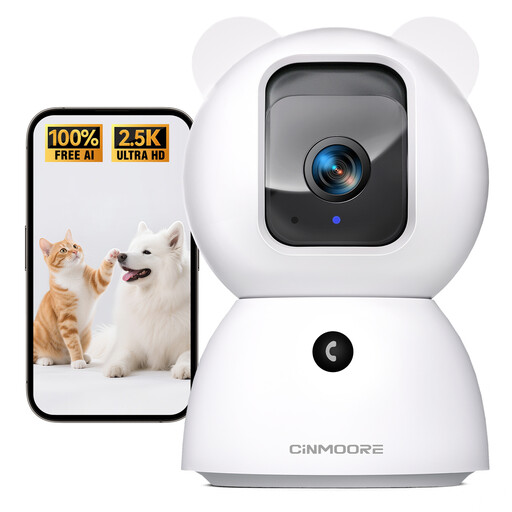
CINMOORE 2.5K 4MP Indoor Security Camera
For indoor app-based monitoring, the description lists person, pet and crying detection, two-way audio and night vision. It specifies 2.4GHz Wi-Fi and says 5GHz Wi-Fi is not supported.
Check that a 2.4GHz network is available. Local storage supports a microSD card up to 256GB, and the card is stated not to be included; confirm sharing permissions and the security-update period before buying.
View on Joybuy
 No image available
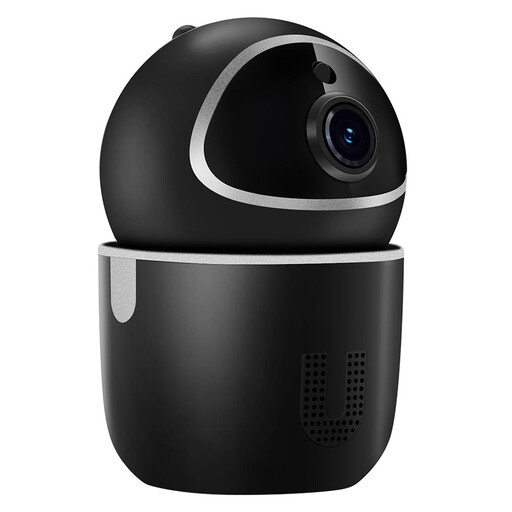
TENVIS T3801D 1080P Smart Security Camera, Black
For app-based monitoring of a room, the description specifies 1080P video, 360° pan-tilt movement, motion alerts, night vision and two-way audio.
Check which app and household accounts will control it, whether it integrates with your chosen home ecosystem, and the manufacturer’s stated security-update period.
View on Joybuy
Frequently asked questions
What do I need to set up a household smart device?
Plan on a home internet connection and a smartphone or tablet for an app or account. The National Cyber Security Centre identifies these as common setup needs; follow the exact device’s instructions because installation steps differ.
Will a Matter device work in every smart-home app?
No. Matter can let compatible devices connect to multiple supported ecosystems, but you still need to check the exact product’s Matter category, supported apps and available features.
Does a smart-home setup need a hub or Thread border router?
Not every Wi-Fi device needs one, but Thread-based Matter accessories require a suitable Thread border router or hub arrangement. Check the requirements of both the accessory and your selected Apple Home, Alexa or Google Home setup before buying.
Can other household members control devices without my password?
Yes, where the platform provides separate invitations or profiles. Apple documents Home resident and guest permissions, while Amazon documents invited adult Alexa profiles; check the precise access and remote-control rights for your chosen platform and devices.
What security-support information should I check?
Check the manufacturer’s stated minimum period for important security updates for the exact device. The National Cyber Security Centre identifies this disclosure as part of the baseline requirements for covered consumer connectable products supplied in Great Britain. Northern Ireland has a distinct Windsor Framework and applicable EU-law position, so check the supplier’s information for a device supplied there rather than assuming the Great Britain rules apply unchanged.


