Choose a full-size mechanical keyboard with an integrated numpad if expense claims involve frequent runs of figures. A compact board can free up desk space when number entry is occasional; whichever format you choose, check the exact key layout and switch variant, especially if you share a workspace. Keyboard choice also needs to fit your wider workstation setup.
Who needs which features?
People entering figures frequently
If claims involve repeated amounts, dates, invoice numbers or reference codes, you may prefer a dedicated numpad to using the top number row or a function layer. Check the exact keyboard variant: Logitech distinguishes the full-size MX Mechanical, which has a numpad, from the MX Mechanical Mini.
People sharing a home office
If others work nearby or you take calls in the same room, the sound of the selected switches matters. Compare the particular switch and keyboard construction rather than assuming every mechanical model has the same sound.
People with limited desk space or several devices
A compact layout may make more room on the desk if you rarely enter long runs of figures. If you also switch between devices or want remappable keys, check those features on the exact model and decide whether giving up an integrated numpad works for your claims.
What matters when choosing?
Start with how often you enter numbers, then check the space available, the sound you can accommodate and how the keyboard fits your workstation.
| Concern | What to check | Who this matters to |
|---|
| Numeric entry |
Confirm an integrated numpad and the key layout on the exact variant. |
If I repeatedly enter amounts and invoice references, I want number keys ready without switching layers. Around 31% of consumers put direct numeric entry first. |
| Typing sound |
Check the selected switch variant and any model-specific quiet or silent description. |
When others work nearby or I take calls in the same room, I want keystrokes that are less disruptive. Roughly 25% of consumers prioritise typing sound. |
| Long-session comfort |
Consider keyboard height and reach alongside desk and chair setup; assess whether a wrist rest suits your position. |
During longer claim sessions, I need a setup I can use without treating a new keyboard as a fix for the whole workstation. Around 25% of consumers put this first. |
| Space and device switching |
Check layout size, connection modes and the compatibility of any remapping tools. |
With little desk space or several devices, I may accept less direct number entry to make the workspace easier to arrange. About 19% of consumers prioritise that trade-off. |
Buying mistakes to avoid
-
Assuming a UK listing means a UK keyboard layout
A keyboard offered on a UK site can still have US key legends and a different physical arrangement. The Joybuy listing for the ochama J104, for instance, identifies it as US QWERTY.
Check the exact variant's stated layout and photos if UK key positions matter to you; a generic QWERTY description is not enough.
Discovering a layout mismatch after delivery can mean arranging a return or replacement.
-
Choosing a compact board before considering number entry
A tenkeyless layout omits the integrated numpad available on a full-size board. That may be an awkward exchange if entering figures takes up much of each claim session.
Think through the fields you fill in repeatedly. Prioritise a confirmed numpad for frequent figures, or accept the compact layout if desk space matters more.
You may later need a separate numpad if your number-entry needs change.
-
Treating the keyboard as the entire workstation solution
The Health and Safety Executive's guidance addresses workstation setup and work routines as well as equipment. A different keyboard alone cannot correct an unsuitable overall setup.
Consider the desk, chair and keyboard position together, change activity or take breaks as appropriate, and seek an individual display screen equipment assessment where applicable.
-
Choosing a switch solely because it is mechanical
Clicky, tactile and linear options do not have identical feel or sound. Logitech offers different switches within its MX Mechanical range, while Razer describes quiet-focused construction for the Pro Type Ultra specifically.
Check the switch fitted to the variant you intend to order, particularly if noise matters in a shared room. Review the retailer's applicable return terms before deciding on a feel you have not tried.
Brands to consider for these layouts
Logitech
Logitech's MX Mechanical range is relevant if you want to choose between a full-size board and a smaller model, with several stated switch options.
- Logitech specifies an integrated numpad on the full-size MX Mechanical, Tactile Quiet, Clicky and Linear switch choices, and switching among up to three devices.
- The MX Mechanical Mini omits the numpad; confirm the full-size variant if direct number entry is the reason for choosing the range.
Keychron
Keychron lists UK-ISO keyboards across different sizes, making the exact model and layout important parts of the decision.
- Keychron's UK collection includes full-size UK-ISO options such as the K10, Q6 Max and V6 Max. It describes the K8 Max as an 80% tenkeyless model with wired, Bluetooth and 2.4 GHz connections and remapping.
- The K8 Max is not a full-size numpad option; weigh its smaller footprint against the extra steps involved in frequent number entry.
Razer
The Razer Pro Type Ultra is a model to consider when typing sound, wrist support and connections to several devices are priorities.
- Razer specifies silent mechanical switches, sound-dampening foam, a cushioned wrist rest and connection to up to four devices for the Pro Type Ultra.
- Check the regional key layout of the exact variant you are buying rather than assuming every Pro Type Ultra has UK-ISO legends.
Joybuy keyboards for this task
These keyboards offer different ways to balance claim entry with desk space, typing sound and connection preferences. Check the exact layout and numpad arrangement before choosing one for repeated figures.
 No image available
AULA F99 wireless keyboard, Light Blue, US layout
Consider this model if you want a smaller-format keyboard for claim entry and are comfortable checking its numeric-key arrangement. The title specifies wired, Bluetooth and 2.4 GHz modes and a US QWERTY layout. Confirm the switch fitted to the exact variant before ordering, particularly if typing sound matters.
View on Joybuy
 No image available
ASUS ROG Falchion Ace HFX 65, UK layout
This compact option is worth considering when desk space matters more than a dedicated numeric cluster. The title specifies an analog gaming keyboard and a UK layout. Check its exact key arrangement and connection requirements against your everyday claims workflow.
View on Joybuy
 No image available
Ticktype DP104, Gecha Gray, silent tactile switches
Consider this full-size option if a stated silent tactile switch variant and several connection choices appeal to you. Its title specifies 108 keys, wired, Bluetooth and 2.4 GHz modes, and a US layout. Check the exact numpad arrangement before relying on it for frequent figures.
View on Joybuy
 No image available
HyperX Alloy Rise 75 Wireless, UK
This model may suit a desk where a smaller keyboard takes priority over direct access to a numpad. Check the physical key layout, the numeric-key arrangement and the sound of the exact switch variant before choosing it for claims.
View on Joybuy
 No image available
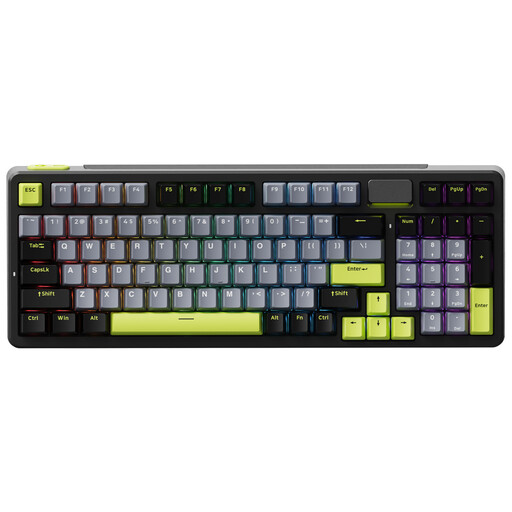
Rapoo V700DIY 96%, US layout
Consider the 96% format if you want to assess a more condensed arrangement for your desk. The title specifies wired, Bluetooth and 2.4 GHz modes and a US QWERTY layout. Check the exact numeric-key arrangement and switch sound if figures or a shared workspace are central to your choice.
View on Joybuy
Common questions
Do I need a full-size keyboard to enter expense claims?
Not necessarily: choose one with a confirmed integrated numpad when you regularly enter long runs of figures. A compact or tenkeyless board may suit occasional number entry or a smaller desk, provided you are comfortable using its available number keys or a separate numpad.
Which switches should I consider in a shared home office?
Start with the exact model and switch variant described as quiet or silent rather than choosing by keyboard category alone. Razer describes silent switches and sound-dampening foam on the Pro Type Ultra; Logitech offers several MX Mechanical switch choices. The sound you hear will still depend on the particular keyboard and setup.
Does a mechanical keyboard replace a home-working workstation assessment?
No. The Health and Safety Executive's home-working guidance says workers using display screen equipment daily for continuous periods of an hour or more can be DSE users. Where the relevant duties apply, consider the whole workstation and work routine rather than treating a keyboard purchase as an assessment.
How can I tell whether a listing has the UK key layout I want?
Check the exact variant's physical layout and key legends in its specifications and photos. A UK shopping site or a generic QWERTY label does not settle the question: the Joybuy ochama J104 listing, for example, explicitly states a US QWERTY layout.


