What to check before buying
Check the standing-desk position first, then the keys you use while drafting and editing. Switch choice and connection options become easier to judge once you know where and with whom you will write.
| Concern | Buying check | Who this matters to |
|---|
| Workstation fit |
Check whether the desk lets you place the keyboard just below elbow height, with relaxed shoulders and the mouse within easy reach. |
If I have to raise my shoulders or reach forward to type, changing keyboards alone will not fix the setup. Around 31% of consumers put workstation fit first. |
| Feel and sound |
Check the exact installed switch option, particularly when choosing between tactile, linear and clicky variants. |
When I write near other people, I want a key feel I can work with without assuming a quiet label guarantees silence. For around 31% of consumers, feel and sound are the primary concern. |
| Layout and space |
Confirm the physical UK-ISO or US layout, and whether you need a number pad and dedicated editing keys. |
If punctuation keys or a number pad interrupt my drafting workflow, saving desk width may not be worth the change. Layout and space come first for around 23% of consumers. |
| Connection and customisation |
Check the stated connection modes and whether your exact configuration permits the key or switch changes you want. |
I may need to reposition the keyboard as the desk moves or use it with more than one device, while accepting extra setup choices. Around 15% of consumers prioritise that flexibility. |
Mechanical keyboards on Joybuy
These choices cover compact and full-size mechanical keyboards for standing-desk writing. Compare each listed layout with the keys you use, and check that its height and placement work with your adjusted desk.
 No image available
HyperX Alloy Rise 75 Wireless Keyboard UK
Consider this wireless keyboard if you want a compact writing setup. Confirm the selected physical key arrangement rather than treating UK in the title as proof of UK-ISO, and check its front height against your desk position.
View on Joybuy
 No image available
Ticktype DP104, Gecha Gray, Silent Tactile switches
Consider its full-size format if you use a number pad while drafting or editing. The title specifies 108 keys, a US layout, Silent Tactile switches and tri-mode wireless connectivity; check whether the US key arrangement and the board's height suit your setup.
View on Joybuy
 No image available
MACHENIKE KG87 80%, Latte Switch, Pink
This 80% tri-mode keyboard may suit a writing space where a full-size board would take too much room. Its title specifies a US QWERTY layout and gasket mount; check the key arrangement and front height before choosing it for a standing desk.
View on Joybuy
 No image available
AULA F75 75% Wireless Mechanical Keyboard
Consider this compact board if desk width and connection choice matter more than a dedicated number pad. The title lists wired, Bluetooth and 2.4G modes, PBT keycaps and a US QWERTY layout; confirm the installed switch variant if feel or sound will determine your choice.
View on Joybuy
 No image available
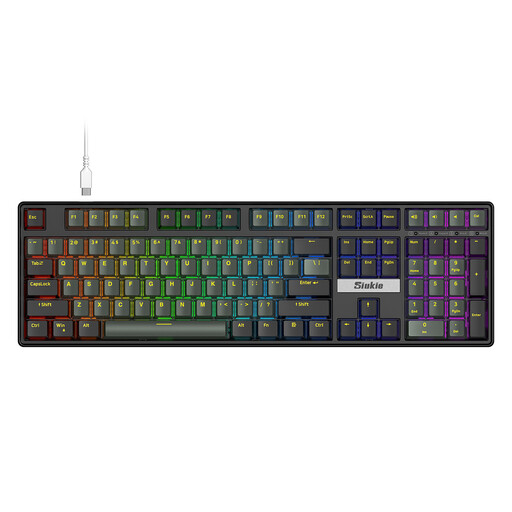
Siukie CR108 108-Key Wired Mechanical Keyboard
Consider this full-size wired format if you want room for numeric entry and can place its cable without restricting desk adjustment. Confirm the physical layout and fitted switches before ordering, then check that the keyboard fits your available writing area.
View on Joybuy
Frequently asked questions
How should I position a keyboard at a standing desk?
Adjust the desk so the keyboard sits just below elbow height and your shoulders can stay relaxed. The Health and Safety Executive also advises keeping the screen and keyboard central and avoiding prolonged static or awkward postures, so vary your position during a writing session.
Do I need a low-profile mechanical keyboard when standing?
No: a low-profile board is one option to consider, not a substitute for setting up the workstation. Check desk height, keyboard position, screen placement and mouse reach before deciding whether a lower keyboard front would help you position your hands comfortably.
Should I choose a UK-ISO layout for writing?
Choose UK-ISO if its physical key arrangement and legends match the punctuation and symbols you normally use. Check the selected variant explicitly: a UK shop listing does not, by itself, identify the keyboard's physical layout.
Which switches should I consider when writing near other people?
Start by comparing the exact quieter-labelled tactile or linear option with any clicky alternative, rather than choosing from the keyboard model name alone. Logitech lists Tactile Quiet, Clicky and Linear MX Mechanical variants, while Razer distinguishes several low-profile switch options; the label does not guarantee a particular sound level in your room.
Can I change the switches or keycaps later?
That depends on the exact keyboard configuration and the replacement parts. If later changes matter to you, confirm switch and keycap compatibility for the selected model before purchase, alongside its layout and the seller's applicable return and warranty terms.


