What should you check?
For household-budget updates at a two-screen desk, decide whether figure entry, available desk space or quieter typing is your main priority before comparing connection features.
| Concern |
What to check |
Who this matters to |
| Numeric entry |
Check the selected variant for a full-size or 100% layout, a dedicated number pad and UK-ISO keys if you want that physical arrangement. |
When I enter bills and balances repeatedly, I want number keys ready to use without giving up the familiar full-size key set. Around 44% of consumers would put numeric entry first. |
| Desk space |
Measure the keyboard-and-mouse area, then decide whether a 75% layout offers enough dedicated keys for your spreadsheet routine. |
With a second screen and papers on my desk, I would accept fewer keys to leave room for the mouse. Desk space would come first for around 33% of consumers. |
| Switch noise |
Check the exact switch variant and any model-specific sound-dampening description; a switch name alone is not a noise measurement. |
If I work on the budget while others share the room, I want typing to be less intrusive than a pronounced clicky switch. Roughly 23% of consumers would make quieter typing their primary concern. |
Joybuy keyboards for these desk setups
These keyboards include full-size options for frequent figure entry and 75% options for a desk where space matters more. Check each product’s physical key layout before choosing: several listed variants specify US keys rather than UK-ISO.
 No image available
Ticktype DP104 Gecha Gray, Thocky Linear switches
Consider this full-size option if figure entry takes priority over saving desk width.
- 108-key US layout; tri-mode wireless and wired connections.
- Check whether US keys suit your typing. The Thocky Linear switch name does not establish how loud this keyboard will be in a shared room.
View on Joybuy
No image available
Ticktype DP104 Gecha Gray, Silent Tactile switches
This full-size variant is relevant if you enter figures often and want to consider a switch described as silent.
- 108-key US layout; tri-mode wireless and wired connections.
- Check whether US keys suit you. The Silent Tactile name is not a measured assessment of noise in your room.
View on Joybuy
 No image available
HyperX Alloy Rise 75 Wireless Keyboard UK
Consider the 75% layout when room around the second screen and mouse matters more than a dedicated number pad.
- Wireless keyboard with a 75% layout.
- Confirm the selected variant’s physical key arrangement despite UK appearing in the title, and check that its key set suits your budgeting routine.
View on Joybuy
 No image available
AULA F75 75% tri-mode keyboard, US layout
The compact layout is worth considering if keyboard footprint is your main constraint.
- 75% US layout with wired, Bluetooth and 2.4G connection modes.
- Check whether the reduced key set and US arrangement suit you. If shared-room noise matters, confirm the switch fitted to the selected variant.
View on Joybuy
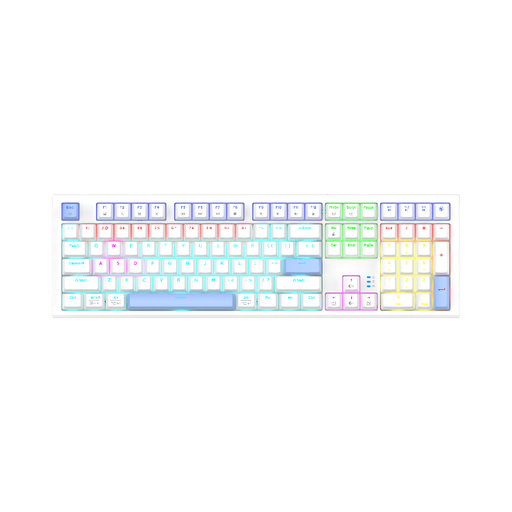 No image available
ochama J104 white full-size wired keyboard
This full-size wired option is relevant if your budgeting desk uses one computer and figure entry matters more than compact size.
- 104-key US layout with a USB-A connection.
- Check whether US keys suit you. The described clicky feel may be a poor fit if limiting noise in a shared room is important.
View on Joybuy
Common questions
Do two screens mean I need a multi-device keyboard?
No: device-switching features move the keyboard between separate host devices, not between displays. If both screens use one computer, focus first on layout and switch choice; consider pairing features if you also type into another computer or tablet.
Is a full-size keyboard worth the desk space for household budgeting?
A full-size keyboard is worth considering when you enter figures frequently and want a dedicated number pad. Keychron UK and CORSAIR describe that key cluster on their full-size layouts; choose a smaller layout instead if desk space matters more and you can work with fewer dedicated keys.
Which switches should I consider for a shared room?
Start by checking linear switches or a model with specifically described sound damping if lower noise is your priority. Logitech describes linear switches as quieter than clicky alternatives, but switch labels and manufacturer descriptions do not tell you exactly how loud a particular keyboard will sound in your room.
How can I avoid choosing the wrong physical key layout?
Check the exact variant for a UK-ISO designation if you want UK-ISO keys. A UK retailer listing or a product title containing UK does not, by itself, settle the physical layout of the configuration you select.


