What to prioritise
Count the computers and tablets you type on before considering device switching. Then decide whether a numpad or mouse room matters more, and check switch options for the space where you edit.
| Concern |
What to check |
Who this matters to |
| Switching between devices |
Count separate host devices, not displays. Check the exact keyboard’s supported device count and switching method. |
If proofs and messages sit on separate computers, I want to change which device I type on without reconnecting the keyboard. Around 42% of consumers put that switching need first. |
| Typing in a shared space |
Check the named switch variant and whether its sound and feel suit your workspace; a quiet-sounding product description is not a noise measurement. |
During long caption-writing sessions near other people, I want typing that does not distract them and still feels right to me. Around 33% of consumers primarily care about that balance. |
| Numpad or mouse room |
Decide how often you use a dedicated numpad, then compare full-size and smaller layouts. Check the selected key arrangement if you need UK-ISO. |
When I alternate between entering yearbook figures and arranging pages, I need the keyboard footprint to fit whichever task dominates. Around 25% of consumers make that layout trade-off their main concern. |
Joybuy keyboard choices
These keyboards offer full-size or smaller layouts for yearbook data entry and page work. Check the selected key layout and switches before buying; a list of wireless connection modes alone does not establish switching between separate computers.
 No image available
Ticktype DP104, Gecha Gray, Silent Tactile Switches
Consider its full-size format if numerical yearbook work calls for more dedicated keys. The title specifies 108 keys, a hot-swappable layout, tri-mode connectivity and Silent Tactile Switches; check their sound and feel for your workspace.
The listed key layout is US. If you type on separate devices, confirm how many hosts this variant can switch between and how.
View on Joybuy
 No image available
MACHENIKE KG87 80%, Latte Switch-Pink
Its 80% layout is a smaller-format option if mouse room matters during page work. The title identifies Latte Switch-Pink and a US key layout; check the switch feel and whether that arrangement suits your typing.
If you need a numpad or quick switching between separate devices, confirm those requirements against the exact variant.
View on Joybuy
 No image available
Lofree OE907 65%, Jellyfish Switches
The 68-key format is a compact choice to consider when desk space takes priority over dedicated keys. Its title specifies Jellyfish Switches, a US key layout, Bluetooth 5.1 and a wired mode.
Check whether the smaller layout covers your yearbook shortcuts and whether the keyboard switches between the separate devices you use.
View on Joybuy
 No image available
AULA F75 75% mechanical keyboard, US layout
Its 75% layout is relevant if you want a smaller keyboard beside your page-layout mouse. The title lists wired, Bluetooth and 2.4G modes, PBT keycaps and a US key layout.
Check the selected switches and typing sound if you work near others, and confirm device-switching support if you use more than one computer.
View on Joybuy
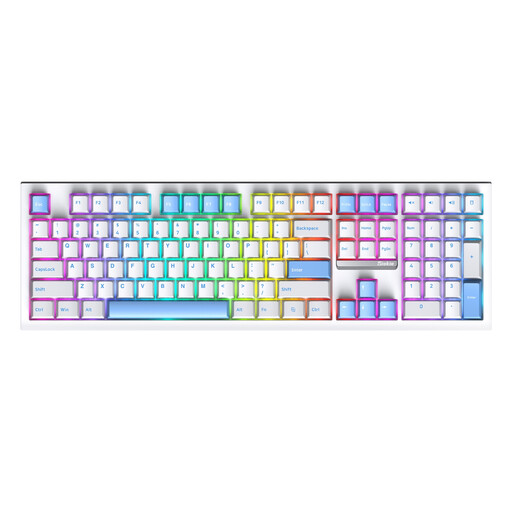 No image available
Siukie PL108W 108-key mechanical keyboard, White
Consider the 108-key format if you regularly enter yearbook figures and want to check its full-size key arrangement. The title also specifies detachable switches and three connection modes.
Confirm the selected key layout and switch type, along with any switching capability you need between separate devices.
View on Joybuy
Common questions
Do two screens mean I need a multi-device keyboard?
No: if both displays connect to one computer, one keyboard connection is enough. Prioritise switching when yearbook work regularly moves between separate hosts, such as a school desktop and a personal laptop, and check the exact model’s supported device count.
Should I choose full-size, tenkeyless or 75%?
Choose full-size if frequent numerical entry makes a dedicated numpad important; consider tenkeyless or 75% if mouse room matters more. CORSAIR’s UK guidance describes how a tenkeyless layout trades the numpad for space, so assess your own mix of data entry and page-layout work.
Which mechanical switches should I consider in a shared workspace?
Start by comparing quieter tactile and linear options if key noise might disturb people nearby, but check the sound and feel of the exact variant. Logitech’s switch guidance distinguishes linear, tactile and clicky characteristics; a switch label alone cannot tell you how comfortable it will feel to type on.
What should I check about UK key layout and compatibility?
Confirm the selected variant’s key arrangement and its support for your operating system and intended connection method. If you need UK key placement, look for an explicit UK-ISO option rather than assuming that a keyboard described as QWERTY has it; Keychron lists such an option for the K5 Max.


