Frequent totals-entry users
You enter headcounts or attendance totals repeatedly and want a numeric area available without relying on the top number row.


Choose the layout before the switches: a full-size mechanical keyboard gives you an integrated numeric area for repeated totals entry, while a separate number pad lets you keep a compact main keyboard. Programmable keys are worth considering only for repeated shortcuts permitted by your attendance process; they do not replace a review of the totals you submit. For regular display-screen work, consider how the keyboard fits the whole workstation.
You enter headcounts or attendance totals repeatedly and want a numeric area available without relying on the top number row.
You move through repeated attendance screens or spreadsheet actions and want configurable keys, provided your organisation permits those shortcuts.
You need a keyboard that fits a changing desk setup or works alongside a laptop, while keeping the key layout familiar.
Decide where you want the numeric keys first, then check whether shortcuts and the physical desk setup change your choice.
| Concern | What to check | Who this matters to |
|---|---|---|
| Numeric-entry layout | Check the exact variant for an integrated numeric keypad, or choose a separate pad if you are keeping a compact keyboard. Confirm that its physical layout suits you. | If I enter totals throughout the day, I want numeric keys where I can reach them readily. Around 45% of consumers put numeric-entry layout first. |
| Permitted shortcuts | Check how keys are configured on your computer and whether your attendance process permits the actions you intend to assign. | When I repeat the same approved navigation steps, configurable keys matter more than extra controls I cannot use. Around 33% of consumers prioritise permitted shortcuts. |
| Workstation fit | Check desk width, keyboard placement and connection compatibility. The Health and Safety Executive advises placing the keyboard centrally and just below elbow height. | At a shared desk or laptop workstation, I need room to position the keyboard comfortably and connect it to my work device. Around 22% of consumers make workstation fit their primary concern. |
A compact or tenkeyless keyboard may leave you using the top number row. SteelSeries distinguishes its full-size layouts with numeric keypads from smaller alternatives.
Inspect the layout of the exact variant before buying, and decide whether you want the numeric keys integrated or on a separate pad.
Adjustable actuation and gaming responsiveness describe keyboard behaviour, not whether an attendance record has been entered correctly.
Choose a layout you can use comfortably and keep the normal review and authorisation steps for submitted totals.
Keyboard height and placement are only part of a display-screen workstation. Health and Safety Executive guidance also addresses the position of the screen, chair and other equipment.
Arrange the complete workstation so the keyboard is central and just below elbow height where practicable. If you use display-screen equipment daily as part of normal work for continuous periods of an hour or more, ask your employer about a workstation assessment.
Keychron UK lists full-size UK-ISO mechanical keyboards alongside a separate mechanical number pad.
SteelSeries distinguishes full-size keyboards with numeric keypads from smaller layouts and offers a UK-targeted Apex Pro model.
The One 3 range is relevant if you prefer a conventional full-size keyboard and want to compare switch options.
Razer is relevant when dedicated macro keys or a low-profile design are priorities.
These full-size mechanical keyboards are options if you want numeric entry integrated into the main board. Both listings specify a US layout, so check the key positions and legends against your UK setup before choosing either one.
 No image available
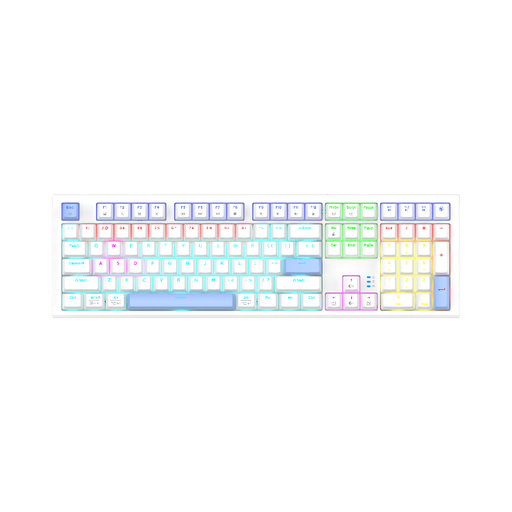
Consider its full-size layout if you want numeric keys on the main keyboard for entering totals.
The listed variant has 108 keys, tri-mode connectivity and hot-swappable switches. Confirm that its US layout, connections and any shortcuts you need suit your work device and attendance system; the switch name alone does not establish its sound level.
 No image available
Consider its full-size layout if you want numeric keys on the main keyboard for entering totals.
The listed variant has 104 keys and a USB-A connection. Check that its US layout and wired connection suit your workstation, and whether its clicky typing feel is appropriate for a shared space.
No. A full-size keyboard puts the numeric area on the main board, while a separate number pad lets you keep a compact keyboard. Check the exact layout: SteelSeries distinguishes full-size boards with numeric keypads from smaller options, and Keychron offers the Q0 Max as a separate pad.
They can help with repeated shortcuts that your organisation permits, but should not bypass review or authorisation. Keychron lists VIA macro support for the V6 Max, and Razer lists six dedicated macro keys on the BlackWidow V4; check whether the controls work with your computer and attendance process.
Choose by the typing feel you prefer and the noise your workspace can accommodate. Logitech G lists clicky, tactile and linear switch options for its G512; if colleagues could be disturbed, try the selected switch where possible rather than assuming its name tells you how loud it will sound.
The Health and Safety Executive guidance cited here addresses workstation assessment and setup, not a named keyboard model. It says employers must assess the workstation when workers use display-screen equipment daily as part of normal work for continuous periods of an hour or more; the assessment considers the whole workstation rather than the keyboard alone.