What matters when choosing?
Set the laboratory’s layout, connection and cleaning requirements before weighing desk space or switch feel. The concerns below show how different primary needs change the choice.
| Concern |
What to check |
Who this matters to |
| Typing noise |
Identify the supplied switch variant and ask whether its sound is acceptable at the shared desk; a model name alone does not establish this. |
When colleagues sit nearby, I want key feedback without choosing an intentional click that could distract them; around 33% of consumers would put low-distraction typing first. |
| Measurement entry |
Confirm the actual UK-ISO key arrangement if required and check for a dedicated number pad before choosing a smaller layout. |
I enter measurements and sample identifiers repeatedly, so familiar symbol keys and ready access to numbers matter; around 27% of consumers would make entry layout their primary concern. |
| Shared setup |
Check permitted wired or wireless connections and whether device switching or configuration software fits local policy. |
With approved devices changing hands at one desk, I need a connection method that fits the handover; roughly 20% of consumers would prioritise workstation flexibility. |
| Typing setup |
Consider the keyboard within the actual desk setup and assess whether its height or a wrist rest suits the individual user. |
For longer logging sessions, I need a keyboard that fits my workstation rather than relying on an ergonomic product claim; around 20% of consumers would put typing setup first. |
Joybuy keyboard choices
These mechanical keyboards offer different layouts and connection choices for measurement logging. Check each variant’s key positions, switch and cleaning guidance against the shared desk’s requirements before ordering.
 No image available
ASUS ROG Strix Scope II 96 Wireless Keyboard, Black, UK Layout
Consider this model if a UK-layout claim and wireless connection fit your logging desk. Confirm the exact key arrangement and supplied switch before relying on it for quiet shared use, and check local wireless and cleaning rules.
View on Joybuy
 No image available
Ticktype DP104 Tri-Mode Mechanical Keyboard, 108 Keys, US Layout, Gecha Gray
For repeated measurement entry, check whether its stated US layout suits the symbols and key positions your users expect. The product name specifies 108 keys, tri-mode operation and linear switches; it does not establish an acceptable noise level for the shared desk.
View on Joybuy
 No image available
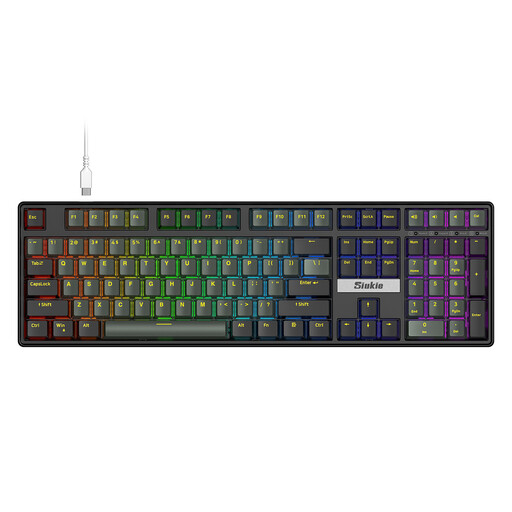
Siukie CR108 108-Key Wired Mechanical Keyboard
A wired connection may fit a fixed logging workstation where a cable is permitted. The name specifies 108 keys and detachable switches; confirm the supplied layout and switch, as well as cleaning instructions, before selecting it for shared use.
View on Joybuy
 No image available
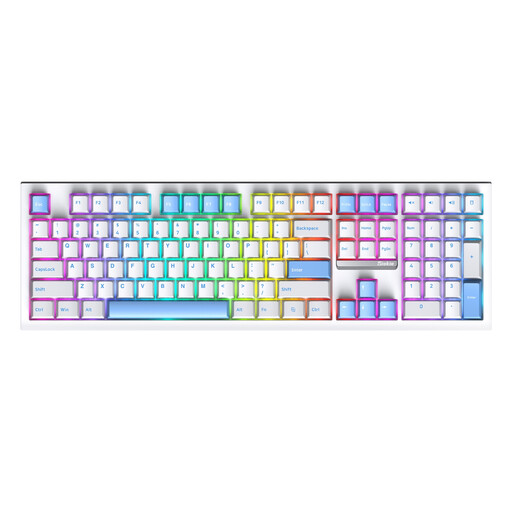
Siukie PL108W 108-Key Three-Mode Mechanical Keyboard, White
Consider its three-mode design if the workstation permits the connection you intend to use. Check the exact layout and supplied switch for measurement entry and shared-desk noise, then compare its cleaning instructions with the laboratory procedure.
View on Joybuy
Frequently asked questions
Which switches should I consider for a shared laboratory desk?
Start with the exact quiet-labelled tactile or silent variant if you want mechanical feedback without deliberately choosing a clicky switch. Logitech lists Tactile Quiet, Clicky and Linear MX Mechanical options, while Razer describes silent switches and damping on the Pro Type Ultra; confirm whether the chosen variant’s sound is acceptable at your desk.
Is a number pad worth the desk space for measurement logging?
A dedicated number pad is worth considering when users repeatedly enter numerical values and have room for a larger keyboard. Logitech identifies one on the full-size MX Mechanical, and Keychron describes the K10 Pro as a 100% layout. If space is tight, check whether a smaller layout would interrupt the usual entry routine.
Can I use disinfectant wipes on a shared laboratory keyboard?
Use wipes only if the exact keyboard’s instructions and the laboratory’s approved cleaning procedure both permit them. Logitech’s general guidance advises powering off or unplugging its devices and not applying liquid directly; do not extend that advice to another brand or substitute it for a stricter decontamination procedure.
Does the keyboard belong in a workstation assessment?
Yes, where workers use display screen equipment daily for continuous periods of an hour or more, Health and Safety Executive guidance says employers must assess workstations and reduce risks. Its workstation checklist includes keyboards, so consider the keyboard alongside desk setup and individual needs rather than treating a product feature as a substitute for assessment.


