Multi-device yearbook editors
Students or staff moving between a school desktop, personal laptop and possibly a tablet may value device switching without repeatedly moving cables. Check how many devices the particular keyboard can pair with.


Choose a wireless mechanical keyboard with a wired option if you need to keep working while charging or resolve a connection problem without changing keyboards. A 75% or tenkeyless layout makes more room for yearbook proofs and a mouse, while a full-size board is worth the extra desk space if the team enters numbers frequently. In a shared room, check the actual switch option and weigh lighting against battery runtime.
Students or staff moving between a school desktop, personal laptop and possibly a tablet may value device switching without repeatedly moving cables. Check how many devices the particular keyboard can pair with.
People arranging pages, captions and images at a crowded workstation may prefer a smaller keyboard that leaves room for a mouse, notebook or graphics tablet.
Editors working regularly with orders, page plans or contact lists may find a dedicated numpad useful, provided a full-size keyboard fits the desk.
For yearbook work with few spare sockets, settle the connection and charging arrangements before trading desk space against number-entry needs and shared-room noise.
| Concern | What to check | Who this matters to |
|---|---|---|
| Cables and charging | Check the charging connector and whether the keyboard works in wired mode while charging. | I need to edit at a desk where another permanent cable would get in the way, but I still need a way to keep working when the keyboard needs charging. Around 33% of consumers would make cable and charging arrangements their primary concern. |
| Device switching | Check the supported number of paired devices and whether the school computer permits the chosen Bluetooth or receiver connection. | When I move yearbook work between a school computer and my own device, reconnecting the keyboard each time interrupts the task. For around 27% of consumers, switching between devices would come first. |
| Desk space | Compare 75%, tenkeyless and full-size layouts; check whether you need a dedicated numpad. | I need room beside the keyboard to work with a mouse and page proofs, even if that means using key combinations for some functions. Preserving desk space would be the main concern for around 20% of consumers. |
| Shared-room typing | Check the particular switch variant and the battery-runtime conditions with lighting enabled. | If others are working nearby, I want to consider switch sound before choosing a board for long editing sessions. Around 20% of consumers would put shared-room typing first. |
A wireless keyboard still needs charging, and Corsair UK notes that RGB lighting can affect battery runtime.
Check the manufacturer’s runtime conditions, charging connector and whether the keyboard can operate over a cable while charging. Leave lighting off if it does not help your work.
Tenkeyless boards remove the numpad, while smaller layouts may place some functions behind key combinations. That can matter to the person maintaining yearbook orders or spreadsheets.
List the team’s frequent tasks before choosing: favour desk space when layout work dominates, or keep a dedicated numpad when number entry regularly needs it.
Switch choices differ in feel and sound. Logitech lists Tactile Quiet, Clicky and Linear options for its MX Mechanical line, so the switch variant matters as well as the keyboard model.
For a shared room, look for an explicitly quieter option and, if possible, try the actual switch type before ordering.
A keyboard battery needs an appropriate collection route at the end of its life, rather than disposal with ordinary household waste.
Use a battery collection point for a removable battery. For a built-in battery or the complete keyboard, follow local-authority or manufacturer disposal guidance.
The MX Mechanical line offers a choice between a full-size keyboard and the smaller MX Mechanical Mini for different desk and number-entry needs.
The K3 Max and V3 Max ranges provide different compact layouts, with UK-ISO variants to consider.
Its wireless mechanical range is largely gaming-focused but includes layout and connection choices relevant to a shared workstation.
The Razer Pro Type Ultra is an option to examine when wireless connections and control of multiple devices matter.
These mechanical keyboards offer compact options for a crowded yearbook desk alongside larger layouts to consider for number entry. Compare each model’s connection options, charging arrangements and key layout against the computers your team uses.
 No image available
Consider this compact option when the keyboard needs to share space with yearbook layout materials. The title specifies an 80% mechanical layout, tri-mode connectivity, a US QWERTY layout and Latte Switch-Pink; check whether that layout suits the team and how the keyboard charges.
 No image available
Its 75% layout is worth considering where a yearbook desk also needs room for a mouse or proofs. If uninterrupted editing while charging matters, confirm whether this particular wireless model supports wired operation; also check the exact key-layout variant.
 No image available
Consider the full-size layout if yearbook orders or spreadsheets make number entry a frequent task, and check that it fits the shared desk. The title specifies a US layout, Silent Tactile switches and an 8000 mAh battery; battery capacity alone does not tell you runtime or charging time.
 No image available
The compact layout may suit a desk crowded with page materials, but check access to the editing keys the team uses most. Its title specifies a US QWERTY layout, Bluetooth 5.1 and a wired mode; confirm whether its charging routine works for your sessions.
 No image available
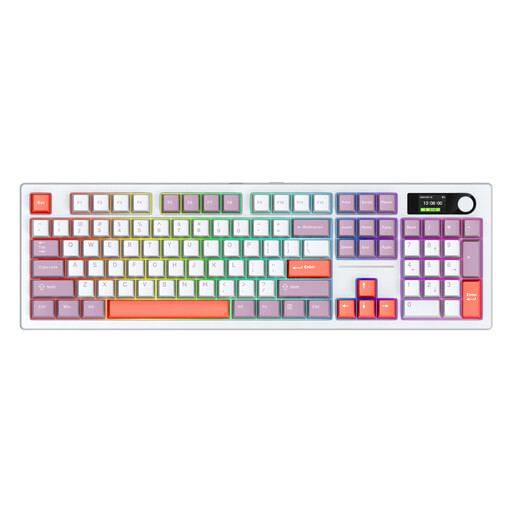
Consider this 104-key option if the team wants a fuller layout, but check its dimensions before assigning it space on a crowded desk. Confirm the key-layout variant, charging arrangements and switch sound for the intended shared room.
Bluetooth may be enough if the computers you use permit it and the keyboard supports the number of devices you need. A model with 2.4 GHz and wired options gives you other ways to connect, but its receiver uses a USB port; check the exact model and the school computer’s connection rules.
A full-size keyboard makes sense when frequent spreadsheet, order or quantity entry justifies a dedicated numpad. If room for a mouse, graphics tablet or paper proofs matters more, consider a 75% or tenkeyless layout and check where its less-used keys are placed.
Take a removable rechargeable battery to an appropriate battery collection point rather than putting it in household rubbish. For an integrated battery or a complete keyboard, follow the manufacturer’s and local authority’s disposal directions.
Confirm the exact keyboard model and layout, the seller’s identity, the supplied safety information and how returns are handled before ordering. Do not treat a listing’s description alone as proof that a particular product meets applicable requirements.