
24/7 Customer Support

Free returns

Same-day & Next-day Delivery

Quality Guaranteed

Unlock Your Welcome Offers: FREE Delivery | Up to 80% OFF | Free 30-day JoyPlus trial
Download the APP
Running out of storage during a photo shoot, losing video because a card cannot sustain the write speed, or buying a card that your device cannot recognise are common frustrations. The right memory card depends on more than capacity alone.
Marketing often highlights a maximum read speed or a large storage figure, while leaving out important compatibility details. Before choosing an SD card or microSD card, check the format, speed class and intended use.
A high advertised read speed mainly affects file transfers to a computer. It does not necessarily determine how quickly a camera can save continuous photographs or record video.
For recording, look for the write speed and the relevant sustained-performance rating. A V30 memory card, for example, is rated for a minimum sustained write speed of 30MB/s under the applicable standard, making it more suitable for many 4K recording tasks than a card selected solely for its headline read speed.
A 128GB memory card, 256GB memory card, 512GB card or 1TB microSD card may appear attractive, but the device must support that capacity and format. Older equipment may only support SDHC, while larger cards generally use the SDXC or microSDXC format.
Check the camera, phone, drone or console manufacturer’s specifications before ordering. Also remember that formatted capacity is lower than the number printed on the packaging because some space is used for file management.
A microSD card supplied with an SD adapter can fit a full-size SD slot, but the adapter does not upgrade the card’s speed or compatibility. The host device still determines the available performance.
For a camera with a full-size SD slot, a dedicated SDXC card may be more convenient. For an Android phone, drone, action camera or handheld console, select a microSD card that matches the device’s supported standard.
A device must support the relevant format. A microSDXC card will not automatically work in equipment that only supports older microSD standards.
UHS-I describes the interface rather than a guaranteed real-world transfer rate. A UHS-I memory card may carry additional classifications such as:
For a 4K video memory card, U3 and V30 are useful indicators, but always check the camera’s own requirements. Maximum speeds can depend on the card reader, cable, device interface and file type.
An A1 memory card is intended to support basic application performance, while an A2 memory card offers higher specified input/output performance when the host device, software and card reader support the required functions.
A2 can be relevant for Android storage expansion and gaming devices, but it does not guarantee faster performance in every phone or console. For cameras, sustained video speed is usually more important than an A-rating.
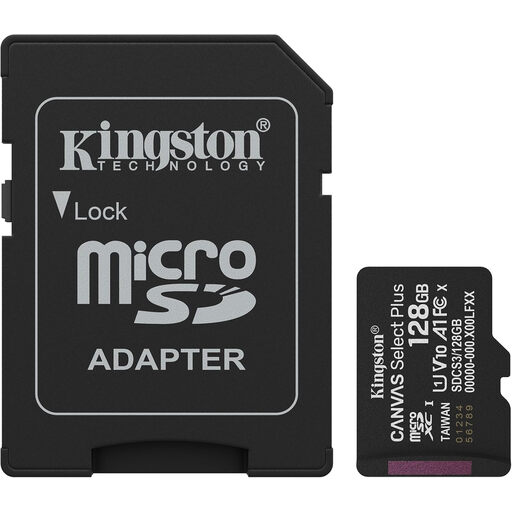
Why This Fits Their Persona: A practical starting point for Android users, compact cameras and everyday storage where 128GB is sufficient.
It clearly uses the microSDXC UHS-I format and includes an SD adapter, making it easier to match with compatible devices.
Up to 150MB/s read speed, A1 application rating and included SD adapter.
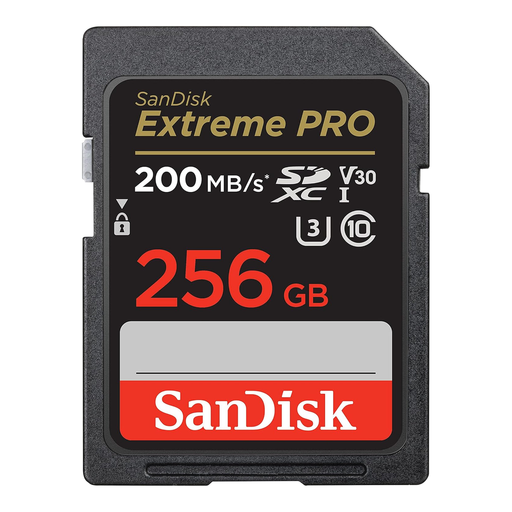
Why This Fits Their Persona: Suited to photographers and videographers using compatible full-size SD camera slots for RAW bursts and 4K recording.
The product information lists both write performance and U3/V30 ratings rather than relying only on a headline transfer figure.
Up to 200MB/s read, up to 140MB/s write, U3/V30 ratings and 256GB capacity.
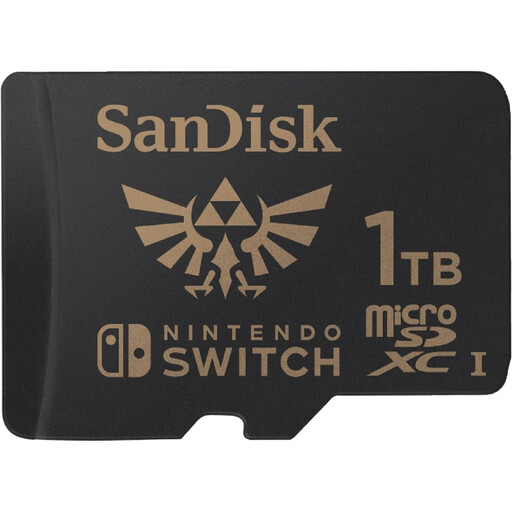
Why This Fits Their Persona: Designed for Nintendo Switch, Switch OLED and Switch Lite owners building a large digital game library.
It is listed for Nintendo Switch systems, avoiding the uncertainty of using a generic card without checking console compatibility.
1TB capacity, up to 100MB/s read speed and up to 90MB/s write speed.
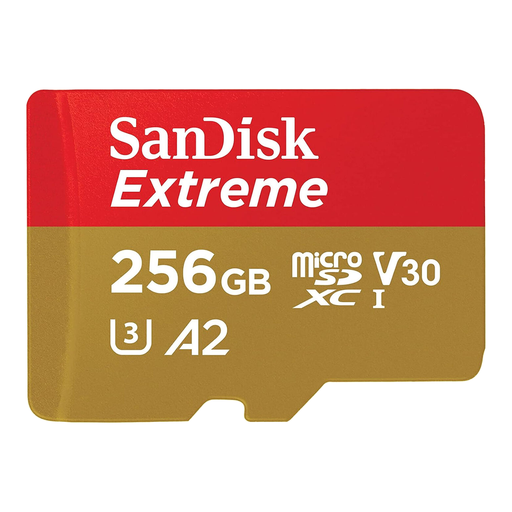
Why This Fits Their Persona: A suitable format to consider for drones, action cameras and Android devices recording high-resolution footage outdoors.
Its stated U3 and V30 ratings provide a clearer recording reference than choosing by capacity or read speed alone.
Up to 190MB/s read, up to 130MB/s write, A2 rating and shock-, temperature-, water- and X-ray-resistant design.
We have compiled a complete, real-time list of products that fully satisfy these strict selection criteria and UK safety regulations.
For occasional photography and everyday Android storage, 64GB or 128GB may be adequate. A 256GB memory card offers more room for apps, games and video, while 512GB or 1TB is more appropriate for large libraries. Confirm that the device supports the capacity and microSDXC or SDXC format.
They can be worthwhile when recording 4K video, continuous RAW bursts or transferring large files regularly. For simple document storage or occasional Full HD recording, a lower-rated card may meet your needs. Compare the device’s required write speed rather than paying solely for the highest advertised read speed.
Lifespan depends on the flash type, write frequency, operating conditions and product design. Frequent recording in a dashcam or security camera creates more write activity than occasional photography. Replace a card if it shows errors, becomes unreliable or reaches the manufacturer’s stated endurance limit, and maintain regular backups.