
24/7 Customer Support

Free returns

Same-day & Next-day Delivery

Quality Guaranteed

Unlock Your Welcome Offers: FREE Delivery | Up to 80% OFF | Free 30-day JoyPlus trial
Download the APP
Buying memory cards can seem straightforward until a camera stops recording, a dashcam overwrites important footage or a console rejects a card. Capacity, speed ratings, device compatibility and endurance all affect whether a card suits your setup.
The main traps are easy to miss:
Full-size SDXC memory cards are common in digital cameras, camcorders and some drones. microSDXC cards are used in Android smartphones, tablets, handheld consoles, action cameras, dashcams and security cameras.
A microSD card with SD adapter can fit a full-size SD slot, but the adapter does not increase the card’s speed or capacity. Check your device’s manual for:
Nintendo Switch, Nintendo Switch Lite and Nintendo Switch OLED systems use compatible microSD cards, while newer hardware may have different requirements. Do not assume a microSD Express card will operate at its advertised Express speeds unless the host device supports that interface.
The UHS-I label describes the card bus interface, while classifications such as U3 and V30 indicate minimum sustained writing performance. A V30 memory card is rated for a minimum sustained write speed of 30MB/s under the relevant testing conditions, making it a practical choice for many 4K recording devices.
For a 4K video memory card, look for the requirements specified by your camera, drone or action camera. A V30 or U3 card may be suitable for many 4K workflows, but frame rate, bitrate and codec settings can change the requirement.
Advertised speeds such as “up to 190MB/s” or “up to 205MB/s” are maximum figures. Real-world results depend on the device, reader, file size and connection. Some enhanced transfer rates also require a compatible card reader.
A1 and A2 microSD cards are designed for application performance, but the host device must support the relevant features for the rating to make a meaningful difference. They can be useful for Android apps, handheld consoles and devices that regularly access many small files.
For a dashcam memory card or security camera memory card, recording endurance is often more important than a headline transfer speed. These devices may write and overwrite footage repeatedly, so check whether the card is designed for monitoring or continuous recording. Also confirm the recommended capacity and format for your exact camera model.
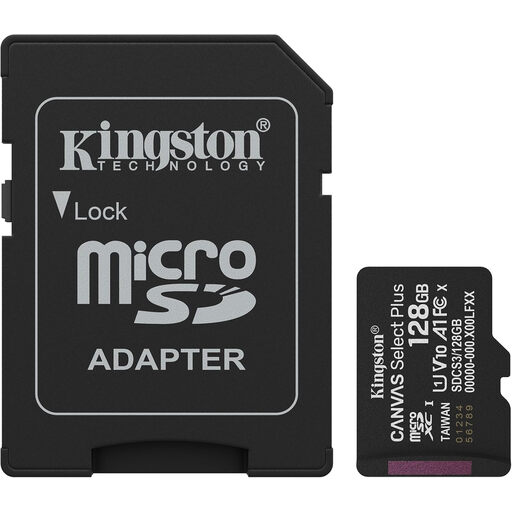
Why This Fits Their Persona: A practical 128GB option for UK Android users, casual photographers and everyday file storage without paying for specialist video performance.
Its A1 and Class 10 UHS-I ratings are clearly stated, helping buyers avoid selecting a card based on capacity alone.
Up to 150MB/s read speed, A1 application performance and an included SD adapter.
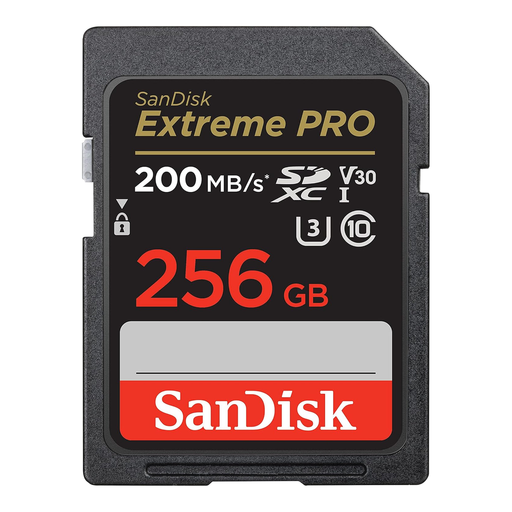
Why This Fits Their Persona: Suitable for photographers and videographers who need substantial capacity, burst photography support and a stated 4K workflow specification.
The U3 and V30 ratings provide more useful video information than a read-speed headline alone.
256GB capacity, up to 140MB/s write speed, U3/V30 ratings and a limited lifetime warranty.
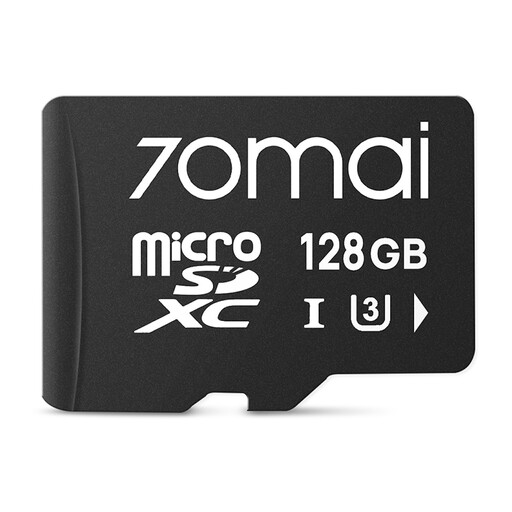
Why This Fits Their Persona: A targeted option for owners of listed 70mai dashcam models who want a straightforward replacement or additional recording card.
Compatibility is specified by camera series, reducing the risk of buying a generic card that the dashcam cannot recognise.
128GB capacity and compatibility with A810, A510, A410, X800, M310, A200 and A800SE series cameras.
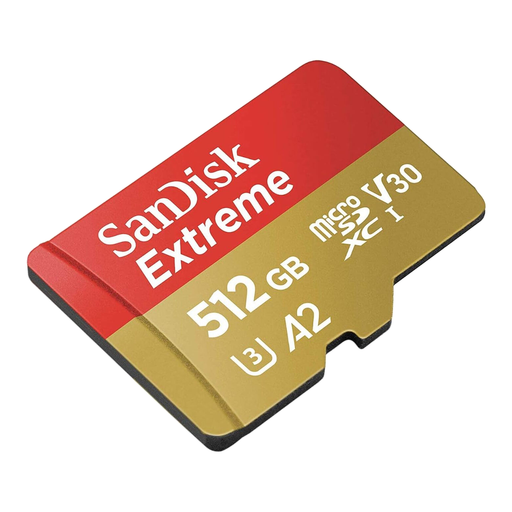
Why This Fits Their Persona: Designed for users recording substantial 4K footage on drones, action cameras or compatible Android devices, particularly when changing cards frequently is inconvenient.
Its V30 and U3 markings identify sustained video capability, while the 512GB capacity addresses extended shooting sessions.
Up to 130MB/s write speed, A2 app performance, V30/U3 ratings, SD adapter and stated resistance to water, shock, temperature and X-rays.
We have compiled a complete, real-time list of products that fully satisfy these strict selection criteria and UK safety regulations.
It depends on the device and your usage. 128GB memory cards suit everyday phones, consoles and shorter recording sessions. 256GB memory cards offer a balance for photography, gaming and regular 4K capture. 512GB memory cards are useful for large media libraries and extended filming, provided the host device supports that capacity.
Yes, if the camera accepts the card’s format and the supplied or separately purchased SD adapter is suitable. A microSD card with SD adapter does not change the card’s underlying speed rating. Format it in the camera before use and confirm the camera supports microSDXC through an adapter.