Home-office dead-zone fixers
If downloads become unreliable mainly in a room far from the router, improving the signal between the router and office may help. Ofcom notes that home layout and obstacles can affect Wi-Fi.


Choose mesh Wi-Fi if your broadband connection is adequate but the signal reaching your home office is weak or unreliable. Check the broadband connection before buying, then choose enough nodes for the layout; where cabling is practical, Ethernet can provide a more dependable path for course downloads. As Ofcom explains, improving Wi-Fi cannot make the connection faster than the underlying broadband service.
If downloads become unreliable mainly in a room far from the router, improving the signal between the router and office may help. Ofcom notes that home layout and obstacles can affect Wi-Fi.
If course downloads coincide with streaming, gaming or video calls elsewhere in the home, check both the office signal and demand on the broadband connection. Ofcom advises checking whether others are using the connection for data-heavy tasks.
If the study computer stays in one place and a cable is practical, an Ethernet connection to the router or a suitably equipped mesh node is worth considering. Ofcom recommends a direct Ethernet connection to the router when broadband speed matters.
Compare a wired connection with Wi-Fi in the office before choosing a mesh pack. If the broadband connection performs adequately, focus on the route to the office: node placement, a possible cable, and how many devices use the network at once.
| Concern | What to check | Who this matters to |
|---|---|---|
| Signal reaching the office | Check the distance and obstacles between the router and office, then choose node locations and a pack size that fit the layout. Treat stated coverage as a planning figure, not a guarantee. | If the office sits beyond several walls, I need a usable signal there before a higher advertised Wi-Fi rate means much; around 40% of consumers would put coverage first. |
| Broadband and wired reliability | Compare a wired test with office Wi-Fi and check for service faults. If a cable is practical, confirm the ports and Ethernet-backhaul options on the exact mesh pack. | For regular downloads at a fixed desk, I want to know whether the broadband line is limiting me and whether I can use Ethernet; roughly 30% of consumers would make that diagnosis and wired reliability their primary concern. |
| Simultaneous household use | Consider which devices are active together and whether the office node will connect wirelessly. Compare the exact system’s band arrangement without treating its aggregate Wi-Fi rate as a single download speed. | When others stream or make video calls while I download course files, I need the office connection to remain usable; about 30% of consumers would prioritise shared-home wireless capacity. |
Mesh can improve an in-home Wi-Fi link, but Ofcom says Wi-Fi cannot outperform the broadband service supplying it. A service fault or inadequate connection needs to be addressed separately.
Compare wired and office Wi-Fi performance, and check the provider’s service status before changing the home network.
Manufacturers’ coverage and maximum-rate figures do not account for every wall, source of interference or connected device in your home. They cannot establish the download speed you will get at your desk.
Plan where each node could go, then check the exact pack configuration and its return and support terms before ordering.
A fixed office computer or a mesh node may be able to use a cable instead of relying on another wireless link. Ofcom recommends Ethernet to the router for a faster, more reliable connection than Wi-Fi; ASUS and TP-Link also describe Ethernet backhaul on specific mesh models.
Check that the exact units have the ports and backhaul support your proposed cable route requires.
Running a cable may require additional installation work.
These product lines illustrate different ways to serve a home office; compare the exact model and pack rather than assuming every system from a brand has the same features.
The Deco X50 is a dual-band Wi-Fi 6 example offered in one-, two- and three-unit configurations.
The eero 6+ is a Wi-Fi 6 mesh option offered in single-, two- and three-pack formats.
The Orbi RBK853 illustrates a tri-band Wi-Fi 6 route for an office served by a wireless satellite while other household devices are active.
The ZenWiFi XD5 is a Wi-Fi 6 mesh example for households considering existing Ethernet cabling or compatible AiMesh hardware.
These three-unit mesh packs are relevant when a home office needs a better connection across rooms. Some listings describe wired options more clearly than others, so check the exact ports and backhaul arrangement if cabling is part of your plan.
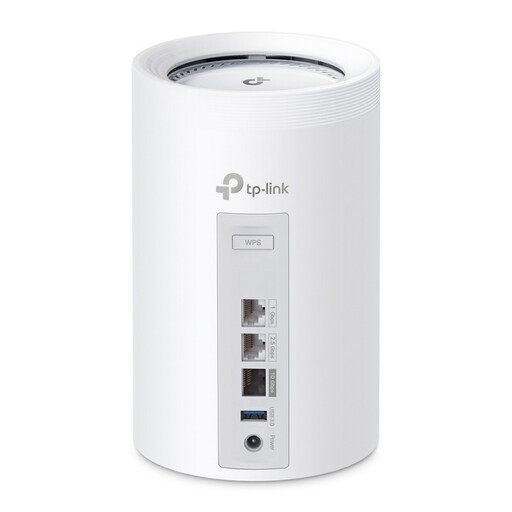 No image available
Consider this pack if several rooms need mesh nodes and the office will depend on a wireless link. Check where the three units can be placed and whether the exact version supports your intended wired connections.
The product title identifies a tri-band Wi-Fi 7 system; its BE9300 designation is not a promised course-download speed. Confirm the intended market and support for the exact version before ordering.
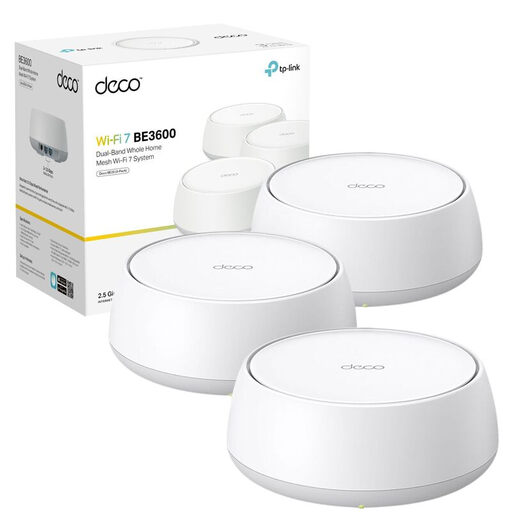
 No image available
Consider this three-unit pack if you can place mesh nodes across the route to the office. If you plan to cable the office or connect nodes by Ethernet, confirm the ports and backhaul options for this exact model.
The title identifies Wi-Fi 7 and the BE3600 variant; neither establishes the download speed at your desk. Check the intended market and support for the exact version before ordering.
 No image available
This dual-band pack is worth checking if the office needs one of several mesh units and an Ethernet connection is part of the plan. Confirm which ports are available at the intended node and whether node-to-node Ethernet backhaul is supported.
The product name states 2.5 Gbps Ethernet. This is identified as a European RBE373-100EUS version, so check its intended market, support and suitability for use in the UK before ordering.
 No image available
Consider this three-unit system if the route from the router to the office calls for more than one mesh node. Work out possible node positions before relying on a coverage figure.
If you need wired connections, check the port allocation and Ethernet-backhaul support for the exact pack. Confirm the intended market and support for the version you order.
It may help if weak in-home Wi-Fi is limiting the office connection, but it cannot make the underlying broadband service faster. Ofcom advises that Wi-Fi cannot outperform that service, so compare a wired connection with office Wi-Fi before upgrading.
Use Ethernet if a cable is practical and dependable downloads are the priority. Ofcom recommends a direct cable to the router for a faster, more reliable connection than Wi-Fi; if connecting through a mesh node instead, check the exact model’s ports and how that node connects to the router.
Place nodes where they can maintain a useful connection towards the office, rather than putting a node only at the farthest point. Ofcom notes that walls, objects and electrical devices can affect Wi-Fi, so consider those obstacles when planning positions.
Compare wired and Wi-Fi performance at different times and check the provider’s service status. Ofcom’s postcode checker shows broadband-service availability, but it does not show local maintenance or reported outages.