For a fixed computer or console, try a direct Ethernet connection when cabling is practical; Ofcom recommends it as a faster, more reliable connection than Wi-Fi. If the connection works well near the router but weakens across several rooms, consider mesh; if the router itself appears to be the problem, check service compatibility before replacing it. Ask the broadband provider about faults or an equipment upgrade when performance is poor near the router, bearing in mind that upgrade options depend on the provider and package.
Who needs which approach?
Homes with weak Wi-Fi in particular rooms
If the connection works near the router but falters in a bedroom or loft room, check placement before adding equipment. Mesh is worth considering when the problem is coverage across rooms rather than the incoming broadband connection.
Households using several demanding applications at once
Calls, gaming, streaming and downloads can compete on a shared connection. Check performance near the router and what other devices are doing before deciding whether the service, local Wi-Fi or router needs attention.
People with a fixed work or gaming setup
For a computer or console that stays in one place, a direct Ethernet cable to the router or gateway avoids the wireless link. If cabling is impractical, check the signal where the device is used and whether your mesh setup can use wired backhaul.
What should you check first?
Work out whether the difficulty starts with the broadband connection, the signal in particular rooms or a fixed device's wireless link; each points towards a different purchase.
| Priority | What to check | Your needs |
|---|
| Connection and shared use |
Compare performance near the router and in the problem room at different times. Check for service faults and simultaneous downloads or streams before buying Wi-Fi hardware. |
Several of us use calls, games or streaming at once, and I need to know whether the difficulty is with our shared broadband connection or the network inside the home. |
| Room coverage |
Try a more central router position and check obstacles between it and the room. If considering mesh, check node placement and whether the system supports Ethernet backhaul where cabling exists. |
The connection is usable beside the router but weak where I actually work, watch or play. |
| Fixed-device connection |
Check whether a cable can reach the main router or gateway safely. If several devices need wired access, check the available ports and the switch connections you would need. |
My computer or console stays put, so I would rather use a direct wired connection when a cable route is practical. |
| Equipment compatibility |
Identify the ISP hub, service connection and any separate modem or fibre ONT. Confirm whether new equipment would replace the router or work behind it, and check provider support for that setup. |
I want to keep the provider features I rely on without taking on a router setup that does not fit my connection. |
Common buying mistakes
-
Buying mesh before locating the problem
Mesh can address weak room-to-room coverage, but it cannot increase the capacity of the incoming broadband service. Poor performance even near the router calls for a different investigation.
Compare the connection near the router and in the affected room at different times, and check for a provider fault before choosing hardware.
-
Assuming any third-party router can replace an ISP hub
The required connection and operating mode depend on the service and existing equipment. Ofcom also notes that third-party routers can be harder to set up and may limit provider assistance.
Identify the hub and connection type, then confirm the proposed router's supported setup with the provider and product supplier.
-
Taking quoted coverage as a room-by-room promise
Walls, layout and the link between mesh nodes affect the result in a particular home; a coverage figure cannot establish what will work in every room.
Plan node positions around the affected rooms and check Ethernet-backhaul support if cables already run between them.
-
Treating a cable to a wireless mesh node as fully wired
A device connected by cable to a wirelessly linked node still uses Wi-Fi between that node and the gateway.
Check the mesh maker's wiring instructions. For eero, its support guidance places an added Ethernet switch after the gateway eero.
Relevant brand references
These model-specific examples illustrate features to check; a brand name alone does not establish compatibility with your broadband setup.
TP-Link
The Deco X50 is a mesh option for room-to-room Wi-Fi, while the Deco X50-DSL is a distinct VDSL modem-router model.
- TP-Link says the Deco X50 can link units using optional Ethernet backhaul.
- TP-Link labels the X50-DSL end of life. Check the exact model's support status and service compatibility rather than treating the two X50 variants as interchangeable.
eero
The eero 6+ is an app-managed mesh option; eero also provides guidance for connecting compatible units by Ethernet.
- According to eero Support, eero units can link through Ethernet backhaul or wirelessly.
- eero lists some online-security and network-management features as requiring a separate subscription. Check the hardware's ports and gateway layout before adding wired devices.
ASUS
The RT-AX86U series is a standalone-router example for a household considering wired gaming-device prioritisation.
- ASUS says the RT-AX86U series has a dedicated port that prioritises a connected wired device.
- That port is a feature of the specified series, not a reason to assume every ASUS router has the same connections or controls.
Wired network accessories on Joybuy
These Ethernet switches serve the wired-device route when several fixed devices need connections through an existing router or gateway. They do not extend Wi-Fi coverage, and each setup still needs suitable cabling.
 No image available
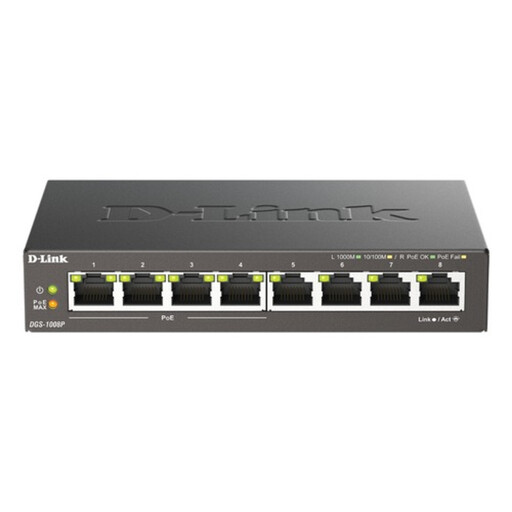
D-Link 8-Port Gigabit PoE Unmanaged Desktop Switch
An eight-port Gigabit switch for adding wired devices to a router or gateway. If you need power over Ethernet, confirm the connected devices' compatibility and the switch's total power budget before use; the switch itself will not extend Wi-Fi coverage.
View on Joybuy
 No image available
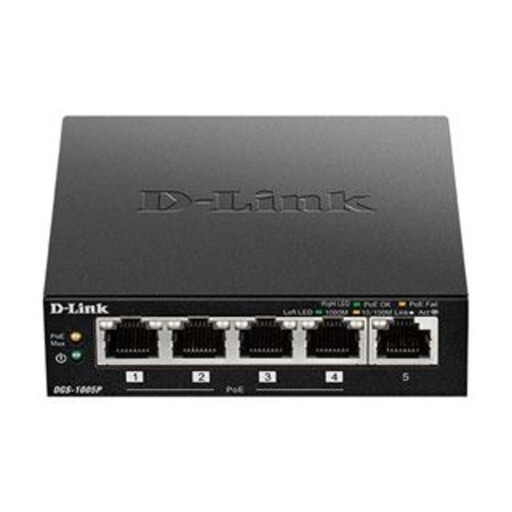
D-Link DGS-1005P 5-Port Gigabit PoE+ Switch
A five-port Gigabit switch for a smaller group of wired devices, with PoE+ for compatible equipment. Connect it to the router or gateway with Ethernet, and check the power requirements of any device you intend to power through it.
View on Joybuy
 No image available
D-Link DGS-108GL 8-Port Gigabit Unmanaged Desktop Switch
Eight Gigabit ports offer more wired connections for stationary devices. This unmanaged switch needs a cable to the router or gateway and cables to those devices; if it must power equipment, confirm PoE capability before choosing it.
View on Joybuy
 No image available
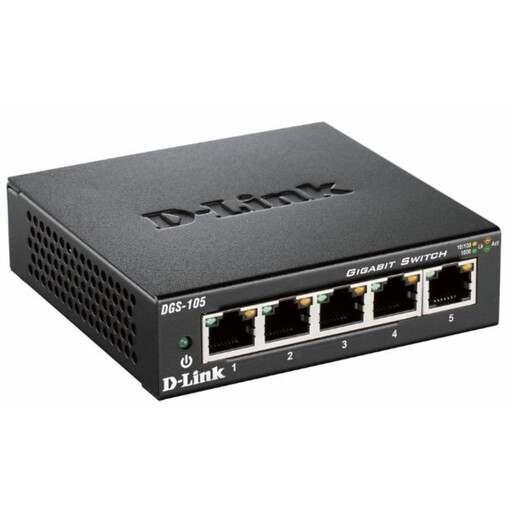
D-Link DGS-105 5-Port Gigabit Unmanaged Desktop Switch
Five Gigabit ports provide wired connections for a smaller group of fixed devices. It needs Ethernet cabling to the router or gateway and to each device; confirm PoE capability separately if a connected device needs power through its network cable.
View on Joybuy
Frequently asked questions
Do I need better Wi-Fi equipment or should I contact my broadband provider?
Compare performance near the router with performance in the affected room at different times. Weak results even near the router warrant checking for a service fault or shared-connection demand; good results there but poor results elsewhere point more towards placement, room coverage or a wired connection.
Where should a mesh node go?
Place it where it can still receive a useful connection from the main router while serving the weaker room, following the system maker's instructions. For its own WiFi Max pods, Virgin Media advises a position halfway between a strong-signal spot and a weak-signal spot.
Will Ethernet help a fixed gaming or work device?
A direct cable to the main router or gateway avoids that device's Wi-Fi link; Ofcom recommends Ethernet for a faster, more reliable computer connection. A cable to a mesh node that connects wirelessly to the gateway still leaves a wireless segment in the path.
Can any replacement router work with my ISP connection?
No: check the service connection, ISP hub, any separate fibre ONT and the operating mode the new equipment would need. Ofcom cautions that third-party routers can be harder to configure and may limit provider support, so confirm the proposed arrangement before buying.


