What should you check first?
Compare the experience in a weak room with the connection beside the router and, where practical, over Ethernet. That distinction helps you choose between improving coverage, wiring a fixed device, changing the router and assessing the broadband service.
Mesh Wi-Fi
Consider it when: Wi-Fi works near the router but is unreliable in rooms where people need to work or relax. Ofcom identifies mesh as a coverage option.
Trade-off: A wireless link between nodes still uses radio capacity; TP-Link says compatible Deco units can instead use Ethernet backhaul where cabling is practical. Mesh does not increase the incoming broadband speed.
Ethernet
Consider it when: A desk, console or TV stays in one place and can be connected by cable. Ofcom says a direct router connection should be faster and more reliable than Wi-Fi.
Trade-off: The cable route needs planning, and a switch may be useful if more wired connections are needed. Ethernet cannot increase the broadband speed supplied to the home.
Replacement router
Consider it when: The current router is the suspected local-network limitation and the replacement works with the provider’s connection.
Trade-off: Requirements differ by provider and access type. EE, for example, requires PPPoE support for a third-party router and says it cannot support that router’s setup or troubleshooting.
Broadband-service upgrade
Consider it when: The connection remains inadequate during normal shared use even beside the router or on a direct wired connection.
Trade-off: Available services depend on the address, and a faster incoming connection will not by itself remove Wi-Fi dead zones.
| Concern |
What to check |
Who this matters to |
| Coverage in used rooms |
Compare the signal near the router and in weak rooms; check node placement and whether the chosen mesh system supports Ethernet backhaul. |
When a call breaks up upstairs but works beside the router, I want usable Wi-Fi in that room rather than a faster broadband plan. Around 25% of consumers put room coverage first. |
| Reliability for fixed devices |
Check the cable route and free router LAN ports; assess a switch if you need more wired connections. |
At a permanent desk or console, I would rather use a cable than rely on an unreliable wireless hop. Roughly 31% of consumers prioritise a dependable connection for a fixed device. |
| Several active Wi-Fi devices |
Identify which devices are active together; check a prospective router’s service compatibility or a mesh system’s backhaul options. |
If calls and streaming compete for local Wi-Fi while several devices are online, I need to assess how the home network handles concurrent use. About 25% of consumers make local multi-device capacity their primary concern. |
| Incoming broadband capacity |
Test beside the router or by Ethernet during normal shared use, then check service availability at the address. |
When even a wired connection struggles while the household is online together, I need to assess the service before buying Wi-Fi hardware. Around 19% of consumers put incoming broadband capacity first. |
Wired networking products on Joybuy
These switches are options for adding wired connections to stationary devices when Ethernet cabling is practical. They do not extend Wi-Fi coverage or increase the broadband speed supplied to the home; choose the port arrangement that fits the devices you intend to connect.
 No image available
D-Link DGS-108GL 8-Port Gigabit Unmanaged Switch
Consider this switch when several stationary devices need cabled connections.
It is an eight-port Gigabit unmanaged desktop switch. Plan an Ethernet connection from the router to the switch and cables onward to the devices.
Joybuy
 No image available
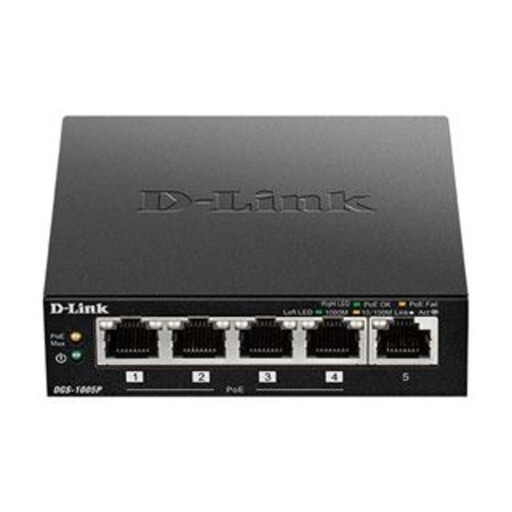
D-Link DGS-1005P 5-Port Gigabit PoE+ Switch
Consider this cabled option if you also intend to connect equipment that can use Power over Ethernet.
It is a five-port Gigabit PoE+ desktop switch. Confirm the powered device’s requirements against the switch’s PoE capabilities before choosing it.
Joybuy
 No image available
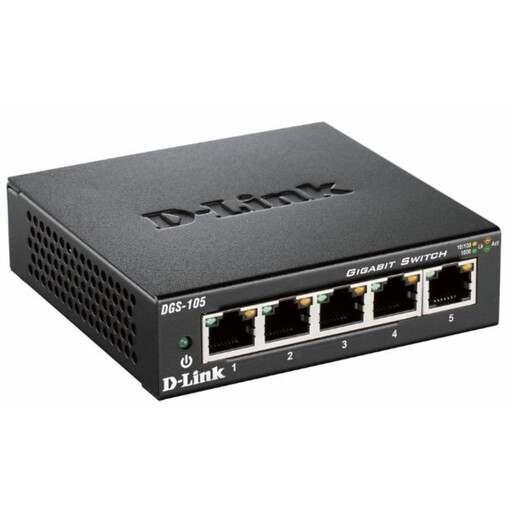
D-Link DGS-105 5-Port Gigabit Unmanaged Switch
Consider this switch when a small group of fixed devices can be connected by Ethernet.
It is a five-port Gigabit unmanaged desktop switch. Count the connections you need, including the link to the router, and plan the cable route.
Joybuy
Common questions
Do I need mesh Wi-Fi or a broadband upgrade?
Mesh is the more relevant route when the connection works near the router but Wi-Fi is poor in other rooms. If it also struggles beside the router or over Ethernet during normal shared use, assess the broadband service available at your address. Ofcom distinguishes mesh coverage improvements from the performance of the incoming connection.
Should I use Ethernet instead of mesh for a home-office PC or console?
Assess Ethernet first if the fixed device can be cabled: Ofcom says a direct router connection should be faster and more reliable than Wi-Fi. Mesh can still address weak wireless coverage elsewhere in the home, but a switch and cables will not extend that coverage.
Can I replace my provider’s router with any retail router?
No; check the provider’s requirements for your broadband connection before buying. EE, for example, requires PPPoE support and specifies different requirements for its FTTP, FTTC/SOGEA and ADSL services. EE also says it cannot support the setup or troubleshooting of third-party routers.
Can I connect my own Wi-Fi equipment to a Virgin Media Hub?
Virgin Media describes modem mode as a way to connect your own Wi-Fi equipment to its Hub. Check the instructions for your particular Hub model and which Hub features change in modem mode before selecting another router or mesh system.
What compliance information should I check for Wi-Fi equipment?
Check that the equipment’s compliance information applies to its delivery destination. The Office for Product Safety and Standards describes Great Britain’s applicable Radio Equipment Regulations 2017 requirements for radio equipment, while its Northern Ireland guidance notes modifications to the requirements there. Do not assume information for Great Britain automatically covers a purchase supplied in Northern Ireland.


