What matters when choosing
Check the broadband connection before choosing a mesh kit for the TV room: Netflix recommends a stable connection of at least 15 Mbps for its UHD/4K streams, while Ofcom distinguishes in-home Wi-Fi coverage from the broadband service feeding it.
| Concern | What to check | Who this matters to |
|---|
| Coverage at the TV |
Map the weak room and the floors or walls between it and the router; plan where each node could receive a usable connection. |
If my TV is in a room where films keep buffering, I want the signal to reach that screen reliably. Around 33% of consumers put coverage at the TV first. |
| Capacity during shared use |
Check the connection at the TV while other devices are active; investigate the broadband service if it is the bottleneck. |
When others are on calls or downloading, I need enough capacity left for the film. For around 25% of consumers, shared-use capacity is the main concern. |
| Multi-gig and wired connections |
Compare WAN and LAN port speeds with the broadband plan and connected equipment; check whether Ethernet can link the nodes. |
If I am upgrading a multi-gig connection or wiring devices near the TV, suitable ports and backhaul matter most. That is the primary need for around 25% of consumers. |
| Straightforward setup |
Check compatibility with the existing router and ISP settings, and which management features are included. |
I would rather try a simpler fix than add network features I will not use. Around 17% of consumers chiefly want a straightforward setup. |
Joybuy mesh systems for multi-room coverage
These three-unit mesh kits are choices to examine when the TV is in a weak-signal room. Compare the layout, wired connections and existing equipment before deciding whether their Wi-Fi 7 features are useful in your home.
 No image available
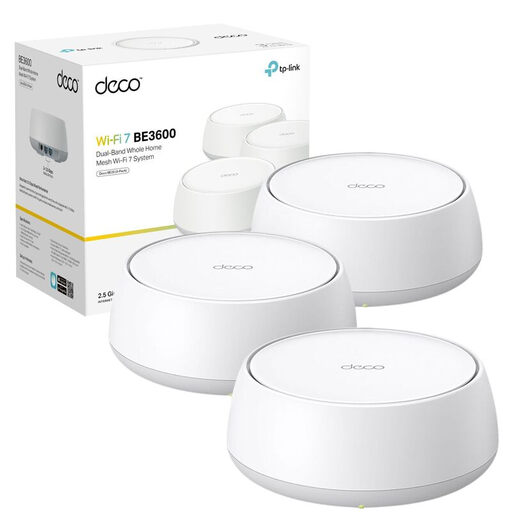
TP-Link Deco BE22 BE3600 Wi-Fi 7 (3-Pack)
Consider this three-unit mesh kit when several rooms need coverage; plan node positions around the TV room rather than relying on the kit size alone.
The product name specifies Wi-Fi 7 and BE3600. Check the Ethernet connections against any wired or multi-gig equipment you intend to use.
View on Joybuy
 No image available
NETGEAR Orbi 370 RBE373 Wi-Fi 7 (3-Pack)
Consider this three-unit kit if nodes can be positioned across the rooms between the router and TV; check that the layout suits your home.
The product name specifies dual-band BE3600 Wi-Fi 7 and 2.5 Gbps Ethernet. Confirm the connections needed for your modem and nearby wired devices.
View on Joybuy
 No image available
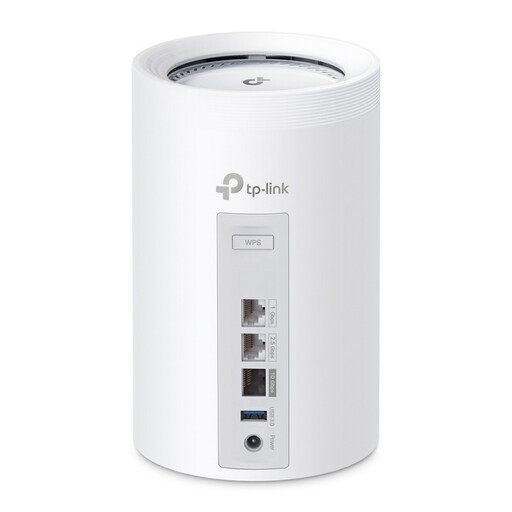
TP-Link Deco BE65 BE9300 Tri-Band Wi-Fi 7 (3-Pack)
Consider this three-unit kit for multi-room coverage when you also have equipment that can use its higher-speed network connections.
TP-Link specifies four 2.5 Gbps ports per Deco BE65 unit and a combined wired and wireless backhaul option. Check where the units can be placed or connected; BE9300 is not a promised speed at the TV.
View on Joybuy
 No image available
TP-Link Deco BE25 Wi-Fi 7 (3-Pack)
Consider this three-unit mesh kit if you need to place Wi-Fi nodes across several rooms, subject to the connections and placement your home allows.
The product name specifies Wi-Fi 7. Check the port layout and backhaul options if you plan to connect nodes or media equipment by cable.
View on Joybuy
Common questions
Will mesh fix buffering if my broadband connection is too slow?
No: mesh can improve Wi-Fi coverage inside the home, not the incoming broadband service. Netflix recommends a stable connection of at least 15 Mbps for its UHD/4K streams; compare the connection near the router with the one at the TV to help locate the bottleneck.
Where should I put a node for a TV in a weak-signal room?
Place it where it can still receive a workable connection from the rest of the mesh, rather than in a complete dead zone. Walls, floors and interference affect placement; Ethernet backhaul is worth checking if cabling between nodes is practical.
Do I need Wi-Fi 7 to stream a 4K nature film?
No: a well-placed Wi-Fi 6 mesh can be sufficient when the broadband connection and household demand support the stream. Wi-Fi 7 features are more relevant if compatible devices, multi-gig connections or heavier simultaneous use are also part of your plans.
Can I use a mesh kit with my ISP-supplied router?
Often, but the setup depends on the router and the ISP’s requirements. Check compatibility and any necessary router settings before purchase; Ofcom notes that third-party equipment can be harder to set up and may receive less support from the provider.
Will security and parental-control features remain included?
Check the terms for the particular kit rather than assuming they will. eero describes eero Plus as optional, and NETGEAR describes Armor as a trial subject to terms; compare those services separately from the mesh hardware’s Wi-Fi capabilities.


