Families recording a group conversation
Two or more relatives expect to contribute from different seats. Hearing each person matters more than concentrating on one voice directly in front of the microphone.


Choose the pickup arrangement around the desk before comparing other microphone features. A microphone with a suitable multi-pattern setting or a conference speakerphone makes more sense when several relatives will speak from different seats; a directional USB microphone suits one main storyteller facing it. Check the recording-device connection and make a test from every seat, then agree how the recording may be stored and shared.
Two or more relatives expect to contribute from different seats. Hearing each person matters more than concentrating on one voice directly in front of the microphone.
One relative is the main storyteller and can face the microphone. The interviewer wants that voice to remain prominent when there is other sound in the room.
A straightforward connection and a repeatable recording setup matter, alongside a clear agreement about how the finished audio will be kept and used. The Oral History Society advises discussing long-term storage and use with participants.
Decide whether the recording is mainly a conversation or one person’s story, then check that the microphone connects to the device you will actually use.
Choose when: Relatives will speak from different sides of the desk and the exact model offers a suitable group pickup setting. Logitech describes omnidirectional pickup on the Yeti Nano for multi-person interviews.
Trade-off: Broader pickup can also admit more room and desk noise; check the available patterns on the particular Yeti model.
Choose when: One main storyteller can sit facing the microphone. RØDE describes the NT-USB Mini’s cardioid pattern as focusing on sound from the front.
Trade-off: Relatives at the sides or behind it may be less clearly captured.
Choose when: Several people will talk naturally across the desk, particularly if the device will also be used for calls. Jabra and HP specify group-oriented microphone arrays for the Speak2 75 and Poly Sync 20+ respectively.
Trade-off: Conferencing features and stated pickup ranges do not promise the close voice sound of a microphone positioned for one narrator.
| Concern | What to check | Who this matters to |
|---|---|---|
| Several voices | Look for an appropriate omnidirectional or selectable pickup pattern, or check a speakerphone’s stated pickup range. Test from the planned seats. | When relatives join in from around the desk, I want their contributions to be audible, not just the nearest voice. Around 42% of consumers put balanced capture of several speakers first. |
| One clear narrator | Check for directional pickup and a position directly in front of the storyteller; listen for room noise in a short test. | If one person is telling most of the story, I would rather keep their voice prominent than pick up everyone nearby. Clear capture of the main narrator comes first for around 33% of consumers. |
| Easy setup | Check the recording device’s port and compatibility, any adapter needed, and how you will listen back before a long session. | I need to start recording without struggling with connections and be able to check that the audio is usable. Straightforward setup is the primary concern for around 25% of consumers. |
People seated beside or behind a microphone focused on the speaker in front may be less clearly recorded.
If several voices matter equally, consider a suitable omnidirectional setting or a conference speakerphone. Otherwise, seat the main storyteller in front and test the other positions.
The connection and device support both matter; an unsuitable setup can interrupt the planned recording.
Check the exact device, port and microphone guidance, then test the complete connection before the family session.
RØDE says the NT-USB Mini needs an Apple Lightning to USB Camera Adaptor when used with a Lightning-port iOS device.
A stated range does not account for every room’s echo, background noise or overlapping voices.
Place the device for the planned seating arrangement, reduce nearby noise and listen back to a short group recording.
Relatives may have different expectations about private memories, editing or public access. The Oral History Society emphasises agreement about long-term storage and use.
Discuss the intended uses before recording and keep that agreement with the audio. Norfolk Record Office advises seeking permission for uses outside what participants originally agreed.
USB desktop microphones to consider when selectable pickup and on-microphone controls would help with changing seating arrangements.
The NT-USB Mini is a compact USB option for a main speaker facing the microphone.
The Speak2 75 is a conference speakerphone to consider for a shared-desk conversation and calls.
The Poly Sync 20+ is a speakerphone option for people sharing a small desk or using the device for calls.
These choices cover speakerphones for a conversation around the desk and directional microphones for a main narrator. Match the pickup arrangement to your family’s seating plan before choosing a connection or accessory setup.
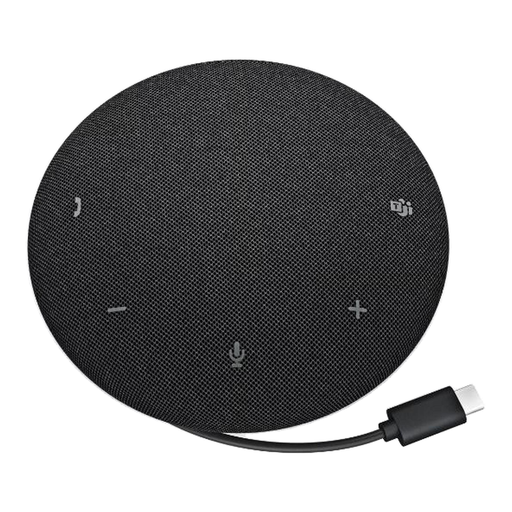 No image available
Consider this wired speakerphone when several relatives will contribute around one desk; test it with the intended seats and recording software before the session.
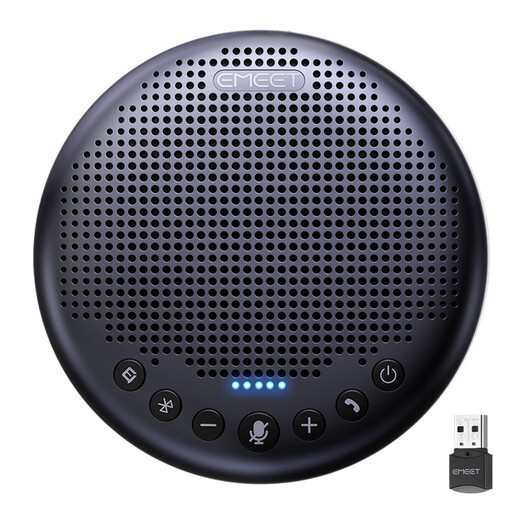 No image available
This speakerphone is a group-conversation option with an advertised 360° voice-pickup design. Its title specifies eight microphones and Bluetooth; test whether it captures the planned seats clearly in your room.
 No image available
Consider a directional microphone when one storyteller can sit facing it; check how clearly other relatives are captured from their seats. The AM8 title specifies USB/XLR connections, a headphone jack, mute button and desktop stand.
Confirm compatibility with the recording device and software you intend to use.
 No image available
This kit is suited to positioning a microphone for one main narrator rather than relying on it to capture everyone around the desk equally. Its title specifies a boom arm, USB/XLR connections and a headphone jack.
Check the intended recording device and software, and make a short test from the other seats.
It is a more suitable starting point when one person is the main narrator and sits in front of it. RØDE describes the NT-USB Mini’s cardioid pickup as focusing on the subject in front; if several seated relatives need equal prominence, consider an appropriate omnidirectional setting or a conference speakerphone and test the seating arrangement.
Record a short conversation with everyone in their intended seat, then listen back for quiet voices, desk sounds and room noise. Logitech and RØDE specify headphone outputs for the Yeti and NT-USB Mini respectively; you can also listen back on the recording device.
Check the particular microphone and device rather than relying on the plug shape. RØDE says the NT-USB Mini uses class-compliant USB audio and requires an Apple Lightning to USB Camera Adaptor for a Lightning-port iOS device; confirm the port, adapter and recording-app compatibility for your own setup.
Agree with participants how the recording will be stored and used before recording or sharing it beyond the family. The Oral History Society advises discussing long-term use, and Norfolk Record Office recommends an agreement that sets out intended uses and seeks permission for later uses outside them.