What matters when choosing a microphone?
For guided-meditation recording in a noisy flat, decide whether you can maintain a close speaking position, then choose a connection and monitoring arrangement your recording device can use.
| Concern |
What to check |
Who this matters to |
| Voice and background noise |
Check the pickup pattern, close-placement guidance and whether you can use a pop filter. |
If traffic or neighbours compete with a quiet narration, I need my voice to remain prominent without assuming the noise will disappear. Around 40% of consumers would put voice isolation and close placement first. |
| Recording and monitoring |
Check the USB connection against your recording device and look for a headphone monitoring connection if you need one. |
When recording repeated takes on a computer, I want to hear my delivery without assembling an interface-based setup. Around 30% of consumers would make simple recording and monitoring their main concern. |
| Quiet delivery and plosives |
Check the mounting arrangement and pop-filter options; test level controls or processing while speaking softly. |
For gentle narration, I want to hold a steady distance without breaths or plosive consonants distracting from the words. Around 20% of consumers would prioritise control over soft-spoken delivery. |
| Modular equipment |
Check the XLR connection and the compatible interface, cable and mount needed for your setup. |
If I plan to build an interface-based recording chain, I can accommodate separate components rather than relying on an immediate USB connection. Around 10% of consumers would put expandability first. |
Joybuy microphones for close spoken-word recording
These FIFINE USB/XLR dynamic microphones offer two mounting arrangements to consider for close-spoken recording: a boom-arm kit and a desktop-stand model. Check the connection you intend to use against your recording device.
 No image available
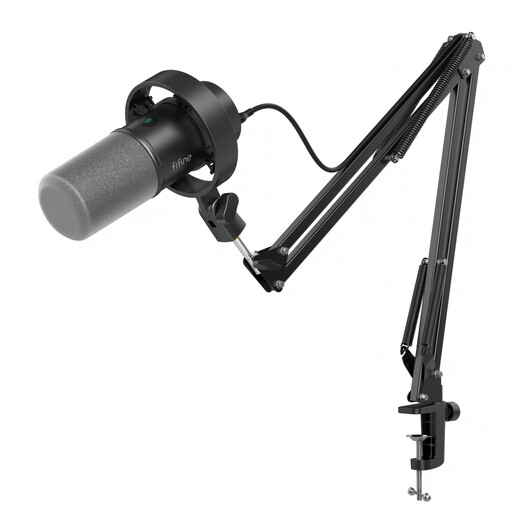
FIFINE K688CT USB/XLR Dynamic Microphone Kit with Boom Arm
Consider this kit if a boom arm would help you keep a steady, close speaking position during narration.
The product name specifies USB/XLR connections, a headphone jack and a gain knob. Check that the arm fits your desk and that your intended recording device accepts the connection you plan to use.
View on Joybuy
 No image available
FIFINE AM8 USB/XLR Dynamic Microphone with Desktop Stand
Consider this model if you have desk space for its stand and can position the microphone close to your speaking position.
The product name specifies USB/XLR connections and a headphone jack. Check the stand position and your recording device’s connection before choosing it for a full meditation session.
View on Joybuy
Questions about recording in a noisy flat
Should I start with a dynamic or condenser microphone?
A dynamic cardioid microphone you can use close to your mouth is a practical starting point for this noisy-flat narration task. The documented Shure, RØDE and Elgato examples use that arrangement, but their specifications do not establish that every dynamic model will outperform a condenser or remove external noise.
How close should I speak for a guided meditation?
For the PodMic USB specifically, RØDE recommends approximately 5–10 cm. With any microphone, check its own placement guidance, maintain a comfortable position and monitor a short take for breath and plosive sounds.
Do I need an audio interface?
You do not need an XLR audio interface to use the documented USB connection on the Shure MV7+ or RØDE PodMic USB with a compatible recording device. The XLR-only Elgato Wave DX does require an interface; Elgato also specifies a cable and mount.
What if persistent neighbour noise is the main problem?
A microphone cannot resolve the source of persistent neighbour noise, even if changing position helps your voice stand out in a recording. If recording at another time or location is possible, test that first. For a noise nuisance in England or Wales, GOV.UK directs residents to their local council; reporting routes differ in Scotland and Northern Ireland.


