What matters when choosing?
For club meetings, decide how you will be heard and how the headset will connect before choosing between a wired desk setup and wireless movement. Treat the bright window as a separate video-lighting decision.
| Concern |
What to check |
Who this matters to |
| Outgoing voice clarity |
Look for a boom microphone and documented microphone noise reduction; do not treat earcup ANC as the same feature. |
If other conversations may carry into my meeting, I want attendees to understand me without repeated interruptions. Around 36% of consumers put outgoing voice clarity first. |
| App and computer compatibility |
Check the exact model, meeting app, receiver or USB connection, and the controls supported by that combination. |
When I chair recurring meetings on one app, I need mute and call buttons to behave as expected. App and computer compatibility is the primary need for around 29% of consumers. |
| Comfort and movement |
Consider fit and movement, the stated talk-time conditions, and whether USB audio is available as a fallback. |
For a longer session, I want to move or consult notes without having to cut the meeting short to charge. Around 21% of consumers place comfort and movement first. |
| Simple desk setup |
For a wired headset, confirm the port type and cable length; check in-app button support separately. |
If I host occasionally from one computer, I would rather avoid pairing and charging. A straightforward desk setup comes first for around 14% of consumers. |
Headsets for club meetings on Joybuy
These options include wired headsets for hosting from a desk and wireless models for hosts who want to move. Compare the connection named for each variant with your computer, and confirm meeting-app controls before relying on them.
 No image available
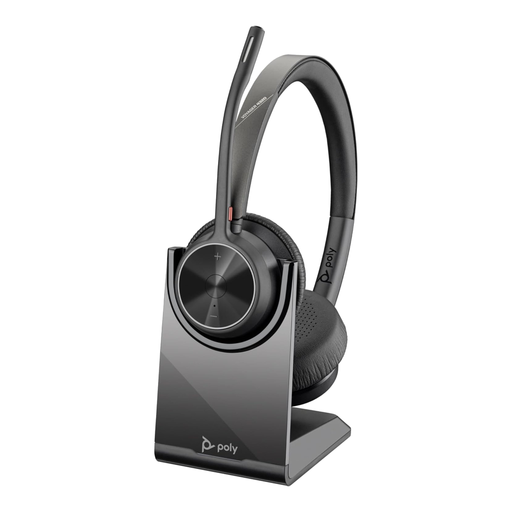
Poly Voyager 4320-M wireless USB Type-A and Bluetooth headset with charging stand
Consider this variant if you want wireless movement during a meeting and a USB Type-A connection option. Its name also specifies Bluetooth and a charging stand; confirm the included connection equipment and meeting-app controls for your setup.
View on Joybuy
 No image available
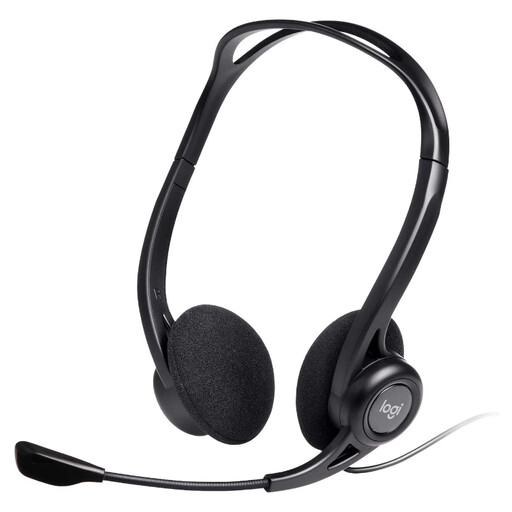
Logitech 960 wired USB headset with inline controls and noise-cancelling mic
Consider this wired option if you host from one desk and want controls within reach. Check that its USB connection fits your computer and that the inline controls work as you expect in your meeting app.
View on Joybuy
 No image available
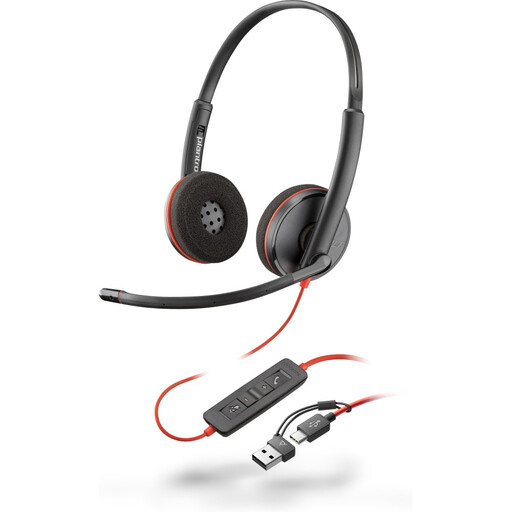
Poly Blackwire 3220 Stereo USB-C headset with USB-A adapter
Consider this wired model if you host at a desk and need to account for either a USB-C or USB-A computer port. Check that the cable arrangement suits your seat and that its controls behave as needed in your meeting app.
View on Joybuy
 No image available
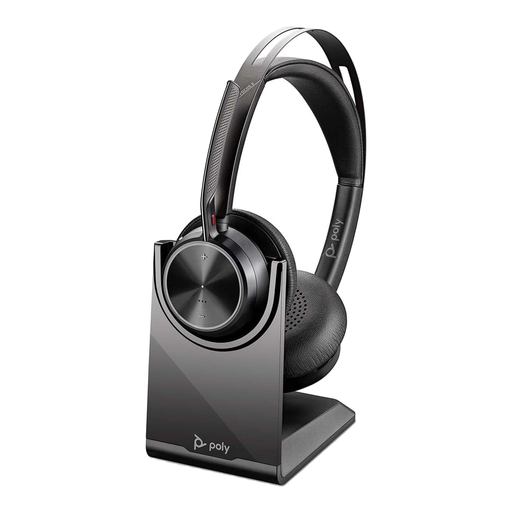
Poly Voyager Focus 2-M USB-C-C headset with USB-C/A adapter and charging stand
Consider this variant if you want a charging stand and the USB-C/A adapter named for the product. Before choosing it for a long meeting, confirm the exact variant, its connection and call controls, and the talk-time conditions that apply to your use.
View on Joybuy
 No image available
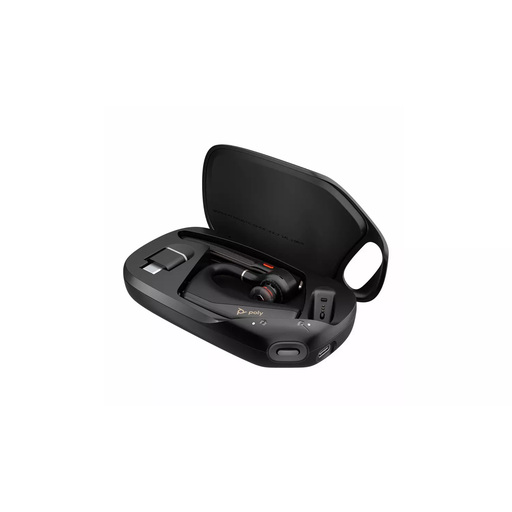
HP Poly Voyager Legend 50-M UC Bluetooth headset
Consider this Bluetooth option if you want a headset for calls away from a fixed desk. Confirm how the 50-M UC variant connects to your computer, what equipment comes with it and which controls work in your meeting app.
View on Joybuy
Common questions
Do I need a special headset because I sit beside a bright window?
No: choose the headset for speech and connection needs, and address the window as a video-lighting issue. Zoom Support recommends indirect light to avoid washed-out images; shade or reposition the daylight where practical and check the camera preview.
Is ANC the same as a noise-cancelling microphone?
No. Earcup ANC addresses sound heard by the host, while microphone noise reduction addresses sound picked up for the call. HP lists hybrid ANC and Acoustic Fence microphone noise cancellation separately for the Voyager Focus 2 series.
How can I check whether mute buttons will work with Zoom?
Check your exact headset model and connection against Zoom Support’s supported USB-device information. Button behaviour can depend on the device, dongle and associated application, so test the intended setup before hosting.
Do I need a Teams-certified headset?
Not necessarily for basic audio. If your club regularly uses Teams and integration matters, certification is a useful model-specific check: Microsoft says certified devices are tested for quality, reliability and compatibility. Confirm the designation for the exact variant you plan to use.
What should I test before the first club meeting?
Run a short call using the headset, computer connection and meeting app you intend to use. Check the selected microphone and speaker, try the mute controls, charge a wireless model if applicable, and inspect the camera preview separately for window glare.


