What matters when choosing?
For one headset wearer in a small-room design discussion, start with how the wearer will connect and whether nearby speech could reach remote attendees. Then decide how much movement and awareness of colleagues the wearer needs.
Wired USB headset
Choose it when: The wearer stays near a laptop and wants to avoid charging before a meeting.
Trade-off: The cable limits movement, and the plug or supplied adapter must fit the computer.
Wireless business headset
Choose it when: The wearer needs to move during a brief or regularly switches between a computer and phone.
Trade-off: Charging becomes part of meeting preparation; receiver inclusion and platform features can vary by version.
| Concern |
What to check |
Who this matters to |
| Voice clarity near other speakers |
Look for a stated call-microphone noise-reduction or voice-isolation feature. Do not use listener-side ANC as a proxy. |
If colleagues may talk nearby while I explain a design decision, I need remote attendees to follow my voice. Around 36% of consumers put that outgoing-call concern first. |
| Laptop and meeting-platform setup |
Match USB-A, USB-C or another stated connection to the computer; check certification and any included adapter or receiver for the exact variant. |
When a brief begins at my laptop, I want the headset ready without sorting out a connection during the call. For around 29% of consumers, dependable setup is the primary need. |
| Movement and device switching |
Check the stated computer and phone connection modes, receiver inclusion and battery use under the settings you expect to use. |
If I need to stand away from the laptop or take the discussion onto my phone, a cable can get in the way. Mobility and switching come first for around 21% of consumers. |
| Longer-wear focus |
Choose between one-ear and two-ear styles according to how much room awareness you need; assess fit over a realistic call length. |
During a longer review, I may need to keep hearing colleagues beside me as well as remote speakers. Around 14% of consumers make comfort and concentration their main concern. |
Joybuy headset choices
These wired headsets suit an individual taking part in a design-brief call. The Logitech model has a USB connection; the two V7 models use 3.5 mm connections, so the right choice depends on the meeting computer’s ports and the call-microphone features you need.
 No image available
Logitech 960 Wired USB Headset with Noise-Cancelling Mic
Consider this for a desk-based call if you want a wired USB headset with a stated noise-cancelling microphone and an inline remote.
Check the connector against your laptop and confirm whether the exact model meets any meeting-platform requirements. A cable will still limit movement around the room.
View on Joybuy
 No image available
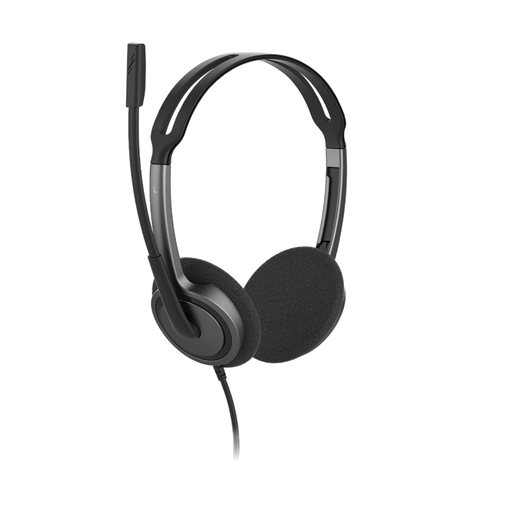
V7 HA212-2EP On-Ear Stereo Headset, 3.5 mm
This wired on-ear option is worth considering when the meeting device has a compatible 3.5 mm headset connection. Its stated features include a noise-cancelling microphone that rotates 270° and an adjustable headband.
Confirm that the computer’s jack carries both headphone and microphone audio, or check which adapter is needed. Check meeting-application requirements for this exact model.
View on Joybuy
 No image available
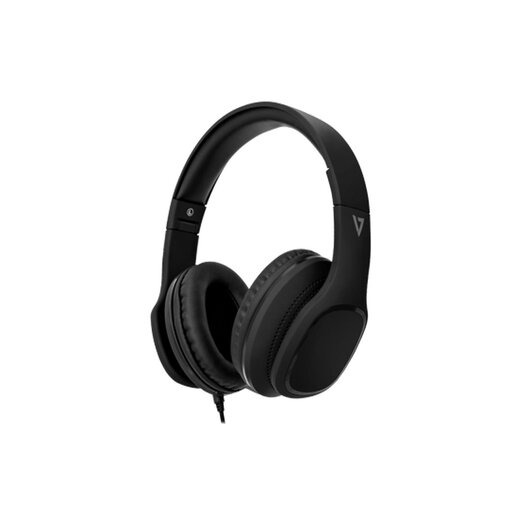
V7 HA701-3EP Wired Over-Ear Headset with Inline MEMS Mic
Consider this over-ear model for a wired call when you prefer its wearing style and have a compatible 3.5 mm connection. The product name specifies 40 mm drivers, passive noise cancellation and an inline MEMS microphone.
Passive noise reduction describes what the wearer hears, not how well the microphone handles nearby conversation. If other people will be talking in the room, check the outgoing-call microphone features before choosing it.
View on Joybuy
Common questions
Should I use a wired or wireless headset for a small-room design brief?
Choose wired if one person will stay near a compatible computer and avoiding a charging routine matters most. Wireless is useful when that person needs to move or switch devices; check the exact computer connection, receiver and battery conditions before ordering.
Will active noise cancellation stop remote attendees hearing colleagues?
No: active noise cancellation for the wearer does not establish what the call microphone sends to remote attendees. Look separately for stated microphone noise reduction or voice-isolation features, and remember that one personal headset is not a substitute for a microphone intended to capture several local speakers.
Do I need a Microsoft Teams version instead of a UC version?
Choose a Teams variant when you need the specific Teams features or certification stated for that model. Otherwise, check the UC variant’s stated compatibility with your organisation’s meeting application, along with the exact connector or receiver included.
Which conformity marking should I check for a headset supplied in Great Britain?
Check the marking and documentation applicable to the exact headset rather than assuming every product follows the same requirements. In guidance dated 21 August 2026, the Department for Business and Trade says CE marking continues to be recognised alongside or in place of UKCA marking for products placed on the Great Britain market where the applicable rules permit it. Northern Ireland has different market arrangements.
What should I do with a wireless headset at the end of its life?
Take electrical equipment and batteries marked with the crossed-out wheelie-bin symbol to an appropriate recycling collection point rather than putting them in household rubbish, as advised by the Office for Product Safety and Standards on GOV.UK.


