Shared-classroom computer reviewers
If reviews happen at a known classroom PC, a wired USB headset avoids Bluetooth pairing. Confirm the computer has the right port and that the reviewer can reach the mute control during discussion.


Choose a wired USB headset for draft-review calls from a known classroom computer, or a wired model with suitable connectors if the reviewer also uses other devices. A wireless headset makes more sense when movement matters enough to justify pairing and charging; in either case, check microphone-specific noise reduction and the exact connection rather than assuming active noise cancellation will make your voice clearer to remote colleagues.
If reviews happen at a known classroom PC, a wired USB headset avoids Bluetooth pairing. Confirm the computer has the right port and that the reviewer can reach the mute control during discussion.
Someone moving between a classroom computer and a tablet or phone needs to check each device’s connection. HP United Kingdom lists USB-C, a tethered USB-A adapter and 3.5 mm connectivity for the Poly Blackwire 5200 series; those connections should not be assumed for other models.
When nearby voices may reach remote colleagues, look for a stated microphone-noise-reduction feature. If the wearer also wants less distraction, consider active noise cancellation separately and check how much awareness of the room they need.
For classroom draft reviews, decide which devices the headset must connect to, then weigh voice pickup, session length and awareness of the room. Wired USB keeps setup simple on a compatible computer; wireless use adds mobility but also pairing and charging.
Choose when: Reviews take place at a known, compatible classroom computer and quick setup matters.
Trade-off: The cable limits movement, and the connector must match the computer.
Choose when: One reviewer needs suitable wired connections for more than one computer or mobile device.
Trade-off: Connector options vary by model, and the cable still needs routing around the workspace.
Choose when: The reviewer needs to move during calls and the classroom device permits the intended wireless connection.
Trade-off: Pairing and charging become part of preparing for each session.
| Concern | What to check | Who this matters to |
|---|---|---|
| Voice pickup | Check the exact model for a microphone-specific noise-reduction feature. Do not use active noise cancellation for the wearer as a substitute for that check. | If colleagues are talking nearby, I need remote participants to follow my comments on the draft without the room dominating the call. Around 36% of consumers put voice clarity first. |
| Device connection | Match USB-A, USB-C, 3.5 mm or permitted Bluetooth use to the actual devices; check any required adapter and meeting-software setup. | When I change between classroom devices, I need a connection that works at each review session. Device compatibility comes first for roughly 29% of consumers. |
| Session comfort and controls | Consider fit and access to mute; for wireless models, check talk-time conditions and plan charging. | During longer discussions, I need a headset I can keep wearing and a mute control I can use without interrupting the conversation. About 21% of consumers prioritise session comfort and controls. |
| Accessible listening and room awareness | Ask the intended user about hearing technology and the need to hear people in the room; check compatibility before choosing specialist accessories. | If I use hearing aids or must hear classroom instructions, listening access and awareness shape the setup I can use. This is the primary concern for around 14% of consumers. |
Active noise cancellation concerns what the wearer hears; it does not by itself show how much classroom sound remote colleagues will hear.
Check for a stated microphone-specific noise-reduction feature on the exact headset model, and consider where the microphone sits during a call.
USB-A, USB-C and 3.5 mm connections differ, while Bluetooth use may depend on the device’s settings.
Inspect the intended computer’s ports and permitted connection methods, then check whether the selected variant includes any adapter you need.
HP lists different talk-time conditions for the Poly Voyager Focus 2 depending on settings including active noise cancellation and its online indicator.
Compare the stated figure with the settings you intend to use and plan charging before a long review session.
A flat headset can interrupt a session until it has been charged or another suitable headset is available.
A standard computer headset may not meet the listening needs of someone using hearing aids or needing to hear speech elsewhere in the classroom. Oticon describes EduMic as a separate remote-microphone accessory for compatible hearing aids.
Ask the intended user about their hearing technology, listening needs and required awareness of the room before choosing a headset or specialist accessory.
Its H390 offers a straightforward USB-A route, while Zone Wireless 2 is a wireless business-headset option with different setup considerations.
The Blackwire 5200 series provides a wired connection route across specified devices; Voyager Focus 2 is a wireless alternative.
Evolve2 65 Flex is a portable wireless-headset route for reviewers who move between locations.
EduMic is a specialist remote-microphone and streaming accessory, not an ordinary computer-call headset.
These choices cover wired computer headsets and a Bluetooth option for draft-review calls. Match the connector or permitted wireless setup to the classroom device, and check the meeting software before buying.
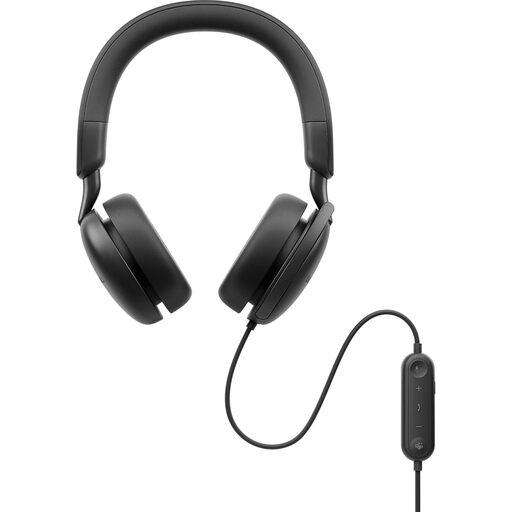 No image available
For a reviewer staying at a classroom computer, this wired model avoids headset pairing. Check the computer connection, meeting-software setup and whether its cable can be routed safely; ANC in the name is not a substitute for checking microphone performance.
 No image available
Consider this wired model when classroom computers use USB-C or USB-A, subject to checking the intended setup. The named variant includes a USB-C/A adapter; if another device requires 3.5 mm, confirm that connection separately rather than assuming it is available.
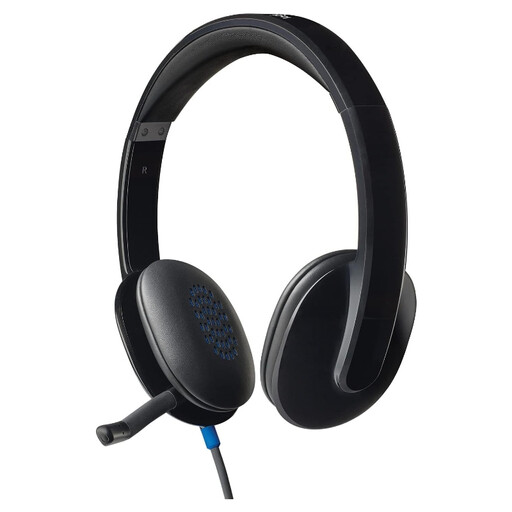 No image available
This wired option suits a review based at one computer if its connection and the school’s meeting software are compatible. Check the port, cable reach and mute arrangement for the planned classroom position.
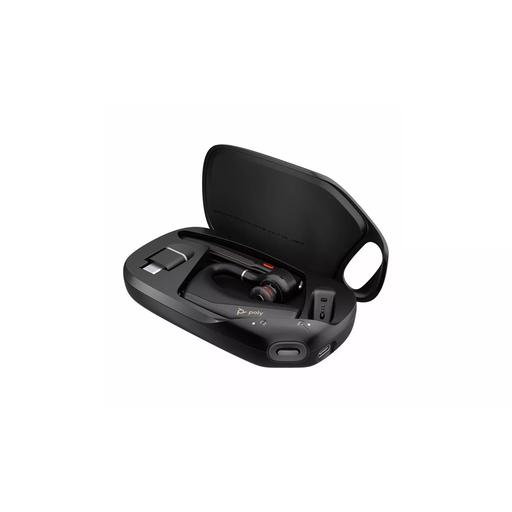 No image available
Consider Bluetooth when the reviewer needs to move during discussion rather than remain beside a computer. Confirm that the classroom device permits pairing, that the meeting software works with the chosen setup and that charging fits the session schedule.
 No image available
Although presented as a gaming headset, this wired USB option may be considered for a computer-based review if the device and meeting software suit it. Its title names PC, PS4 and Mac use and a noise-cancelling microphone; check the intended call setup rather than treating those labels as a conferencing guarantee.
Choose wired when the reviewer uses a known, compatible classroom device and wants to avoid pairing and charging. Choose wireless if movement during calls matters and the device permits the connection; plan for charging before longer sessions.
Not by itself: active noise cancellation is a listening feature for the wearer. For outgoing speech, check the exact model for microphone-specific noise reduction and consider nearby classroom conversation when setting up the call.
No; the intended user’s hearing technology and listening setup determine what will work. Oticon describes EduMic as a remote-microphone and streaming accessory for compatible hearing aids where distance or classroom noise makes speech harder to hear.
Check how the headsets will be used, including cable routing and whether wearers need to hear instructions in the room. For schools in England, the Department for Education says the employer or, for an independent school, the proprietor is accountable for staff and pupil health and safety; assess the planned arrangement through the school’s usual processes.