Candidates interviewing at a desk
If you expect to stay at your computer, a wired connection avoids pairing and charging. Check that the plug fits your computer and that you can reach the mute control during the call.


Choose a wired USB headset if you will interview at a desk and want to avoid pairing and charging. Choose wireless if movement matters and you can charge it and test the connection and selected microphone beforehand. In a noisy setting, check the microphone’s voice-pickup features and find a quiet space; active noise cancellation for listening does not, by itself, establish how clearly the interviewer will hear you.
If you expect to stay at your computer, a wired connection avoids pairing and charging. Check that the plug fits your computer and that you can reach the mute control during the call.
If you know the interview platform, check the exact headset variant and connection method, then select its microphone in the meeting app. Microsoft Support and Zoom Support describe audio controls and tests for their respective platforms.
If background noise or a change of location is possible, consider microphone positioning and portability alongside the connection. JobHelp advises checking the microphone before an interview; a quieter location remains important whatever headset you use.
Check the computer connection and interview platform first, then decide whether voice pickup, dependable controls or freedom to move matters most to you.
| Concern | What to check | Who this matters to |
|---|---|---|
| Voice pickup | Look for a positionable microphone and stated microphone noise reduction; arrange a quiet interview space. | In a shared room, I need the interviewer to hear my answers rather than the sounds around me. Around 31% of consumers would put voice pickup first. |
| Platform and connection | Check the exact variant, computer port and any receiver; confirm the microphone selected in the interview app. | When my interview is on a named meeting platform, I want to know that the headset and app will use the intended microphone. Platform compatibility would come first for around 25% of consumers. |
| Call-day controls | Locate the mute control and, for wireless models, check charging; make a test call beforehand. | I do not want to troubleshoot a flat battery or an unexpected mute setting as the call begins. Around 25% of consumers would prioritise reliable call-day controls. |
| Simple desk use | Check that the connector fits, the cable reaches your seat and the headset is comfortable to wear. | For an interview at my usual desk, I mainly want a straightforward headset I can connect and wear for the call. Simplicity would be the primary concern for around 19% of consumers. |
Active noise cancellation can affect what you hear, but it does not by itself establish what the interviewer hears. Room noise and microphone pickup still matter.
Check for stated microphone noise reduction or voice pickup, use the quietest available space and test a recording or call.
Receiver and native-Bluetooth versions can have different platform and software requirements, even within one headset range.
Check the complete model and included connection hardware against your computer and interview platform, then test that combination in the app.
The meeting app may select another microphone, or a wireless headset may need charging or pairing when you intend to join.
Plug in or charge the headset, select it in the app and run an audio test before interview day. The National Careers Service also advises candidates to test their microphone and know how to use the software.
A USB-A plug needs a suitable port or compatible adapter; a wireless receiver also needs a matching connection.
Inspect your computer ports and the exact headset connector and box contents before ordering.
Its H390 offers a wired USB-A route, while Zone Vibe Wireless covers wireless business use.
Its Evolve ranges include corded call headsets and the portable Evolve2 65 Flex.
Its IMPACT 1000 range is aimed at wireless business calls beyond a single interview.
These options cover wired USB and analogue desk connections, plus Bluetooth headphones for candidates who want to move around. Choose by the connection your computer can use, then test the microphone in the interview app.
 No image available
A wired choice for a desk interview when avoiding pairing and charging matters. The title specifies an inline remote and a noise-cancelling microphone; check that your computer has a suitable USB-A connection and test your voice in the interview app.
 No image available
Consider this wired option if you also want a gaming headset for computer use. Its name specifies a noise-cancelling microphone, 7.1 surround sound and a 50 mm driver; check the USB connector and test the microphone in your interview app.
 No image available
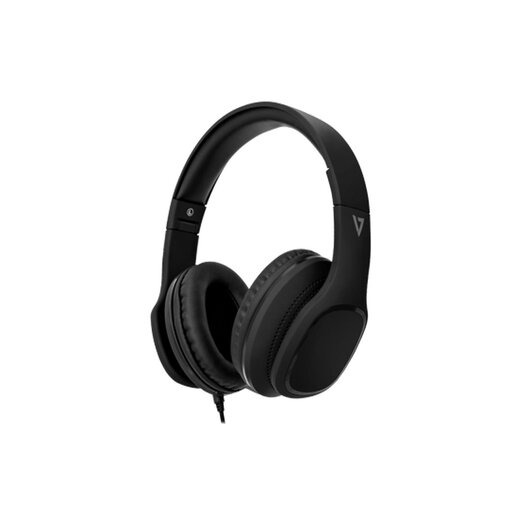
These suit a desk setup if your computer accepts the headset’s microphone connection. The name specifies an inline MEMS microphone, 40 mm drivers and passive noise isolation; check your computer’s 3.5 mm jack before buying and test the microphone in the call app.
 No image available
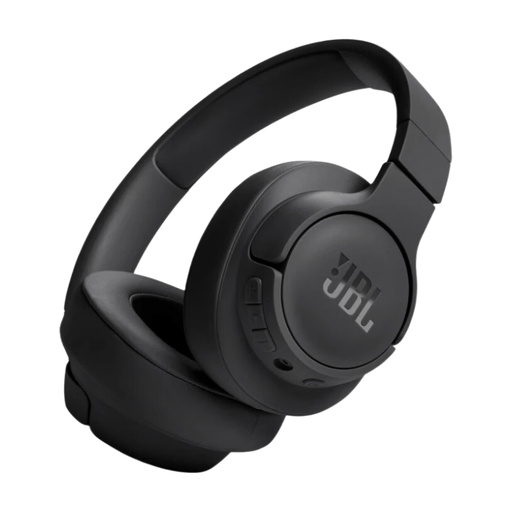
A wireless option if movement during or around the interview matters to you. Charge and pair the headphones beforehand, then confirm that the interview app selects their microphone; the stated playback time does not establish call runtime.
Choose wired USB if you will stay at a desk and avoiding pairing and charging matters most; check that its connector fits your computer. Choose wireless if movement or later work use matters more, provided you can charge it and test the intended connection and microphone before the interview.
No: active noise cancellation is not, by itself, a measure of interviewer-facing microphone clarity. Check the headset’s microphone features, position the microphone as directed and use a quiet space even if the headset has noise-management features.
Use Zoom’s speaker-and-microphone test or select the connected speaker and microphone in Teams audio settings, then make a test call or recording where available. Test early enough to change the selected device or resolve a connection problem.