Laptop-first presentation creators
You want to record narration directly into a computer, monitor your voice and avoid setting up a separate audio interface.


For straightforward recording into a computer, consider a USB cardioid microphone with direct headphone monitoring. If room noise is your main concern and you can speak close to the microphone, a USB/XLR dynamic model offers another route; a USB/XLR condenser suits a quieter setup where connection flexibility matters. A directional pickup pattern reduces sensitivity to sound from the sides, but placement and noise in front of the microphone still matter.
You want to record narration directly into a computer, monitor your voice and avoid setting up a separate audio interface.
You record near a computer fan or household activity and can position a directional microphone close to your mouth.
You want to record now while keeping open the option of using an XLR interface or mixer later.
Decide how you will connect the microphone, then check whether you can position it well in your recording room. Headphone monitoring and the accessories needed for that position can affect either choice.
| Concern | What to check | Who this matters to |
|---|---|---|
| Room noise | Check the pickup pattern, which side faces your mouth and whether your stand allows close placement. | If I record near a fan or household activity, I need to keep distracting sound out of my narration. Around 34% of consumers put noise control first. |
| Simple computer recording | Check USB and device compatibility, headphone monitoring and the supplied stand. | When I record between slide revisions, I want to connect to my computer without setting up an interface. For around 33% of consumers, that simple recording path is the priority. |
| Narration and future connections | Check for both USB and XLR connections, suitable positioning accessories and compatibility with your recording software. | If I produce a series of presentations, I want a consistent recording position and the option to change my connection later. That flexibility comes first for around 22% of consumers. |
| Existing XLR equipment | Confirm that your interface or preamp has a suitable input and that you have the required cable. | With an interface already on my desk, I want a microphone that fits that recording chain rather than a direct-USB setup. Around 11% of consumers prioritise using existing XLR equipment. |
A directional microphone remains sensitive to sound in front of it. A fan or keyboard in that pickup area can still be heard in a voiceover.
Face the microphone towards your mouth, move noise sources away from its front and listen to a short recording of your presentation script before recording every slide.
Audio-Technica specifies an XLR connection for the AT2035 and says its XLR cable is not included. Direct computer recording requires a different connection path.
Check that you have compatible external recording hardware and a cable before choosing an XLR-only model; otherwise, compare it with a USB option.
An interface or preamp also needs space in your recording setup.
Accessories vary by model. RØDE supplies a desktop stand with the NT-USB+ and a shock mount with the NT1 5th Generation; neither fact establishes where the microphone will sit in your workspace.
Check the in-box accessories and whether they let you position the microphone near your mouth without obstructing your screen.
Its MV7+ is a voice-focused dynamic model for people considering both USB and XLR connections.
Its NT-USB+ offers direct USB recording, while the NT1 5th Generation provides USB and XLR connection options.
Its AT2035 is an XLR cardioid condenser to consider if you already use compatible external recording equipment.
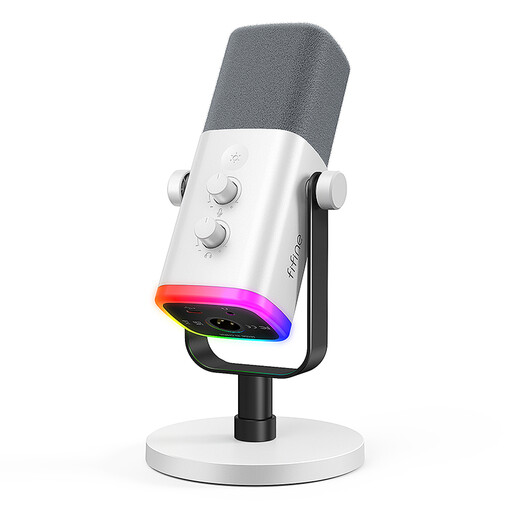
These two FIFINE dynamic microphones offer USB and XLR connection options for close-spoken presentation narration. Choose between the supplied boom arm and the desktop-stand setup according to where you can position the microphone.
 No image available
Consider this kit if a boom arm would help you position the microphone close to your mouth for narration.
The listed kit has USB/XLR connections, a mute button, headphone jack and gain knob. Check compatibility with your computer and recording application; XLR use calls for compatible external equipment and a separate cable.
 No image available
Consider this model if a desktop microphone position works for your presentation-recording space.
The listed microphone has USB/XLR connections, a gain knob, mute button and monitoring jack. Check compatibility with your computer and recording application, and whether you need separate equipment for XLR recording.
A cardioid microphone is worth considering when you record one speaker and want less pickup from the sides. As Shure explains, a directional microphone is most sensitive to sound arriving from the front, so aim it at your mouth and check what other sounds fall within that area.
You do not need an audio interface for a compatible USB microphone. RØDE lists direct USB connection for the NT-USB+ and both USB and XLR connections for the NT1 5th Generation; an XLR-only model such as the Audio-Technica AT2035 needs compatible external recording hardware.
Choose a microphone with a headphone output and check how its monitoring works in the connection mode you plan to use. RØDE lists zero-latency headphone monitoring for the NT-USB+, while Shure lists a 3.5 mm headphone connection for the MV7+.
No. A product marking does not establish compatibility with your computer or recording application. Check the exact microphone model, connection and device requirements separately before buying.