Joybuy microphone choices
These choices cover USB/XLR dynamic microphones for close desk recording and wireless microphones for recording while moving. Check each model’s connection against your recording device and test spoken clarity in your rehearsal room.
 No image available
FIFINE AM8 USB/XLR Dynamic Microphone
Consider this for spoken cards made at a desk if you want the choice of USB or XLR connection. Its name specifies a headphone jack, mute button and desktop stand. If you plan to use XLR, arrange a compatible input and cable; the XLR cable is not included, and monitoring and function keys are available only in USB mode.
View on Joybuy
 No image available
FIFINE K688CT USB/XLR Dynamic Microphone Kit with Boom Arm
Consider this kit if you record at a desk and want an adjustable boom arm rather than a desktop stand. The product name specifies USB and XLR connections, a headphone jack, mute button and gain knob. Check the clamp against your desk: it is specified for desks under 2 inches thick. An XLR cable is not included, and the microphone’s function keys are available only in USB mode.
View on Joybuy
 No image available
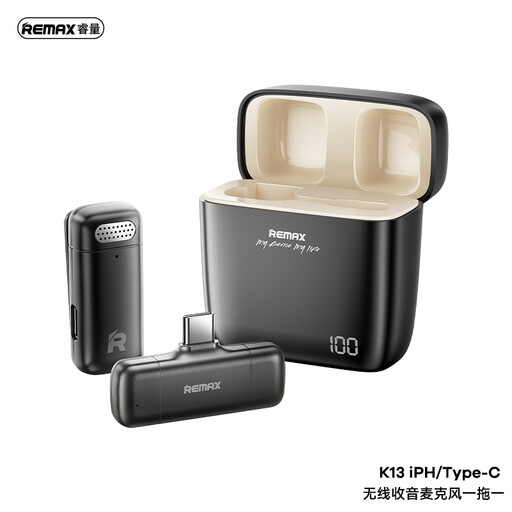
REMAX K13 1-to-1 USB-C Wireless Microphone – Black
Consider this wireless option if you need to record away from a fixed desk using a compatible USB-C device. It uses omnidirectional pickup, so test speech intelligibility with nearby rehearsal sound rather than assuming it will favour your voice. Confirm device compatibility and the recording time you need before buying.
View on Joybuy
 No image available
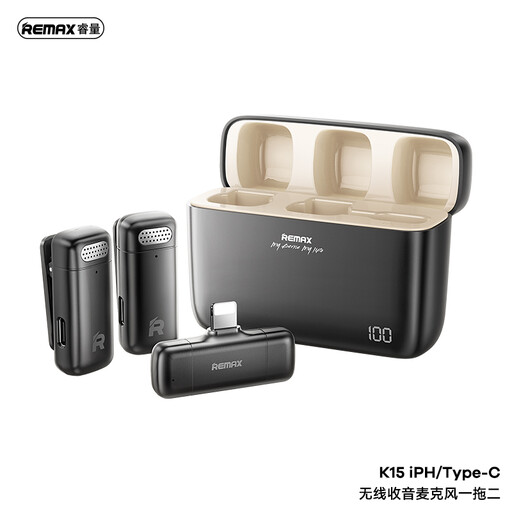
REMAX K15 2-in-1 Lightning Wireless Microphone – Black
Consider this for mobile recording only if its Lightning connection fits the device you intend to use. Confirm the compatible devices and included connection hardware, then test spoken clarity in the rehearsal room. Check the pickup characteristics, monitoring options and battery runtime against your intended sessions before deciding.
View on Joybuy
Frequently asked questions
Should I start with a dynamic microphone or a USB condenser for rehearsal-room speech?
Start by considering a close-used cardioid dynamic vocal microphone if nearby rehearsal sound is your main concern and you have a suitable recording connection. Shure describes the SM58’s pickup pattern as isolating the main source and minimising background noise. If direct computer recording and monitoring matter more, a USB cardioid microphone may fit your workflow, but you should still test it in the room.
Do I need extra equipment for an XLR dynamic microphone?
You need a compatible XLR recording input or an appropriate interface or adapter. Check your computer, recorder or mixer and the accessories included with the microphone; Shure’s SM58 and MVX2U bundle, for instance, includes a separate digital interface and USB-C cable.
Can I listen to a flashcard recording while I speak?
Yes, if your chosen microphone and recording setup support headphone monitoring. Audio-Technica specifies a headphone jack with direct monitoring on the AT2020USB-X; for any other model, check how its monitoring works with the connection you plan to use.
What safety details should I check for a USB or wireless microphone?
Check the product’s appropriate markings, manufacturer name and address, instructions and warnings before use. UK government consumer guidance recommends these checks for electrical products; also identify the seller and check applicable recall information if you have concerns about a particular item.


