Teacher speaking from one position
If you lead most of the lesson from a desk or stand, keeping a cardioid microphone close and aimed at your voice is a useful starting point when other activity may be audible in the room.


For a teacher who speaks mainly from one position, choose a cardioid microphone placed close to them: USB offers a direct connection to a compatible computer, while an XLR model needs a suitable recording chain. If teacher and learner move or need separate audio, consider a two-transmitter wireless system, allowing time for charging and checking how the recorder handles each track.
If you lead most of the lesson from a desk or stand, keeping a cardioid microphone close and aimed at your voice is a useful starting point when other activity may be audible in the room.
If you want to record directly into a compatible device without setting up an XLR interface, consider a USB microphone and plan where it will sit relative to the speaker.
If pronunciation practice or role-play takes both speakers around the room, a two-transmitter system lets you position a microphone on each person. Check whether your recording setup can retain the channels separately if you need to edit them.
Choose when: One teacher stays near a stand-mounted microphone and room sound is a concern.
Allow for: An XLR-capable recorder, mixer or interface, plus the connections and positioning the setup requires.
Choose when: The teacher stays near the microphone and records to a compatible computer or tablet.
Allow for: A suitable USB connection and a fixed microphone position that will not follow moving speakers.
Choose when: Teacher and learner move, or each needs their own microphone.
Allow for: Charging, transmitter placement and checks of recorder compatibility and track routing.
| Concern | What to check | Who this matters to |
|---|---|---|
| Room sound around a fixed speaker | Check the pickup pattern and whether a stand lets you place the microphone close to and in front of the teacher. | If I teach from one spot, I want my speech to remain clear when other sounds occur in the rehearsal room. Around 42% of consumers choosing for this lesson would put room distraction first. |
| Direct computer recording | Check the recording device’s USB connection, any required adaptor and microphone selection in the recording app. | When I set up a lesson recording on my computer, I want a connection that does not require an XLR interface. Roughly 33% of consumers would make that straightforward recording path their main concern. |
| Two moving speakers | Check for two transmitters, compatible recorder output and separate editable channels if needed. | For dialogue or role-play, I need both voices captured as the teacher and learner move. About 25% of consumers would prioritise recording the two speakers individually. |
The Audio-Technica AT2020 is an XLR condenser microphone that requires 48V phantom power; a laptop connection alone does not provide the required recording chain.
Identify your recorder and its connections before buying. If you want a direct computer connection, compare a compatible USB microphone instead.
A cardioid desktop microphone is intended to focus on a source in front of it. It will not stay close to both participants as they move around the room.
For moving dialogue, consider one transmitter per speaker and check the system’s battery, mounting and recording-device connections.
RØDE states the Wireless GO (Gen 3) range under line-of-sight conditions; that figure does not describe every arrangement of people, equipment and obstacles in a rehearsal room.
Make a short test recording along the speakers’ usual movement paths before relying on a wireless setup for a lesson.
For organisational recordings involving personal information, the Information Commissioner’s Office says the applicable lawful basis must be determined and documented before processing. GOV.UK school guidance also requires a lawful basis for the processing activity.
Follow your organisation’s recording and retention policy, establish the applicable basis before recording, and tell attendees the recording’s purpose and who will have access.
Shure has close-speech options for different connections: the SM58 is a cardioid dynamic XLR microphone, while the MV7+ offers USB-C and XLR connections.
The NT-USB Mini serves fixed, computer-led recording, while Wireless GO (Gen 3) is a two-channel wireless option for speakers who move.
The AT2020 is a cardioid, side-address XLR condenser microphone to consider for a stationary speaker with an appropriate recording setup.
These choices cover a fixed teacher recording close to a desktop microphone and two-transmitter kits for lessons where teacher and learner move. Check your recording device and whether separate tracks matter before choosing a wireless kit.
 No image available
Consider this desktop microphone when the teacher can stay close to it while recording speech.
The listed configuration has USB and XLR connections, a headphone jack, mute button, RGB light and desktop stand. For XLR use, check the required recording equipment and cable.
 No image available
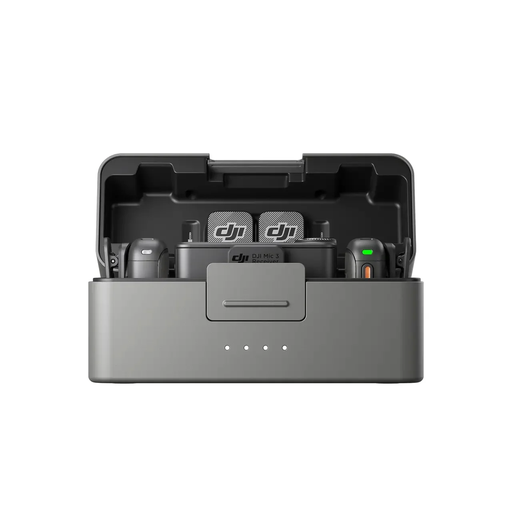
Consider this two-transmitter kit when a teacher and learner need microphones while moving.
It includes one receiver and a charging case. Confirm that your recording device and app are compatible, and that they can save each speaker to a separate editable track if your workflow requires it.
 No image available
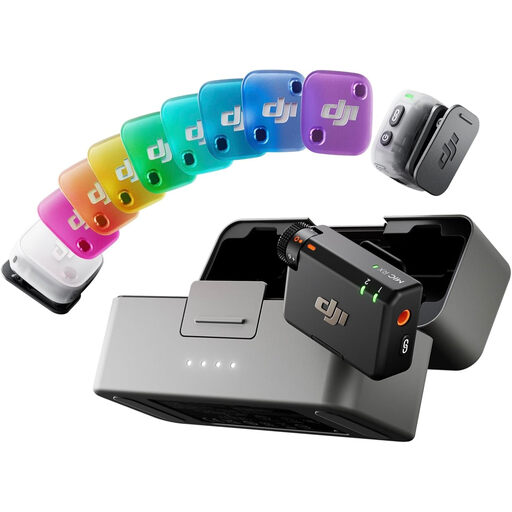
Consider this two-transmitter kit for a teacher-and-learner recording where both speakers may move.
It includes one receiver and a charging case. Check compatibility with your intended device and app, including whether you can retain separate editable tracks when needed.
Choose USB for a direct connection to a compatible computer or tablet; choose XLR if you have, or intend to assemble, a suitable recorder, mixer or audio interface. Check power requirements for the particular microphone: Audio-Technica specifies 48V phantom power for the AT2020 condenser.
Place it close to and aimed at the main speaker, with unwanted sound to its sides or rear where practical. Shure and RØDE describe cardioid pickup as focusing on the sound source in front, but microphone placement does not remove every room sound.
Yes, headphones let you listen for unwanted noise and check levels before and during recording. The RØDE NT-USB Mini provides a headphone output with switchable zero-latency monitoring; check how monitoring works with your chosen recorder and microphone.
For a recording made by or for an organisation, establish the applicable lawful basis before processing identifiable learners’ information. The Information Commissioner’s Office says to determine and document that basis beforehand; GOV.UK gives corresponding guidance for schools. Follow your organisation’s policy and make the recording purpose and access arrangements clear to attendees.
Do not rely on a stated line-of-sight range as a guarantee for your room. RØDE gives the Wireless GO (Gen 3) range under line-of-sight conditions, so test your intended movement paths and recording connection before the lesson.