
24/7 Customer Support

Free returns

Same-day & Next-day Delivery

Quality Guaranteed

Unlock Your Welcome Offers: FREE Delivery | Up to 80% OFF | Free 30-day JoyPlus trial
Download the APP
That familiar "Storage Full" notification can bring any activity to a halt, whether you are capturing family photos, downloading the latest blockbuster game on your Nintendo Switch or recording crucial footage from a drone. Choosing a new microSD card can feel overwhelming with a sea of technical terms like V30, A2 and UHS-I.
This guide is designed to cut through the jargon. As the Joybuy Product Recommendation Officer, my role is to provide clear, practical advice to help you select the right memory card for your specific needs. We will break down what those specifications mean and highlight some dependable options for expanding your device's storage.
Before you buy, considering a few key factors will ensure you get a card that performs well and meets your expectations.
A card's speed is crucial, especially for recording video or running apps.
Capacity determines how much you can store. A 256GB microSD card is a popular and versatile choice, but your ideal size depends on your usage.
Always check your device's specifications for the maximum microSD card capacity it supports. Many older devices may not recognise cards larger than 32GB or 128GB. Additionally, a microSD card with adapter is incredibly useful, allowing you to easily plug the card into a laptop or camera's full-size SD card slot for quick file transfers.
Here are a few recommendations that cater to different users, from content creators to gamers and everyday smartphone users.
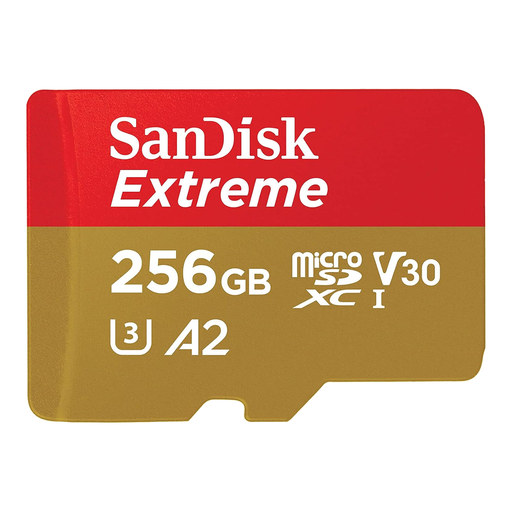
Why It Stands Out: This card is built for demanding tasks. With read speeds up to 190MB/s and write speeds up to 130MB/s, it handles 4K UHD video and high-resolution burst photography without issue. Its durable, shockproof and waterproof design provides peace of mind during outdoor adventures.
Pros:
Who is it for?: Content creators, drone pilots and action camera users who require a durable, high-performance card that can keep up with the action.
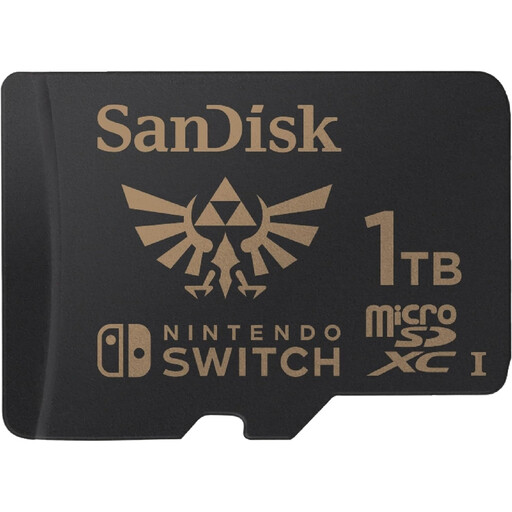
Why It Stands Out: Officially licensed by Nintendo, this card guarantees seamless compatibility and performance with the Switch, Switch OLED and Switch Lite. With a massive 1TB of storage, you can build an extensive digital game library without worrying about running out of space.
Pros:
Who is it for?: Dedicated Nintendo Switch players who want to store their entire digital library on a single, reliable card.
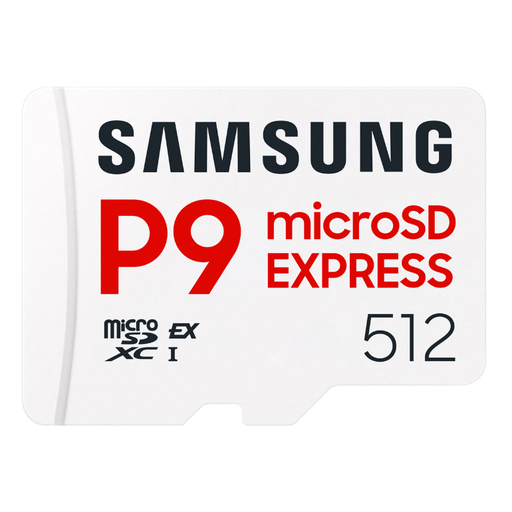
Why It Stands Out: This Samsung microSD card represents the next generation of storage. It uses the microSD Express interface to deliver read speeds of up to 800 MB/s in compatible devices, drastically reducing load times. It is also backward compatible with standard UHS-I slots, making it a versatile, future-proof investment.
Pros:
Who is it for?: Tech enthusiasts and gamers with next-generation devices (like the Nintendo Switch 2) who want the absolute fastest loading and transfer speeds available.
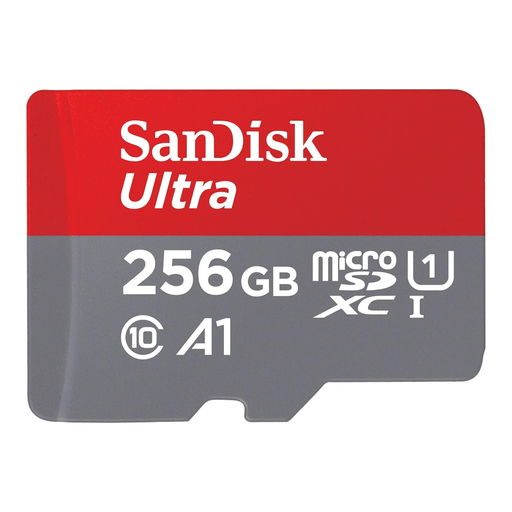
Why It Stands Out: The SanDisk Ultra is a dependable all-rounder, offering a great balance of capacity, speed and value. With an A1 rating, it is optimised for running apps on Android devices, and its 150MB/s read speed makes transferring photos and videos quick and easy.
Pros:
Who is it for?: Android smartphone and tablet users looking for a reliable and cost-effective way to expand their storage for photos, videos and apps.
If these specific models do not quite fit your needs, there are many other capacities and specifications available. Whether you need a smaller card for a dashcam or a different brand, you can explore our full range of storage solutions. Browse our complete collection of SD MMC MS memory cards to find the perfect match for your device.
What's the difference between SDHC and SDXC? The main difference is capacity. SDHC (High Capacity) cards range from 4GB to 32GB. SDXC (Extended Capacity) cards range from 64GB up to 2TB. Most modern smartphones, cameras and consoles require SDXC cards to support larger capacities.
Can I use any microSD card for my Nintendo Switch? While most microSD cards will work, the console's performance, especially game load times, depends on the card's read speed. Using a card with at least 100MB/s read speed is recommended. Officially licensed cards, like the SanDisk microSD card for Switch, are a safe bet as they are guaranteed to meet Nintendo's performance requirements.
Do I need a V30 or V60 card for 4K video? For most consumer devices like drones, action cameras and mirrorless cameras shooting in 4K, a V30 rated card is perfectly sufficient. It guarantees a minimum write speed of 30MB/s, which is enough to handle the data rates of standard 4K video without dropping frames. V60 and V90 cards are typically reserved for professional cinema cameras recording at much higher bitrates.