
24/7 Customer Support

Free returns

Same-day & Next-day Delivery

Quality Guaranteed

Unlock Your Welcome Offers: FREE Delivery | Up to 80% OFF | Free 30-day JoyPlus trial
Download the APP
Running out of storage on your phone or camera is a familiar frustration. A microSD card seems like a simple fix, but the market is filled with confusing jargon and specifications that can lead to a poor purchase. Choosing the wrong card can mean slow performance, corrupted files or discovering it’s incompatible with your device. As the Joybuy Product Recommendation Officer, my role is to help you navigate these choices and find a card that genuinely meets your needs without overpaying for features you don't require.
Before you buy, let's look at the common pitfalls that many UK shoppers encounter.
memory card for Android to run apps from, capacity isn't the only factor. The Application Performance Class (A1 or A2) rating indicates how well the card handles the random read/write operations required by apps. A card without this rating (or with a low one) can make your phone feel sluggish when apps are moved to the SD card.microSD card can wear out quickly. High-endurance cards are designed for this continuous use, while counterfeit or unbranded cards often lack any durability, putting your valuable data at risk.To make an informed choice, focus on these three core parameters. They will tell you almost everything you need to know about a card's real-world performance.
Forget the single "MB/s" number for a moment and look for these symbols. They guarantee a minimum sustained performance level, which is crucial.
4K video memory card, you should look for a U3 rating, which guarantees a minimum of 30MB/s.Memory cards come in different formats that dictate their maximum capacity.
256GB microSD card or a 512GB memory card will always be an SDXC card.Crucially, you must check your device's specifications. An older camera or smartphone might only be compatible with SDHC cards, meaning it won't recognise a 64GB or larger card. Most modern devices support SDXC, but they still have a maximum capacity limit (e.g., "supports up to 512GB"). Always verify this before purchasing a large-capacity card. Many microSD cards also come with an SD adapter, allowing them to be used in devices that take full-size SD cards, like a memory card for camera or a laptop.
Instead of a one-size-fits-all approach, we've matched some reliable options to specific user needs.
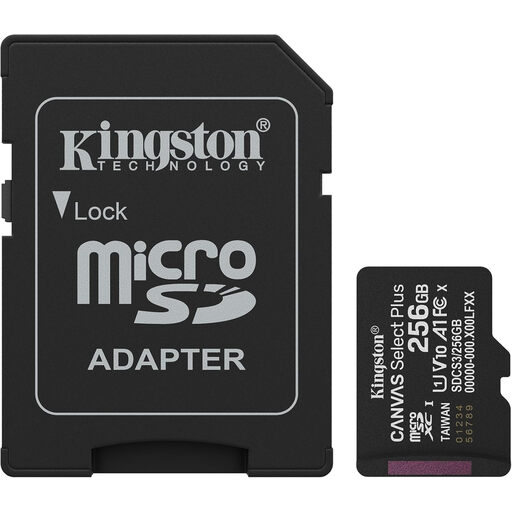
Why This Fits Their Persona: This user needs a straightforward, cost-effective way to expand their phone's storage for photos, videos and a few apps without breaking the bank. They aren't shooting professional 4K video but want reliable performance for daily use.
It features a clear A1 Application Performance Class rating, ensuring apps moved to the card run smoothly and avoiding the sluggish performance pitfall common with cheaper, unrated cards.
Offers a great balance of generous 256GB capacity, reliable A1 performance for Android devices and affordability. The included SD adapter adds versatility.
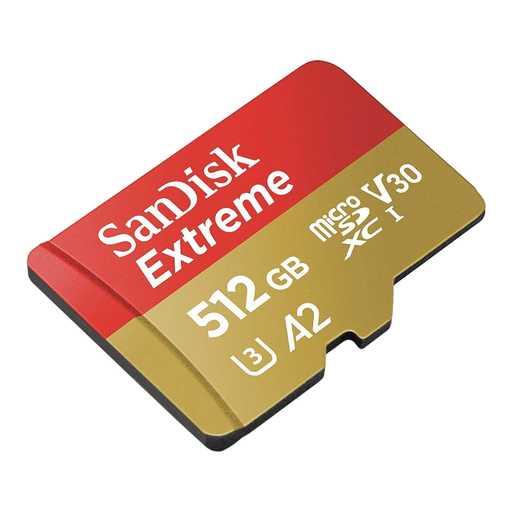
Why This Fits Their Persona: This user is capturing holiday footage on a drone or recording action sports. They need a high-capacity, `high speed memory card` that can reliably handle 4K video without dropping frames and is durable enough for outdoor use.
It has certified U3 and V30 speed ratings, guaranteeing the minimum 30MB/s write speed required for smooth 4K video. This directly counters the "up to" speed trap, ensuring performance you can count on.
High write speeds (up to 130MB/s) and A2 rating for fast performance in any device. Its durable, temperature-proof and waterproof design is ideal for a `memory card for drone` or action camera.
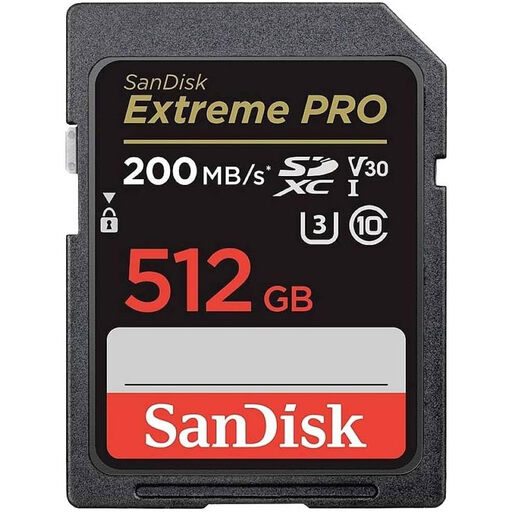
Why This Fits Their Persona: This user works with a high-resolution mirrorless or DSLR camera. They need maximum speed for shooting RAW photos in burst mode and recording high-bitrate 4K video, plus a fast workflow for transferring large files.
This full-size `SD card` is built for sustained professional performance. Its specified write speed of up to 140MB/s is a verifiable metric that ensures it keeps up with demanding camera buffers, avoiding performance bottlenecks.
Top-tier read (up to 200MB/s) and write speeds for professional workflows. The V30 rating and massive 512GB capacity are ideal for high-resolution photo and video projects.
We have compiled a complete, real-time list of products that fully satisfy these strict selection criteria and UK safety regulations.
The lifespan of a microSD card is measured in write cycles. For typical use like storing photos and music, a quality card from a brand like SanDisk memory card or Kingston Canvas Select can last for many years. However, for devices that record video continuously, such as dashcams or security cameras, a "High Endurance" card is recommended as it is specifically designed to withstand thousands of hours of overwriting.
Not always. There are two key compatibility checks:
The primary difference is physical size. A microSD card is much smaller and is the standard for smartphones, drones and action cameras. A full-size SD card is larger and used in most DSLR and mirrorless cameras. Most microSD cards come with an SD adapter, which is a plastic shell that allows the smaller card to fit and function perfectly in a standard SD card slot, offering excellent versatility across different devices.