
24/7 Customer Support

Free returns

Same-day & Next-day Delivery

Quality Guaranteed

Unlock Your Welcome Offers: FREE Delivery | Up to 80% OFF | Free 30-day JoyPlus trial
Download the APP
A Mini LED 4K smart TV can deliver brighter HDR highlights, deeper-looking blacks and smoother motion than a conventional LED television. However, the name alone does not guarantee the right viewing experience. Differences in local dimming, screen size, HDMI connections, operating systems and audio can make one model far more suitable for your room and equipment than another.
For UK households, the main buying risks are usually:
Here is how to compare the specifications before you buy.
Mini LED refers primarily to the backlight. It uses many smaller LEDs than standard LED televisions, allowing the screen to control brightness across multiple local dimming zones. This can improve contrast between bright highlights and dark areas, although some haloing may still appear around bright objects on dark backgrounds.
QLED generally refers to a quantum-dot colour layer. It can help a television produce a wider and more vivid colour range, but QLED alone does not describe the quality of the backlight or local dimming.
A QD Mini LED TV combines both approaches: quantum-dot colour and Mini LED backlighting. This is useful for HDR films, sports and games, but buyers should still check the actual dimming specification, HDR formats and screen brightness rather than relying on the label.
For a 4K HDR smart TV, look for local dimming, as this helps the television adjust backlight output in different areas of the picture. The number of zones can provide useful context, but it is not the only factor affecting image quality. Processing, panel design and software also influence how cleanly the TV handles subtitles, stars and small highlights.
Check whether the TV supports the formats used by your content sources. Common options include HDR10, HLG, HDR10+ and Dolby Vision. Dolby Vision IQ and HDR10+ Adaptive can adjust compatible content according to scene information and room conditions, but the effect depends on the source and viewing environment.
A 144Hz gaming TV or 165Hz gaming TV may be suitable for a gaming PC capable of producing high frame rates. Current games consoles commonly operate at up to 120Hz, so a high native refresh rate does not automatically make console gameplay faster.
For gaming, prioritise:
A TV may advertise 144Hz or 165Hz, but check which HDMI ports support the feature and whether it applies to 4K input. For example, the Hisense 55E8Q specification lists 144Hz VRR on HDMI 3 and HDMI 4, while the Hisense 55U7QTUK Pro lists 165Hz VRR across its HDMI ports.
Measure the furniture or wall before choosing a large-screen smart TV. Allow space for ventilation and check the TV’s VESA mounting pattern. Larger models may require two people for installation and secure anti-tip measures, particularly in homes with children or pets.
Built-in sound also varies considerably. A basic stereo system may be adequate for everyday viewing, while a TV with a built-in subwoofer or 2.1.2-channel system can provide more weight for films and sport. Dolby Atmos support does not necessarily mean the television will reproduce full cinema-style sound without suitable speaker placement or additional equipment.
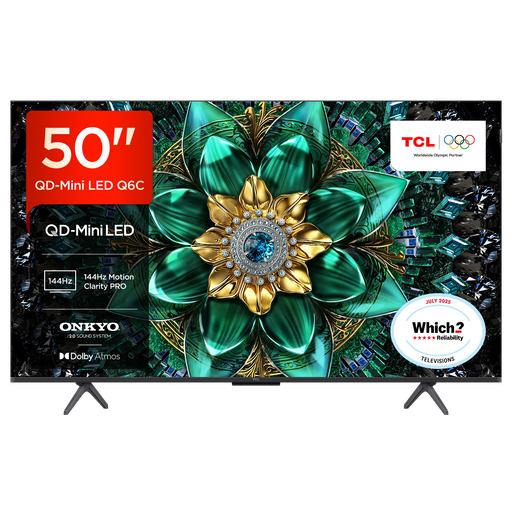
Why This Fits Their Persona: A 50-inch format suits smaller UK lounges, bedrooms or flats where a larger panel may dominate the room. Google TV provides access to streaming apps, Chromecast, Apple AirPlay 2 and Google Assistant.
Its specification identifies QD-Mini LED, HDR support and gaming features rather than relying on a generic QLED label alone.
4K HDR Premium 1000, up to 144Hz VRR and a 30W Onkyo audio system with Dolby Atmos and DTS Virtual:X.
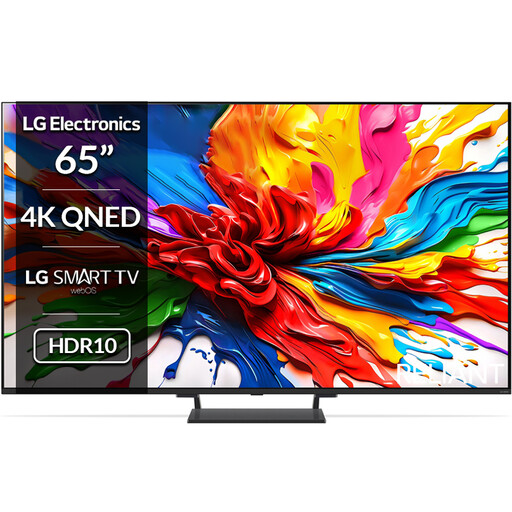
Why This Fits Their Persona: This 65-inch model is aimed at viewers who want a cinema-style living-room display with a broad smart platform and a strong specification for films, sport and games.
The specification combines Mini LED Full Array backlighting with listed Dolby Vision, HDR10 and HLG support.
Four HDMI 2.1 ports, up to 144Hz VRR, webOS 25, 40W 2.2-channel audio and Dolby Atmos.
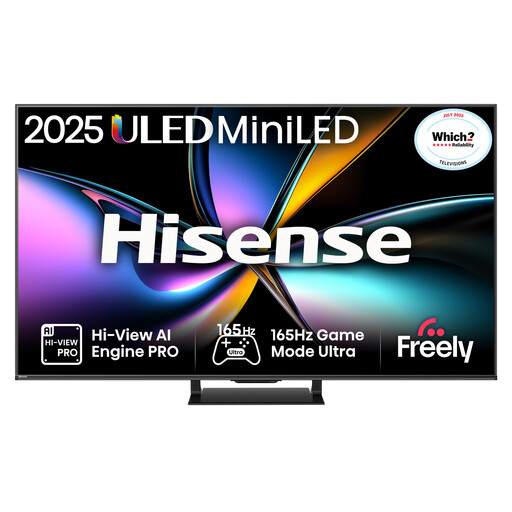
Why This Fits Their Persona: Suitable for households combining console gaming, PC play, sport and streaming on one sizeable screen, with VIDAA OS and built-in audio features.
It lists 165Hz VRR, ALLM and HDMI 2.1 connectivity, helping buyers check gaming compatibility instead of focusing only on refresh-rate marketing.
165Hz native refresh rate, Dolby Vision IQ, HDR10+ Adaptive, 2.1.2-channel Dolby Atmos audio and four HDMI 2.1 ports.
A Google TV model can be convenient for households already using Google Assistant, Chromecast or Android devices. A VIDAA smart TV may offer a straightforward interface and access to services such as Netflix, Disney+ and YouTube, but app availability can change. Check the current app list before ordering if a particular service is essential.
Large, bright Mini LED panels can use more electricity than smaller televisions, especially in HDR modes. Review the product’s energy label and stated consumption rather than estimating from screen size alone. Also check the warranty, included stand, VESA dimensions and delivery access before purchase.
We have compiled a complete, real-time list of products that fully satisfy these strict selection criteria and UK safety regulations.
It can be a practical choice because Mini LED televisions are designed to produce strong brightness and controlled highlights. For a sunny room, also consider screen reflections, viewing angles, curtains and seating position. A brighter panel cannot remove glare caused by a window directly opposite the screen.
You need to check your equipment. HDMI 2.1 is useful for compatible consoles and gaming PCs seeking 4K at high refresh rates, VRR and ALLM. If you mainly watch broadcast television or stream films, HDMI 2.1 may be less important than HDR support, sound and smart-platform compatibility.
Lifespan depends on usage, ventilation, operating temperature, software support and component quality. Keep vents clear, avoid blocking the rear of the television and follow the manufacturer’s installation guidance. Before buying, compare the warranty period and make sure the retailer’s product information matches the exact model and screen size.