Daytime cricket viewers
If you watch while cooking or eating, daylight and reflections can make the pitch, ball and score graphics harder to see. Compare the screen’s brightness and reflection handling in the position where it will actually sit.


For daytime cricket in a bright kitchen diner, start by comparing Mini LED or QLED TVs for reflection handling and motion, rather than choosing by display type alone. OLED is worth considering if viewing is mainly in the evening or people regularly watch from side seats. Whichever route you take, measure the space and closest seat, then check how you will receive the matches.
If you watch while cooking or eating, daylight and reflections can make the pitch, ball and score graphics harder to see. Compare the screen’s brightness and reflection handling in the position where it will actually sit.
Cabinets or a nearby dining seat may limit the screen size that feels comfortable. Measure the installation space and viewing distance before settling on a diagonal.
When viewers sit to the side or follow commentary over kitchen noise, viewing angles, intelligible speech and access to the chosen live-TV service matter alongside motion handling.
Decide where and when you will watch first; that makes it easier to judge display type, screen size and the connections needed for live cricket.
| Concern | What to check | Who this matters to |
|---|---|---|
| Daylight and reflections | Check the exact model’s screen finish, reflection-control features and backlight type against the proposed position of windows and lights. | If daylight falls across my screen, I need to see the ball and score without moving seats. Around 33% of consumers put daylight visibility first. |
| Cricket motion | Confirm the exact model’s native panel refresh rate and try its adjustable sports or motion settings where possible; a gaming-rate label alone does not establish how broadcast cricket looks. | Fast balls and camera pans are what I most want to follow clearly; approximately 27% of consumers prioritise motion clarity. |
| Size and seating angles | Measure the available width, stand or mount position and nearest regular seat. Sony UK lists approximate minimum 4K viewing distances of 90 cm for 43 inches, 1 m for 55 inches and 1.2 m for 65 inches; these are not universal target distances. | I sit close to the TV, but others watch from around the table, so fit and sightlines come before a larger diagonal. Roughly 20% of consumers make room fit their primary concern. |
| Live-TV access and sound | Check the service carrying the cricket, the TV’s relevant tuner or apps, Wi-Fi reach and whether you need an aerial. Freeview says live channels through its TV Guide require an aerial. | I need the match to be accessible where the TV will go and commentary to be audible during meals; around 20% of consumers put reception and shared use first. |
A TV may fit on the wall yet feel too large from the nearest dining seat or sit awkwardly beside cabinets.
Measure usable width, stand depth or mount position, and the distance to the closest regular seat before comparing sizes.
Panel rates, gaming modes and motion-processing names describe different things. Motion settings can also change how natural a broadcast looks.
Check the native rate for the exact model and assess its sports picture settings if you can.
Daylight or kitchen lights facing the screen can interfere with viewing even when a TV has a bright backlight.
Map the windows and lights against the proposed screen position, then check reflection handling for the specific model.
Freeview says live channels through its TV Guide need a working aerial; internet-delivered viewing depends instead on the chosen service and connection.
Check the existing aerial point and cable, or confirm app availability and Wi-Fi reach for the service you intend to use.
Compare full model codes and screen sizes rather than assuming a feature applies across a brand’s entire range.
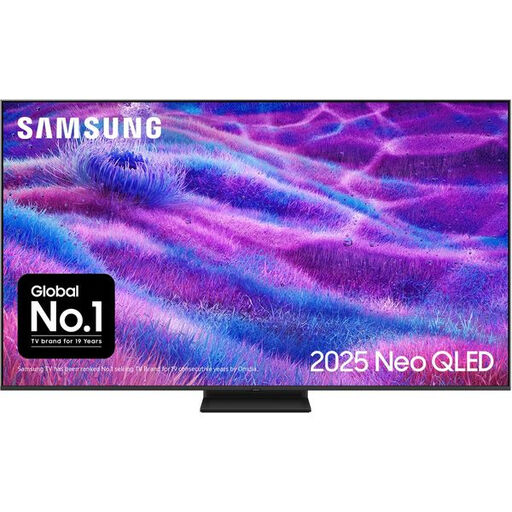
A reference point for Neo QLED and Mini LED models when comparing a bright-room setup.
Useful to compare when motion features and a measured choice of viewing distance are priorities.
A reference for comparing Mini LED models and model-specific refresh-rate specifications.
Relevant when comparing QD-Mini LED ranges, including screen sizes that may fit a kitchen diner.
These Mini LED and QLED TVs offer different screen sizes and stated features to compare for a kitchen diner. Measure the space and check reflection handling, motion specifications and your live-TV route for the model that interests you; OLED remains a separate option for mainly evening or off-centre viewing.
 No image available
Consider the 55-inch size where a 65-inch screen would crowd the space, subject to your seating distance. The product name specifies a 4K Mini LED smart TV with VIDAA and a built-in subwoofer. Check reflection handling and the tuner and aerial connection if you plan to use the Freeview TV Guide.
 No image available
Consider this larger screen if both the installation space and nearest seating distance allow it. Its product name specifies 4K QD-Mini LED, Google TV and a 144Hz native refresh rate, with local dimming described as up to 2,048 zones. Confirm the configuration for this variant and check glare handling for the proposed position.
 No image available
Consider this 65-inch model only after checking its fit from the closest dining seat. The product name specifies 4K resolution and Wi-Fi. Before choosing it for cricket motion, distinguish the model’s native panel rate from any supported gaming rate, and check reflections at the intended screen position.
 No image available
The 50-inch diagonal may suit a more restricted installation, provided the screen remains visible from farther seats. The product name specifies 4K QD-Mini LED, Google TV and an ONKYO 2.1 audio system; its dimming claim is qualified as up to 512 zones. Refresh-rate descriptions conflict, so confirm the native panel rate rather than relying on the 144Hz wording.
 No image available
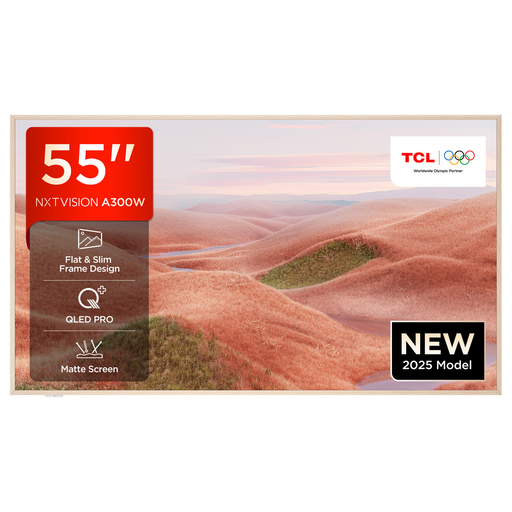
Consider the stated matte anti-glare screen if the TV will face kitchen-diner light sources, but assess that claim against your room layout. The product name specifies 4K QLED and Google TV. Confirm the native panel refresh rate before relying on this model for fast cricket action, and measure the installation space.
Mini LED or QLED is a practical starting point for a bright kitchen diner, while OLED is worth comparing if you mainly watch in the evening or from side seats. Euronics distinguishes brighter-room QLED and Mini LED choices from OLED choices for darker rooms; judge reflections and viewing angles on the exact models you are considering.
Choose the diagonal after measuring both the closest regular seat and the available installation space. Sony UK gives approximate minimum 4K viewing distances of 90 cm for 43 inches, 1 m for 55 inches and 1.2 m for 65 inches; comfort and views from the other seats still matter.
You need a working aerial for live Freeview channels through the TV Guide, according to Freeview. An internet-based service may use a different route, so check which service carries the match, whether its app works on your TV and whether Wi-Fi reaches the kitchen diner.
Yes, if you watch or record programmes as they are broadcast: GOV.UK states that this requires a TV Licence. Check the viewing service and current licensing rules before setting up live viewing.
Consider one if commentary remains difficult to hear over cooking or conversation after checking the TV’s speech settings and speaker placement. Allow for the soundbar’s physical space and cable routing rather than assuming it will fit beside the screen.