Daylight-room mystery players
If you play near a window or under strong lighting, look at brightness and screen finish before treating an extreme refresh rate as the deciding feature.


For mystery games played in strong room light, start with a 4K monitor whose stated brightness and screen finish suit your desk: BenQ lists a matte finish and 700-nit typical brightness for the Mini LED EX321UX. A QD-OLED such as the Alienware AW3225QF is worth considering if you can control direct reflections and place greater priority on dark-scene contrast. Neither a peak HDR figure nor a high refresh rate tells you how well a screen will handle light in your room.
If you play near a window or under strong lighting, look at brightness and screen finish before treating an extreme refresh rate as the deciding feature.
If shadowy interiors and night scenes matter most to you, consider how much direct light you can keep off the screen as well as the display’s contrast approach.
If several devices share the desk, check the resolution and refresh mode each input supports. Decide whether USB-C, device switching or audio connections are useful for your setup rather than assuming every monitor has them.
Consider it when: Strong room light is the main obstacle; BenQ lists a matte finish and 700-nit typical brightness for its EX321UX, alongside Mini LED local dimming.
Bear in mind: A peak HDR figure cannot establish reflection control. The researched 32-inch examples also need space, and Samsung’s Odyssey Neo G8 has a preference-sensitive 1000R curve.
Consider it when: You can keep direct light off the display and value OLED dark-scene contrast; Dell lists anti-reflectance treatment for the Alienware AW3225QF.
Bear in mind: That surface specification does not establish how reflections will look at your desk, so assess the screen under your usual lighting where possible.
Once you have a screen approach in mind, check the light conditions, scene presentation and device connection that matter most to you.
| Concern | What to check | Who this matters to |
|---|---|---|
| Daylight visibility | Compare typical brightness with peak HDR brightness, then check screen finish and placement relative to windows. | If daylight falls across my desk, I need to make out scene details without relying on an HDR claim to solve reflections. Around 42% of consumers put daylight visibility first. |
| Dark-scene presentation | Check the panel or local-dimming approach and whether you can control direct light around the screen. | For shadowy rooms and night scenes, I care most about how the display presents dark areas, provided I can manage the light around it. Roughly 33% of consumers prioritise dark-scene presentation. |
| 4K device compatibility | Confirm the 4K refresh mode on your chosen input and cable; measure desk space if considering a 32-inch or curved model. | If I switch between a PC and console, I need each device to deliver the display mode I intend to use. About 25% of consumers make compatibility their primary concern. |
Peak HDR brightness describes a different condition from typical brightness and does not tell you whether a window will reflect in the screen.
Read the typical-brightness and screen-finish specifications separately, then consider where the monitor will sit in relation to direct light.
A monitor’s highest stated refresh rate may not be available at the resolution you want through every source, port and cable combination.
Confirm the exact 4K refresh mode supported by your PC or console on the input you plan to use.
Samsung specifies a 1000R curve for the Odyssey Neo G8, while BenQ’s EX321UX offers a flat-screen alternative. The viewing shape matters if you also read maps, notes or browser guides.
Measure your desk and consider whether you prefer a flat or curved view before choosing between those models.
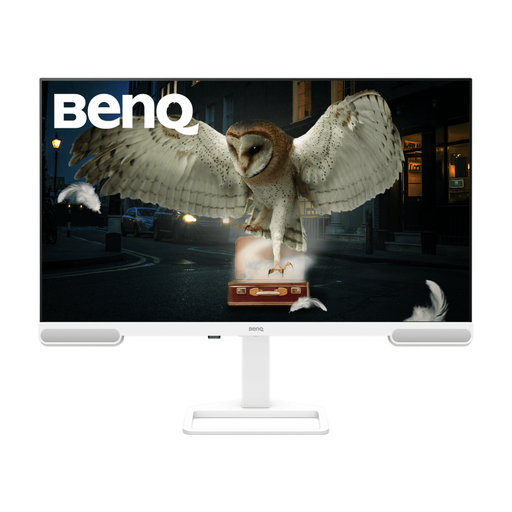
The EX321UX is a 32-inch 4K Mini LED option to examine when strong room lighting is the main constraint.
The Odyssey Neo G8 LS32BG850NPXXU is a 32-inch 4K Mini LED option for consumers who also want a high stated refresh rate.
The AW3225QF is a 4K QD-OLED option to consider when dark-scene contrast matters and direct reflections can be controlled.
These monitors offer different ways to approach detailed mystery games, from OLED and Mini LED screens to 4K models where connection or refresh needs may guide the choice. Check each listing against the lighting and devices at your desk.
 No image available
Consider this OLED option if dark-scene presentation matters and you can assess how its curved screen sits in your room.
The title states 4K resolution, 165Hz refresh, HDR400 and USB-C 65W. Check the screen finish and typical brightness for your lighting; an HDR label alone cannot establish bright-room suitability.
 No image available
Consider this 4K desktop monitor if detailed scenes matter more to you than a very high refresh rate.
The listing details describe a matte, anti-glare finish and a 60Hz refresh rate. Confirm the exact screen size and the input mode you need before ordering.
 No image available
Consider this creator-oriented Mini LED model if you want a 4K screen with a matte finish and its connections suit your gaming setup.
The title states a 120Hz refresh rate. Confirm the model-specific brightness figure, HDMI version and supported input modes before relying on them for bright-room gaming.
 No image available
Consider this model if you want a 27-inch 4K gaming screen and have a source that can use its stated high-refresh mode.
The listing states 4K at 240Hz, with a separate 480Hz Full HD mode, plus HDMI 2.1 and DisplayPort 2.1. Check its typical brightness and screen finish before choosing it for strong room light.
Look first at a Mini LED model with documented typical brightness and screen finish if strong light is your main difficulty; BenQ lists both for the EX321UX. QD-OLED is worth considering if you can control direct reflections and prioritise dark-scene contrast, but check how the screen looks under your usual lighting.
Not necessarily: 240Hz does not itself address reflections or dark-scene presentation. Check brightness, screen finish and the 4K mode your device can deliver before making refresh rate the deciding factor.
Confirm the resolution and refresh rate supported through the exact port and cable you intend to use. BenQ UK states that the EX321UX supports 4K at 120Hz through HDMI 2.1; check your own device’s output mode as well.
For applicable distance sales, GOV.UK says customers must be told they can cancel up to 14 days after delivery without giving a reason. Check the conditions and any applicable exceptions for your order; a change-of-mind cancellation is distinct from a remedy for a faulty, damaged or misdescribed monitor.