For split-screen racing in a bright lounge, start with reflections and whether every player can read their portion of the screen; a Mini LED TV with a stated glare-control feature is a useful option to investigate when windows or lights face the display. OLED is worth considering when evening contrast and off-centre viewing matter more, provided you can manage direct reflections. Whichever display you choose, check the exact model and HDMI port against your console or PC’s intended gaming mode.
Who is this choice for?
Bright-lounge split-screen hosts
If you race with other people while windows or overhead lights are visible, reflections and daytime legibility may matter more to you than the deepest blacks. Check the screen from the seats players will actually use.
High-frame-rate console racers
If you plan to use a console’s 4K/120 mode, check the intended HDMI port for compatible gaming features and any required setting. Sony’s BRAVIA guidance shows why a panel refresh-rate headline alone is not enough.
Shared-lounge film and gaming users
If the same screen serves off-centre sofa seats and evening films, an OLED model may be worth comparing for its stated black-level characteristics. Work out whether daylight or lamps will reflect directly towards those seats.
What matters when choosing?
Assess the room and each player’s view before comparing gaming feature lists. Mini LED and OLED are display choices; a compatible high-frame-rate connection is a separate requirement whichever you prefer.
Mini LED with stated glare control
Consider it when: Windows or lights face the screen during races; Samsung UK describes a glare-free feature on its QN90F range.
Keep in mind: A display label or glare-control claim does not establish how the exact size will look from every seat in your room.
OLED
Consider it when: Evening films, black levels and off-centre seating carry substantial weight; LG UK describes pixel-level blacks on its C5 model.
Keep in mind: The OLED label does not tell you how distracting a window reflection will be in your particular layout.
| Concern |
What to check |
Who this matters to |
| Daytime visibility |
Check the exact model’s glare-control description and position the screen away from direct window or lamp reflections. |
If reflections obscure the track in daylight, I need every split-screen view to stay readable. Around 36% of consumers would put reflection control first. |
| Shared-screen space |
Check the chosen size against seating positions, viewing distance and available wall or furniture space. |
With several people watching smaller portions of the picture, I want the map and braking markers legible from my seat. For roughly 29% of consumers, usable screen space would be the main concern. |
| Gaming connection |
Confirm 4K/120, variable refresh rate (VRR) and auto low-latency mode (ALLM) on the HDMI port you will use, where your source needs them. |
If my console or PC can output a high-frame-rate mode, I want the TV connection and settings to support it. Responsive connectivity would come first for about 21% of consumers. |
| Evening picture |
Compare how often you use the TV after dark with how much direct light reaches the screen during play. |
I use the lounge screen for films as well as racing, so black levels matter to me once the lights are low. Around 14% of consumers would make evening contrast their primary concern. |
Buying pitfalls to avoid
-
Assuming every HDMI socket supports the same gaming mode
Your console may be connected to a port that cannot use its intended mode, or that mode may need enabling. Sony’s guidance calls for Enhanced Format on the relevant HDMI port for 4K/120 on supported BRAVIA setups.
Before buying, check the exact model’s port-by-port specifications for your console, other devices and any soundbar connection. Follow the model’s setup instructions after installation.
-
Choosing by the highest refresh-rate number alone
A stated panel refresh rate does not establish which signal a particular console, PC or HDMI input can use. The game and selected output mode matter too.
Check the modes supported by your source device and the TV’s intended input rather than treating a 144Hz headline as proof of your planned console setup.
-
Applying one screen size’s specifications to another
TCL UK lists different brightness figures for the 115-inch and 50-inch C7K-UK models. A range name therefore cannot stand in for the specification of the size you intend to buy.
Match brightness, dimming and gaming claims to the exact model suffix and screen size on your shortlist.
-
Leaving the old TV and viewing arrangements until delivery
Replacing a set raises a separate disposal question. Coventry City Council says electrical appliances should not go in household bins, while TV Licensing bases licence requirements on what you watch rather than on buying a TV.
Check your own council or retailer’s collection arrangements, and assess your household’s live-TV and BBC iPlayer use against TV Licensing’s guidance.
Brands to consider for this setup
Samsung
Samsung’s UK QN90F Neo QLED range is a Mini LED option to investigate when reflections are a prominent concern.
- Samsung UK describes a glare-free feature on the QN90F and presents the range for viewing under varied lighting.
- Check the exact QE model and size: the cited 43-inch model does not establish identical brightness, ports or performance across the range.
LG
LG’s C5 OLED range is a comparison option when the lounge also serves evening film viewing.
- LG UK describes pixel-level black levels on its C5 listing and identifies refresh rate, VRR and low input lag as gaming considerations.
- Confirm reflection handling, brightness and port support for the particular C5 size and UK model you are considering.
Sony
Sony’s BRAVIA 5 is a Mini LED and Google TV option for shoppers comparing display features alongside HDMI setup.
- Sony publishes guidance on 4K/120, VRR and ALLM and explains the Enhanced Format setting for supported BRAVIA gaming setups.
- Check which features the exact BRAVIA model supports on the HDMI port you intend to use.
TCL
TCL’s C7K-UK QD-Mini LED range offers screen sizes to compare when several players need a clear view.
- TCL UK presents the C7K-UK range from 50 to 115 inches and lists a 144Hz native panel for the displayed 115-inch model.
- Brightness and dimming-zone figures shown for the 115-inch version should not be applied to a smaller size without checking its own specifications.
Joybuy TVs for this setup
These Mini LED TVs offer screen sizes to consider for shared racing. For each one, check reflections in your intended room and confirm the gaming input modes needed by your console or PC; the display technology alone settles neither question.
 No image available
Hisense U7Q Pro 55U7QTUK Pro 55-inch Mini LED TV
Consider its 55-inch screen if that size gives both racers a readable view from their seats.
The product name lists 4K, a 165Hz Game Mode Ultra and VIDAA OS. Check reflection handling and the exact input mode your console or PC needs.
View on Joybuy
 No image available
Hisense E8Q 55E8QTUK 55-inch Mini LED TV
This is another 55-inch option if your seating and furniture suit that screen size.
The product name lists 4K, a 144Hz Game Mode PRO and VIDAA OS. Confirm how the screen handles your room’s reflections and which HDMI input supports your planned gaming mode.
View on Joybuy
 No image available
TCL 98Q6C-UK 98-inch QD-Mini LED TV
A 98-inch screen is worth assessing if several players need space for their split-screen views and the room can accommodate it.
The product name identifies a 4K QD-Mini LED Google TV. Refresh-rate descriptions for this model differ, so confirm the supported mode before buying; also check reflections, delivery access and secure installation.
View on Joybuy
 No image available
TCL 75Q7C 75-inch QD-Mini LED TV
Consider the 75-inch size if players sit across a wider seating area and you have room for the screen.
The product name lists 4K, a 144Hz native refresh rate and up to 2,048 local-dimming zones. Confirm reflection handling and the HDMI modes supported by the exact model and input.
View on Joybuy
 No image available
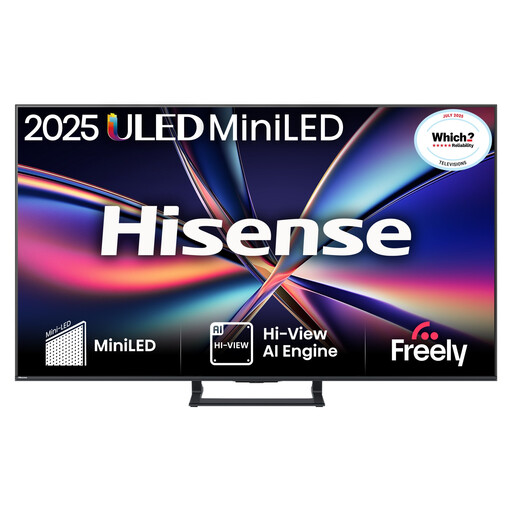
Hisense E8Q 75E8QTUK 75-inch Mini LED TV
Its 75-inch size makes seating distance and secure placement important for a shared racing setup.
The product name lists 4K, a 144Hz Game Mode PRO and VIDAA OS. Check reflection handling and port-specific gaming support. The product information calls for at least two people for setup and secure anti-tip placement.
View on Joybuy
Frequently asked questions
Is Mini LED automatically the better choice than OLED in a bright lounge?
No: compare the exact TV and where light will fall on its screen. Samsung UK describes glare control on its QN90F Mini LED range, while LG UK describes pixel-level blacks on its C5 OLED; neither description establishes how both TVs will look in every bright-room layout.
Which gaming features should I check for console racing?
Check whether the HDMI port you will use supports your console’s intended 4K/120 mode, VRR and ALLM, then check the setup instructions. Sony says supported BRAVIA setups may require Enhanced Format on the relevant port for 4K/120.
Does buying a TV for games mean I need a UK TV Licence?
Buying the TV alone does not determine that requirement. TV Licensing says you need to be covered if you watch live TV on a TV or streaming service, or use BBC iPlayer; assess what your household actually watches.
What should I do with an old TV when replacing it?
Check your local council’s electrical-recycling options and any retailer take-back or collection service before the new set arrives. GOV.UK identifies the UK waste electrical and electronic equipment framework, and Coventry City Council advises residents not to put electrical appliances in household bins; local arrangements may differ.


