Daylight-lounge ballet viewers
You usually watch with daylight or room lights present and want to see dancers, costumes and stage detail without drawing the blinds for every performance.


Start with reflections and daytime visibility: a Mini LED TV is a practical route to investigate when the lounge stays bright, while an OLED with a model-specific reflection-control feature may suit viewers who also value dark stage backgrounds. Neither panel label settles the choice on its own. Check the exact TV against your room lighting, recording source and preferred picture and motion settings.
You usually watch with daylight or room lights present and want to see dancers, costumes and stage detail without drawing the blinds for every performance.
You care about dark stage backgrounds, subtle costume colour and restrained picture processing, and can reduce direct reflections when necessary.
You use HDMI equipment, apps or USB media and need the TV's connections, supported formats and picture controls to work with your recordings.
Consider it when: daylight or lamps are usually present and you want to investigate a TV with locally controlled backlighting.
Keep in mind: local dimming is not the same as self-lit pixels; check the exact model's reflections, viewing angles and dimming behaviour.
Consider it when: dark stage backgrounds matter to you and the exact model documents a reflection-control feature. LG lists one for its OLED evo G6.
Keep in mind: LG's G6 feature is model-specific, not a promise about every OLED or how it will look opposite your windows.
| Concern | What to check | Who this matters to |
|---|---|---|
| Daytime visibility and reflections | Check reflection-control features on the exact model and where the screen will sit relative to windows and lamps. | When I watch during the day, I need to follow dancers against stage lighting without seeing the room reflected over them. Around 42% of consumers put bright-room visibility first. |
| Natural stage presentation | Compare familiar footage in a selectable cinema or similarly restrained picture mode, including dark scenes and movement. | I want dark backdrops, costumes and skin tones to look convincing rather than exaggerated by the default setting. Roughly 33% of consumers make nuanced picture presentation their main concern. |
| Playback and movement | Confirm the HDMI connections and video signals your player needs; for USB files, check the container and codec. Try the motion settings with familiar footage. | If my recordings come from several devices or stored files, they need to play conveniently, and quick footwork should look natural to me. About 25% of consumers prioritise playback and motion. |
OLED describes the display technology, not a shared reflection-control specification. LG lists Reflection Free Premium for its G6, whereas Sony's BRAVIA 8 II specification lists no X-Anti Reflection feature.
Check the precise model and assess where windows and lamps will appear on its screen.
A refresh-rate or motion-processing specification cannot tell you whether a particular ballet recording will look natural with the TV's default settings.
Connect your intended player and try familiar footage with different motion settings before deciding.
USB playback depends on the TV's supported file containers and codecs, not just the presence of a port.
Match your recordings to the exact model's format list, or plan to use a player that already handles your files.
Unsuitable cleaning methods can damage the screen. Samsung and LG both advise gentle cleaning with a soft cloth.
Switch the TV off and follow its manufacturer's screen-cleaning instructions; a clean, dry microfibre cloth is the approach described in their guidance.
Relevant if you are considering Mini LED models for a bright lounge. Samsung describes Neo QLED as a Mini LED line with locally controlled backlighting.
Relevant if you want to consider self-lit OLED pixels alongside a specifically stated reflection-control feature.
Relevant if documented connections, playback formats and picture modes are central to your choice.
These OLED and Mini LED TVs offer different starting points for watching ballet recordings. Use the model-specific details below to narrow your choice, then check reflections in comparable lighting and compatibility with your recordings.
 No image available
Consider this OLED if dark stage scenes matter to you and you can assess screen reflections in your usual lighting.
Check that your player or stored files work with the exact model before relying on it for your recordings.
 No image available
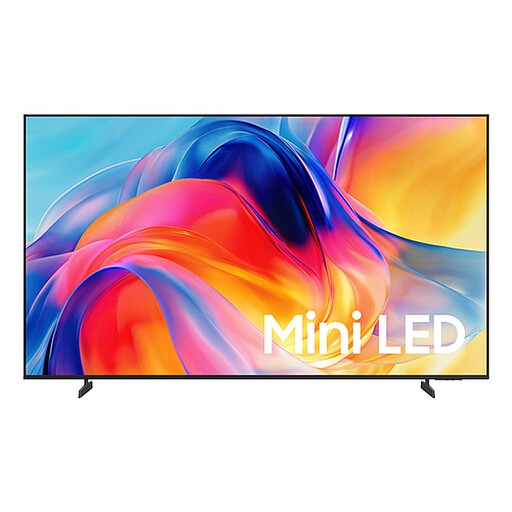
This is a Mini LED option to consider if you want a 65-inch screen for the lounge. Check its reflections where you plan to place it.
If you watch from USB, confirm that the exact model supports your recording files.
 No image available
Consider this larger-screen option if a 75-inch TV fits your viewing space; its size alone does not establish bright-room suitability.
Assess reflections in comparable lighting and confirm the connections and file support needed for your recordings.
 No image available
This 55-inch Mini LED option is worth assessing if you watch in a bright lounge but have less room for a large screen.
Try familiar ballet footage with its motion settings, check reflections in comparable lighting and confirm compatibility with any USB recordings.
 No image available
Consider this 75-inch option if the screen size suits your lounge, while checking how it handles reflections where you will watch.
Its product name states a 144 Hz native refresh rate, which does not by itself establish natural motion with ballet recordings. Confirm the connections and file formats your sources need.
Connect the player you intend to use and try familiar footage with pans, group movement and quick footwork. Check its HDMI signal against the exact TV's specifications, or match USB files to the model's supported formats; then compare motion settings rather than relying on a refresh-rate number alone.
Playing a pre-recorded ballet from a disc or local file does not, by itself, trigger the requirement described by GOV.UK. GOV.UK says a TV Licence is required to watch or record live TV on any channel or service, or to use BBC iPlayer, so check how you will access performances as well as what TV you buy.
Switch the TV off and gently use a soft, clean, dry microfibre cloth, following the instructions for your exact model. Samsung recommends a lint-free dry cloth, while LG advises unplugging its OLED TV before cleaning; avoid spraying liquid directly onto the panel.
Take it to an appropriate electrical-waste collection point rather than putting it in ordinary household waste. GOV.UK says electrical products can be taken to a local household waste recycling centre.