If windows or lamps reflect in the screen during play, start with a Mini LED or LCD model whose reflection control you can assess in similar lighting. OLED is worth considering if you can control direct reflections and value deep blacks and wider viewing angles. Whichever screen you choose, check the exact model, size and HDMI input for the gaming modes your console can use.
Who is this choice for?
The room’s lighting, the console you use and where people sit can each change which TV is worth considering.
Daytime lounge players
If daylight or room lights reach the screen while you play, look closely at reflections rather than choosing by screen technology alone. Samsung describes its QN90F as Glare Free, while Sony describes the BRAVIA 9 as having X-Anti Reflection; check the treatment on the particular model you are considering.
Console responsiveness seekers
If quick reactions matter in arcade sports, check the selected TV and HDMI input for a suitable game mode, variable refresh rate (VRR) and the high-frame-rate output your console supports. Sony’s gaming guidance describes these as model-dependent capabilities, not a promise attached to every gaming TV label.
Shared-sofa picture-quality buyers
If people also watch or play from off-centre seats, viewing angles and contrast may weigh more heavily in your choice. Consumer Reports identifies these as OLED strengths, while also noting that glare can be a drawback in bright rooms.
What matters when choosing?
Decide whether reflections can be controlled before weighing contrast and seating angles; then check console features on the exact TV you would buy.
Mini LED or LCD with reflection control
Consider it when: Windows or lamps remain visible in the screen during daytime play. Samsung positions the Mini LED QN90F with Glare Free treatment, and Sony positions the Mini LED BRAVIA 9 with X-Anti Reflection.
Trade-off: Do not assume another Mini LED or LCD model has the same screen treatment, viewing angles or gaming connections.
OLED with controlled lighting
Consider it when: You can keep direct reflections off the screen and put particular value on contrast and off-centre viewing.
Trade-off: Consumer Reports notes potential OLED glare in bright rooms, so judge the intended screen position under your usual lighting.
| Concern |
What to check |
Who this matters to |
| Daylight visibility and reflections |
Look for reflections from your windows and lamps on both bright and dark pictures; check screen treatment on the exact model. |
If daylight makes the ball or score hard to follow, I need a screen I can read without routinely closing the blinds. Around 40% of consumers put visibility and reflection control first. |
| Responsive console play |
Confirm the chosen size and HDMI input support the 4K high-frame-rate mode, VRR and automatic low-latency mode (ALLM) your console and games can use. |
When play gets fast, I want my button presses and the on-screen action to feel closely connected. For around 40% of consumers, responsive console play is the primary need. |
| Shared seating and contrast |
View the screen from your usual seats and consider whether curtains or TV placement can keep direct reflections off an OLED panel. |
If several of us sit across the sofa, I care about the picture from the side as well as its black levels, provided I can manage the light. Shared viewing and contrast come first for around 20% of consumers. |
Buying pitfalls
-
Taking a refresh-rate number as proof of console performance
A stated 120Hz or 144Hz refresh rate does not, by itself, establish what a particular console and game can output through the TV’s HDMI input.
Check the exact model, size, input and supported game modes. Sony UK Support advises enabling the appropriate enhanced HDMI format on compatible BRAVIA TVs when setting up 4K at 120Hz.
-
Choosing OLED for a sunny screen position without checking glare
Consumer Reports identifies OLED contrast and viewing-angle strengths but also notes potential glare in bright rooms. Those advantages may be harder to appreciate if a window reflects in the screen during play.
Map where daylight falls at your usual playing time. If you cannot control direct reflections, compare the reflection handling of specific Mini LED or LCD models before deciding.
-
Comparing TVs by the energy letter alone
An energy-label letter is not a substitute for comparing the disclosed information for the particular sizes you are considering.
Check the label and product information sheet for each shortlisted TV. UK government guidance says dealers must display applicable energy labels clearly and make the product information sheet available to consumers.
-
Assuming a console setup settles the TV Licence question
How the household watches programmes matters more than whether a console is connected. TV Licensing says watching live channels on a TV or streaming service requires TV Licence coverage.
Check whether anyone will use the setup to watch live TV; assess that viewing separately from ordinary gameplay.
Relevant brands to consider
These brands have lines relevant to the choice, but a feature described for one range or model should not be assumed across the brand.
Samsung
Samsung positions its UK QN90F Neo QLED Mini LED model for bright-room use with Glare Free screen treatment.
- Samsung also lists gaming features including ALLM and VRR for its Neo QLED range.
- Check the selected model and size: the QN90F’s screen treatment and stated gaming features do not establish what every Samsung TV offers.
Sony
Sony positions the BRAVIA 9 Mini LED range with X-Anti Reflection; its gaming guidance also covers compatible BRAVIA and PlayStation setups.
- Sony describes 4K at 120fps, VRR and ALLM as available gaming features on compatible TVs.
- Confirm the exact BRAVIA model and HDMI setup; neither PlayStation-oriented features nor BRAVIA branding establishes reflection control on every model.
LG
LG positions its OLED C5 range around per-pixel black levels and a brightness-boosting algorithm.
- For buyers who can control reflections, OLED’s contrast and viewing angles are relevant strengths identified by Consumer Reports.
- Consumer Reports also notes potential OLED glare in bright rooms; assess the particular screen in the intended lighting.
Joybuy TVs to compare
These TV choices give you different screen sizes and stated gaming features to consider for arcade sports in a bright lounge. Check reflections in your intended position and confirm console compatibility for each exact model; the screen type alone does not settle either question.
 No image available
Hisense 55U7QTUK Pro 55-inch Mini LED 4K TV
Consider this 55-inch option if you want to assess a Mini LED screen for lounge gaming; check how its surface handles your windows and lamps.
The title specifies 165Hz Game Mode Ultra. Confirm the HDMI input and settings needed for the mode your console supports.
Joybuy
 No image available
TCL 75Q6C 75-inch QD-Mini LED 4K TV
If you are considering a 75-inch screen for the lounge, check its fit and the view from each seat as well as reflections during play.
The title states a 144Hz native refresh rate and up to 512 local-dimming zones. Confirm the exact HDMI gaming modes available on the 75Q6C for your console.
Joybuy
 No image available
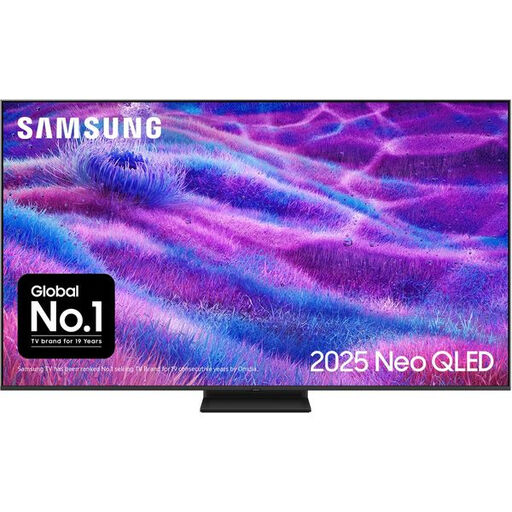
Samsung QE65QN80FAU 65-inch 4K TV
For a 65-inch lounge setup, assess this model from your usual seats and under the lighting you use for games.
Check the QE65QN80FAU’s own screen treatment and HDMI gaming modes; features described for Samsung’s QN90F should not be assumed for this different model.
Joybuy
 No image available
Hisense 55E8QTUK 55-inch Mini LED 4K TV
This 55-inch Mini LED option belongs on a shortlist only if its screen and placement work with the light in your lounge.
The title states 144Hz Game Mode PRO. Check which HDMI input and settings support the gaming mode you intend to use.
Purchase link unavailable
 No image available
TCL 75Q7C 75-inch QD-Mini LED 4K TV
Consider the 75-inch Q7C if that size suits your room, then check reflections and off-centre viewing from the seats you use.
The title states a 144Hz native refresh rate and up to 2048 local-dimming zones. Confirm VRR, ALLM and the exact HDMI input capabilities before choosing it for console play.
Joybuy
Frequently asked questions
Do I need a 144Hz TV for arcade sports on a console?
No: a 144Hz label is not a requirement for choosing a console TV. Check the exact model and HDMI input for the 4K high-frame-rate mode, VRR and ALLM your console and games can use; Sony and Samsung describe these as relevant gaming features.
Can OLED work for games in a bright lounge?
Yes, if you can manage direct reflections where the TV will stand. Consumer Reports identifies OLED’s contrast and viewing angles as strengths but flags potential glare in bright rooms, so assess the intended position at your usual playing time.
What energy information should I compare for shortlisted TVs?
Compare each TV’s displayed energy label and product information sheet, using the same basis for the sizes you are considering. UK government guidance says dealers must show applicable labels clearly and make the product information sheet available.
Does using a TV for games mean I need a TV Licence?
Gameplay alone does not establish that requirement; what else you watch matters. TV Licensing says you need coverage to watch live TV channels on any TV or streaming service, so check your household’s viewing habits separately from gaming.


