
24/7 Customer Support

Free returns

Same-day & Next-day Delivery

Quality Guaranteed

Unlock Your Welcome Offers: FREE Delivery | Up to 80% OFF | Free 30-day JoyPlus trial
Download the APP
A small computer can free up valuable desk space, reduce cable clutter and support anything from study work to multi-monitor productivity. However, shopping for mini PCs requires more than comparing processor names and storage capacity.
Some listings use “gaming” or “4K” language without explaining the practical limits. Others offer attractive memory figures but little upgrade flexibility. Before choosing a Windows 11 mini PC, AMD Ryzen mini PC or Intel mini PC, check the details that affect everyday use, connectivity and long-term value.
An AMD Ryzen 7 or Intel Core label does not tell the whole story. Performance also depends on the processor generation, cooling system, memory type, power limit and integrated graphics.
For instance, a compact computer with a modern mobile processor and fast DDR5 memory may handle multitasking more smoothly than an older model with a higher-sounding but dated chip. Buyers considering a gaming mini PC should also remember that integrated graphics are not equivalent to a dedicated graphics card. They may suit light gaming, older titles and some creative workloads, but demanding games can require reduced resolution or graphical settings.
“4K support” can refer to a single display output, a maximum resolution under specific refresh-rate conditions or several screens sharing the available bandwidth. Check the actual ports, including HDMI, DisplayPort and USB-C Alt Mode.
A mini PC with 4K display support may be suitable for office applications and media playback, while high-refresh gaming or professional video work can place greater demands on the graphics hardware. If you need a triple-display mini PC, confirm which ports can operate simultaneously and whether USB-C video output requires a compatible cable and monitor.
A compact chassis has less room for airflow than a tower. Blocked vents, soft surfaces and dusty filters can contribute to heat build-up and fan noise. Place the unit on a firm, ventilated surface rather than inside a tightly enclosed cabinet.
Also check whether RAM is soldered, how many M.2 slots are available and whether the storage specification refers to NVMe or SATA. A second M.2 slot can make future storage expansion more convenient, while integrated memory may limit later upgrades.
For a mini PC for home office, web browsing, documents and video calls, a current mid-range processor with 16GB RAM is a practical starting point. Students and small businesses should prioritise responsive multitasking, reliable wireless connectivity and sufficient ports over gaming-focused features.
For demanding work, look at core and thread counts, boost frequency and integrated GPU type. Radeon 680M, 760M and 780M graphics appear across several compact AMD systems in this selection. They can support everyday graphics, multiple displays and compatible games, but actual frame rates vary by title, resolution, cooling and power configuration.
Those developing machine-learning models or handling data-science workloads may need a specialist AI desktop computer rather than a conventional office mini PC. The ASUS Ascent GX10, for example, uses NVIDIA hardware, 128GB unified memory and NVIDIA DGX OS. It is not a Windows desktop and should be considered for compatible Linux-based AI development rather than general home computing.
16GB RAM is a sensible baseline for office work, study, browsing and moderate creative applications. 24GB can offer more headroom for heavier multitasking, while 8GB may be restrictive when many browser tabs or larger applications are open.
For storage, a 512GB NVMe SSD provides a useful balance for documents, applications and everyday media. A 1TB SSD is more suitable for large project files, games or local datasets. Confirm whether the system offers a second storage slot, as this can reduce the need to replace the original drive later.
Count the physical ports before purchase. Useful features may include HDMI 2.0 or 2.1, DisplayPort, USB-C, USB-A, 2.5G Ethernet, Wi-Fi 6 or Wi-Fi 6E. A USB-C docking station can simplify a workstation by connecting displays, card readers, audio equipment and peripherals through one host connection, but the mini PC must support the required USB-C video and data functions.
For a mobile setup, pairing a compact computer with a portable monitor can create a flexible second screen for home working, presentations or travel.
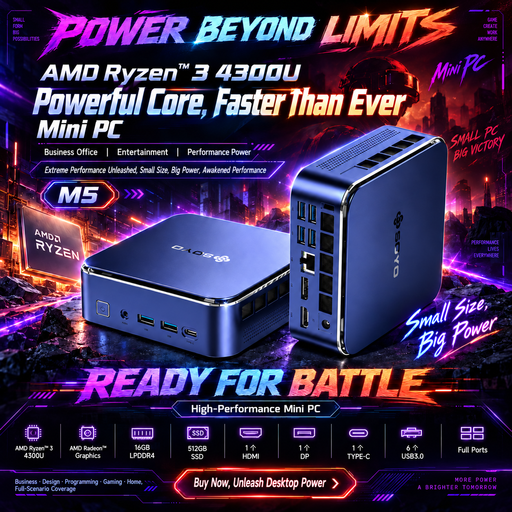
Why This Fits Their Persona: Its 128 × 128 × 47.6mm format suits a student desk, basic home office or shared study area where space and straightforward connectivity matter.
The specification lists its Ryzen 3 4300U processor, 16GB LPDDR4 memory, 512GB SATA SSD and HDMI, DisplayPort and USB-C outputs rather than relying only on broad “compact PC” wording.
16GB memory, 512GB SSD and stated 4K 60Hz triple-display outputs for office, education and multimedia use.
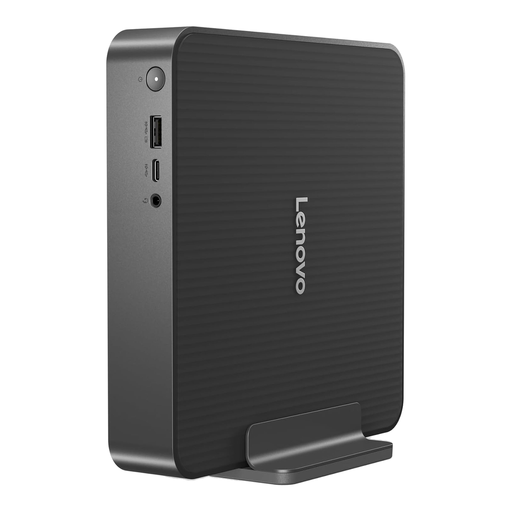
Why This Fits Their Persona: A branded compact desktop for buyers wanting Windows 11 Home, modern wireless standards and a Thunderbolt 4 connection for a refined home or office setup.
Its listed Intel Core 5-210H, 16GB RAM and 512GB NVMe SSD make the core configuration clear, while the port list identifies Thunderbolt 4 rather than simply promising “advanced connectivity”.
Wi-Fi 7, Bluetooth 5.4, Thunderbolt 4 and Windows 11 Home in a compact form factor.
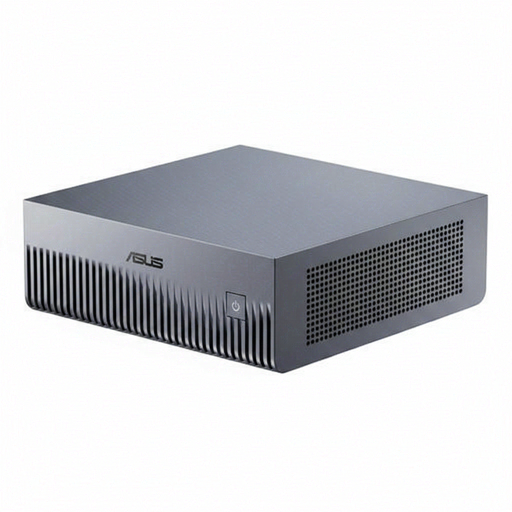
Why This Fits Their Persona: Designed for developers, data scientists and technical teams requiring local AI development, inference and compatible Linux-based workflows.
The product clearly states that it runs NVIDIA DGX OS, uses integrated 128GB unified memory and requires a compatible 180W USB-C power source, avoiding confusion with a standard Windows mini PC.
128GB unified memory, 1TB NVMe storage, 10G Ethernet and three USB-C ports with DisplayPort 2.1 Alt Mode.
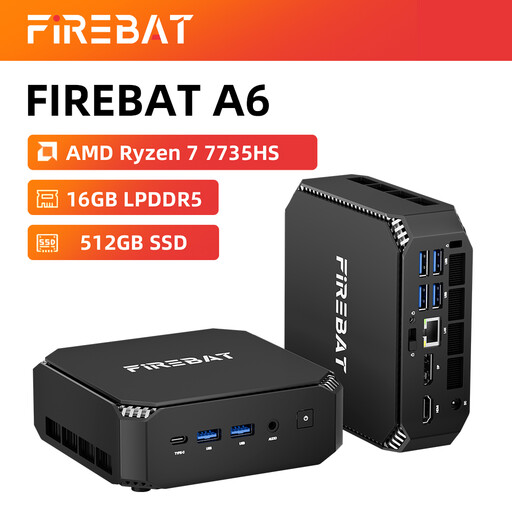
Why This Fits Their Persona: A compact AMD system for users who need everyday productivity, multiple displays and occasional gaming without a traditional tower.
The listed Radeon 680M graphics, 16GB RAM, 512GB SSD, dual M.2 slots and triple-display support give more useful detail than a generic “silent desktop PC” claim.
AMD Ryzen 7 7735HS, Wi-Fi 6, Radeon 680M graphics and two M.2 storage slots.
We have compiled a complete, real-time list of products that fully satisfy these strict selection criteria and UK safety regulations.
Yes, provided the selected model has enough RAM, suitable display outputs and the ports needed for your keyboard, webcam, storage and network connection. A 16GB system with an SSD is generally more comfortable for multitasking than an entry-level 8GB configuration.
Some can. Check the number and type of simultaneous outputs, not just the phrase “triple display”. You may need compatible HDMI, DisplayPort or USB-C cables, and the maximum refresh rate can differ between outputs.
They often use lower-power mobile processors and smaller power adapters, but actual consumption depends on the processor, workload, display arrangement and connected accessories. Compare the supplied power rating and choose a system suited to the applications you actually run.