What matters when choosing?
Start with the basket sizes and views you need to frame, then decide whether you can keep the camera on stable support. Assess the bright window and darker weave in your actual setup before treating sensor format or stabilisation as the deciding factor.
| Concern |
What to check |
Who this matters to |
| Window highlights and weave shadows |
Check how you can review exposure and the histogram from a stable camera position. Compare stated sensor specifications without assuming they prevent clipping. |
When the window is bright but the recessed weave looks dark, I need to judge both areas before shooting a whole batch. Around 33% of consumers put this tonal-control need first. |
| Texture, colour and shape |
Check the camera's stated resolution and compatible lenses for both full-basket framing and detail views; plan a consistent background. |
If close views must show the weave while wider images explain the basket's shape, I need a lens and setup that accommodate both. Roughly 27% of consumers make clear product detail their primary concern. |
| Handheld camera movement |
Distinguish in-body from lens-based stabilisation and check the exact lens supplied. Neither form prevents bright-window highlights from clipping. |
When I cannot keep every shot on a tripod, I want to limit blur caused by my own movement. About 20% of consumers prioritise that handheld need. |
| Kit and repeatable setup |
Confirm the exact lens, charger and other box contents, then test your intended window position and background. |
Before committing to a camera system, I need a usable lens configuration and a setup I can repeat for several baskets. Around 20% of consumers put that first-kit and workflow need first. |
Joybuy cameras for this setup
These Sony mirrorless options cover full-frame and APS-C bodies, with different listed lens configurations for basket photographs. Compare the exact supplied lens and your need for handheld shooting before choosing a configuration.
 No image available
Sony Alpha 7 III Full-Frame Camera with 28–70mm Zoom
Consider this camera-and-lens configuration if you want a full-frame body and a supplied zoom for framing baskets. The listing describes a 24.2MP sensor, five-axis in-body stabilisation and an FE 28–70mm f/3.5–5.6 OSS lens. Stable support and exposure review still matter beside a bright window.
View on Joybuy
 No image available
Sony α6700 APS-C Camera with 16–50mm Lens
Consider the α6700 if you sometimes photograph static basket details handheld. The listing identifies a 26MP APS-C camera and a 16–50mm lens; Sony UK specifies five-axis in-body stabilisation for the model. Confirm the exact kit configuration, and assess exposure separately from camera shake.
View on Joybuy
 No image available
Sony Alpha ZV-E10 II K with 16–50mm f/3.5–5.6 Power Zoom
Consider this APS-C kit if screen-based composition suits the way you photograph baskets. The listing specifies 26MP stills and a supplied 16–50mm lens with optical stabilisation; its technical details list no viewfinder. Check the lens and composition method against your intended full-basket and detail shots.
View on Joybuy
 No image available
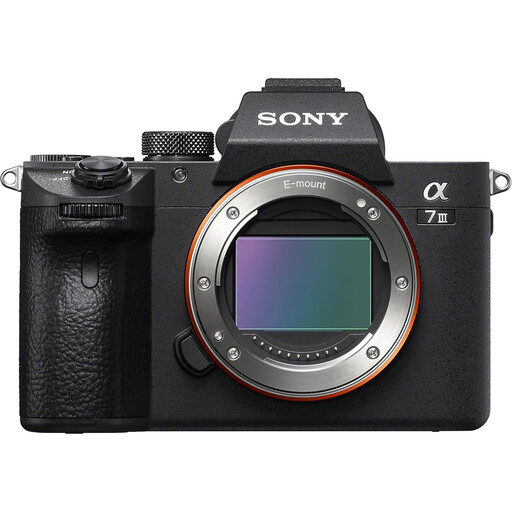
Sony Alpha 7 III Full-Frame Camera — Body-Only Listing
Consider this listing if you are choosing a full-frame body and can confirm the lens you will use for basket photographs. Its description states 24.2MP and five-axis in-body stabilisation, but the body-only title conflicts with description text that lists a 28–70mm lens. Confirm the delivered configuration before ordering.
View on Joybuy
 No image available
Sony α6400 APS-C Camera — 16–50mm Zoom Listing
Consider the α6400 if an APS-C camera with a zoom suits your basket framing, but confirm which lens this configuration supplies. The listing states 24.2MP; its title describes a 16–50mm lens while other configuration details differ. Check the supplied focal-length range and stabilisation arrangements if you plan to shoot handheld.
View on Joybuy
Frequently asked questions
Do I need full frame to photograph baskets beside a window?
No: an APS-C camera can be considered for this work if its lens, framing and shooting setup meet your needs. Canon specifies a full-frame sensor for the EOS R8, but sensor format alone cannot establish the result in your window light; Adobe also emphasises controlled lighting and a clean background for product photography.
How can I handle a bright window behind a basket?
Review the exposure and histogram before photographing a full batch, and adjust the setup if the window highlights clip or the weave becomes too dark. Aperture, shutter speed and ISO all affect exposure, as Adobe explains; changing the basket's position, diffusing the window light or adding controlled fill may give you more room to balance the scene.
Should I choose a body-only camera or a lens kit?
Choose a lens kit when its exact supplied lens covers the full-basket and detail views you need; choose a body-only configuration only after accounting for a suitable compatible lens. Nikon UK lists a 16–50mm f/3.5–6.3 VR lens with its specified Z50II kit, while Canon UK Store lists an RF 24–105mm F4–7.1 IS STM lens with its specified EOS R8 kit. Check the particular configuration and box contents before ordering.
What if people appear in basket photographs used commercially?
If people are identifiable in images you plan to publish commercially, check the data-protection requirements that apply to that use before publishing. The Information Commissioner's Office notes, in guidance about school photographs, that public posting can go beyond personal use; that guidance does not by itself settle the obligations for a commercial basket photograph.


