Miniature painters and collectors focused on detail
If paint texture, faces or small accessories need to fill the frame, check the lens’s magnification and plan how you will keep the figure steady while focusing.


Choose the camera system around the miniature details you need to frame and how much of the figure must appear sharp, rather than the camera body alone. For stationary figures with depth, in-camera focus stacking can simplify the workflow; for tiny details, check the chosen lens’s magnification and the space it leaves for lighting. A kit zoom may suit wider tabletop scenes, but its close-up capability needs checking separately.
If paint texture, faces or small accessories need to fill the frame, check the lens’s magnification and plan how you will keep the figure steady while focusing.
For repeated photographs of stationary figures, in-camera focus stacking may reduce the need to combine frames on a computer. Canon confirms this feature on the EOS R10; Panasonic says its current LUMIX G models offer it too.
If you also film tutorials or miniature clips, consider screen movement and video controls alongside the lens and focusing workflow needed for close-up stills.
Start with the detail you want to show, then decide whether keeping the whole figure sharp, fitting lights around it or recording video changes your camera-and-lens choice.
| Concern | What to check | Who this matters to |
|---|---|---|
| Front-to-back sharpness | Check for focus bracketing or in-camera stacking, and allow for a stable tripod setup. | If the face and accessories sit at different depths, I want both sharp without relying on one close-up exposure. Around 42% of consumers put front-to-back sharpness first. |
| Fine-detail framing | Compare the exact lens’s maximum magnification and working distance, as well as camera-mount compatibility. | When a tiny painted feature needs to fill the frame, I need enough magnification without blocking my lights. Close-detail framing is the primary need for around 33% of consumers. |
| Tabletop handling | Consider screen movement, manual-focus aids and the room left between lens and subject. | On a small table, I need to position the camera and see the composition without crowding the figure. Around 17% of consumers prioritise that handling need. |
| Photos and video | Check video options and screen movement without treating either as proof of close-up stills capability. | If I also film painting steps or short miniature clips, video operation matters alongside still photographs. That combined use comes first for around 8% of consumers. |
The body does not determine how tightly you can frame a small detail. Sony specifies 1.0× maximum magnification for its separate E 30mm F3.5 Macro lens.
Compare the exact lens’s magnification, focusing distance and working distance with the details you want to photograph.
A dedicated macro lens may be needed in addition to a camera kit.
At close range, different parts of a three-dimensional figure may fall outside the sharp area. Canon explains that stacking combines frames focused at different distances.
For stationary figures, plan a stable bracketing and stacking workflow; Canon recommends a sturdy tripod to help keep frames aligned.
If the camera does not stack frames in-camera, the workflow may also involve image-stacking software.
Sony gives a minimum working distance of 2.4 cm from the front of its E 30mm F3.5 Macro lens. At that distance, positioning lights without casting shadows takes planning.
Lay out the intended camera, figure and lighting positions on your table before choosing a short-working-distance lens.
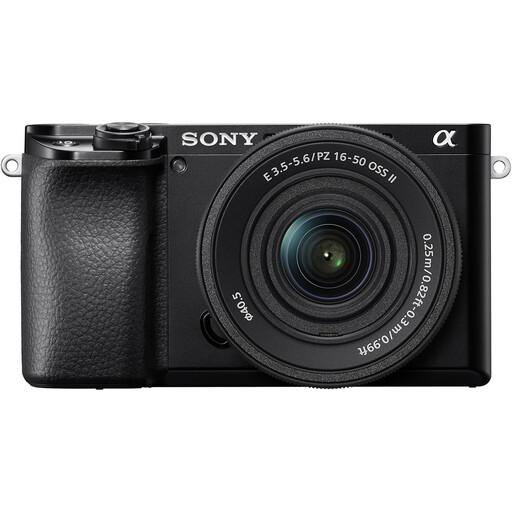
The Joybuy Sony A6400 kit identified here has a 16–50mm power zoom; Sony’s 1:1 specification applies to the separate E 30mm F3.5 Macro, not to that kit lens.
Check the complete bundle description and the supplied lens’s model before deciding whether the kit meets your close-up needs.
An EOS R option for stationary miniature photographs where in-camera focus stacking matters.
An APS-C E-mount route combining α6400 manual-focus aids with a separately chosen macro lens.
A LUMIX G route for photographers interested in stacking stationary tabletop subjects in-camera.
A video-oriented option to examine if miniature reviews or tutorials are part of the plan.
These Sony interchangeable-lens camera kits offer starting points for wider tabletop compositions or occasional video. For photographs of tiny details or greater front-to-back sharpness, assess the supplied lens and your intended focusing workflow separately.
 No image available
For tabletop scenes where manual focus placement and occasional video matter. The kit includes a 16–50mm power zoom; Sony specifies Focus Magnifier and focus peaking for the α6400. Check the supplied lens’s magnification for small details and the camera workflow you would use for stacking.
 No image available
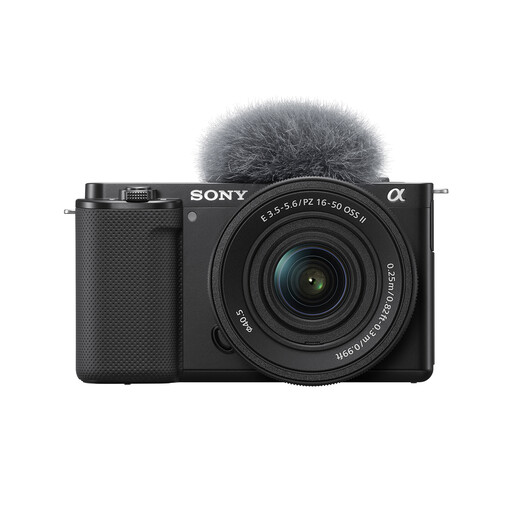
For wider miniature arrangements and occasional clips, with a tilting touchscreen and 4K recording described for this kit. Confirm the supplied zoom’s exact model and close-up specifications before choosing it for fine details; check the available stacking workflow if front-to-back sharpness is a priority.
 No image available
For a photo-and-video tabletop setup where a vari-angle screen helps with framing. This kit lists a 16–50mm power zoom and 4K recording; check the lens’s close-up magnification and how you would stack still images if a whole figure needs to be sharp.
 No image available
For tabletop framing alongside occasional video, with a flip-out touchscreen and 4K recording listed for this kit. Check the included lens’s magnification and close-focusing distance for small figures, and confirm the focus-bracketing or stacking workflow you intend to use.
Not for every photograph: it becomes useful when a close, three-dimensional figure needs more front-to-back sharpness than one exposure provides. Canon explains that stacking combines frames focused at different distances, confirms in-camera bracketing and stacking on the EOS R10, and recommends a sturdy tripod for alignment.
A kit zoom may suit wider table scenes or larger models, but check its exact maximum magnification before relying on it for tiny details. Sony specifies 1.0× magnification for its separate E 30mm F3.5 Macro lens; that specification does not transfer to a camera’s supplied zoom.
Working distance determines how much room remains between the lens and figure for lights and reflectors. Sony specifies a minimum of 2.4 cm from the front of its E 30mm F3.5 Macro lens, so check whether your lighting arrangement works at the distance you plan to shoot.