What matters when choosing
Start with the smallest PCB detail you need to show and the space available around the board. Then decide whether manual capture is enough or whether repeated sessions call for bracketing and computer control.
| Concern |
What to check |
Who this matters to |
| Repeatable capture |
Confirm tethering software, camera compatibility and live-view control for the exact body. |
If I document several boards, I want to frame and review shots without disturbing the mounted camera. Around 29% of consumers put this repeatable workflow first. |
| Depth across components |
Check whether the body can bracket focus and whether stacking happens in camera or requires software. |
When connectors stand above the board, I need both their tops and the board surface to appear sharp. This is the primary concern for around 29% of consumers. |
| Table and lighting space |
Check lens size and minimum focusing distance against the planned camera, board and light positions. |
On a crowded table, I need to fit the camera over the board without blocking the lights; around 24% of consumers make physical clearance their main concern. |
| Compact, simpler capture |
Check the macro lens’s magnification and whether the body offers the manual-focus aids you want. |
For occasional close-ups, I would rather place focus manually than set up a computer-controlled sequence. Around 18% of consumers prioritise this simpler approach. |
Joybuy camera choices
These Sony camera-and-zoom bundles are starting points for a separately chosen PCB macro setup. Check the included lens and the exact camera’s capture features against your needs before treating a bundle as ready for component-detail work.
 No image available
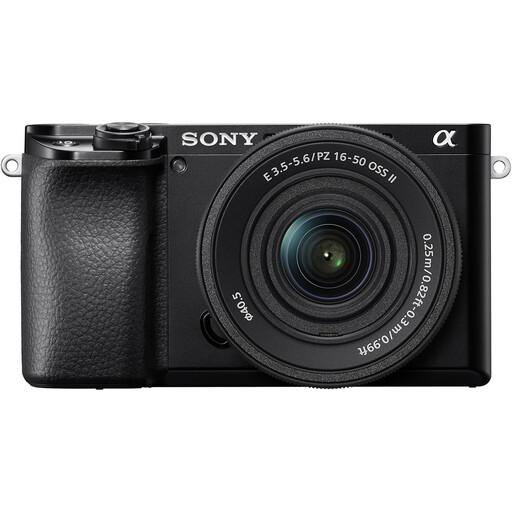
Sony A6400 with 16–50mm Power Zoom Lens
Consider the α6400 if you want to place focus manually on a stationary PCB feature; Sony documents Focus Magnifier and focus peaking for this model.
The bundle names a 16–50mm zoom. Check a separate macro lens’s magnification and compatibility for component detail, and confirm bracketing support if you need stacked captures.
View on Joybuy
 No image available
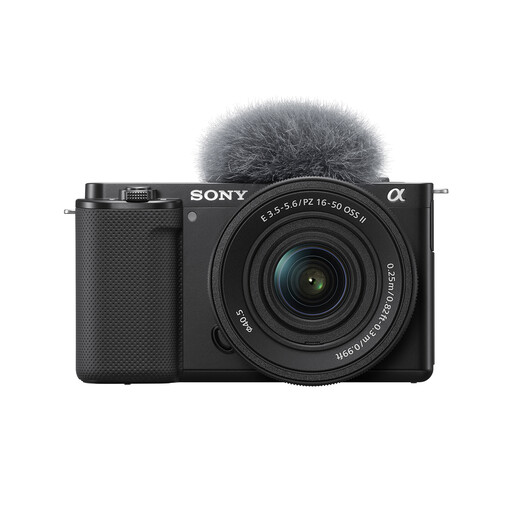
Sony Alpha ZV-E10 II K with 16–50 mm f/3.5–5.6 Power Zoom kit lens
Consider this interchangeable-lens body if you plan to select a compatible macro lens for PCB close-ups.
The product name specifies 26 megapixels and a 16–50 mm f/3.5–5.6 kit zoom. Check the macro lens’s magnification and confirm tethered still-photo control or focus bracketing if either is essential to your workflow.
View on Joybuy
 No image available
Sony A6100 APS-C camera with zoom lens
Consider the A6100 as a camera body for a separately selected macro lens rather than assuming the bundled zoom will cover component detail.
Confirm the exact included lens before ordering: the bundle information gives conflicting 16–55 mm and 16–50 mm ranges. Check the macro lens’s compatibility and the body’s workflow features if you need them.
View on Joybuy
 No image available
Sony ZV-E10K with 16–50mm Power Zoom Lens
Consider this interchangeable-lens kit if you want a camera for board overview shots while choosing a compatible macro lens for smaller details.
The named bundle includes a 16–50mm Power Zoom Lens. Check the magnification of any lens intended for component close-ups, and confirm bracketing or computer-control features if your capture routine requires them.
View on Joybuy
Questions about PCB photography
Do I need a macro lens for PCB photographs?
For small component detail, check the lens’s reproduction ratio rather than assuming a supplied zoom is sufficient. Canon specifies up to 1.4x magnification for its RF 100mm macro, Nikon specifies 1:1 for its Z MC 105mm, and Fujifilm specifies 1x for its XF30mm; a kit zoom’s close-focus capability needs checking separately.
How can I keep the board and raised components sharp?
Keep the camera and PCB stable, then use a focus-bracketed sequence if one focus plane cannot cover the required depths. Canon documents in-camera bracketing and stacking for the EOS R7; check the exact body’s process before choosing a system for repeated stacked images.
Can I control a camera mounted above the table from a computer?
Yes, if the exact camera supports a suitable tethered workflow. Canon documents EOS R7 tethered shooting to a PC or Mac through EOS Utility, while Nikon describes live view, shooting and review through NX Tether with compatible cameras.
What should I check about warranty support?
Check the retailer’s terms and the guarantee that applies to the exact camera or lens. Canon UK Store states that its manufacturer guarantee does not affect consumers’ legal rights for goods that are faulty or not fit for purpose; Nikon provides separate repair and warranty information for its products.


