Watch-detail photographers
You photograph engraved cases, dials, hands or mechanisms close up and want more of the object sharp than a single close-focus exposure may provide.


Choose the lens for the framing you need before comparing camera bodies: a 1:1 macro lens is useful for fine watch details, while a steady setup matters for multi-frame sharpness. Canon UK describes in-camera focus stacking on the EOS R7; Sony UK describes a computer-based stacking workflow for the α7R V. Higher-resolution bodies can give you more room to crop, but they do not replace close focusing or careful positioning around reflective metal.
You photograph engraved cases, dials, hands or mechanisms close up and want more of the object sharp than a single close-focus exposure may provide.
You work at a table near a window and need to keep the camera and watch steady while adjusting their positions to manage reflections.
You want detailed files for cropping, cataloguing, prints or reference images and are willing to work with larger files and a more deliberate setup.
For pocket watches under window light, settle the close-up framing and sharpness you need before weighing resolution, reflections and the effort involved in the complete setup.
| Concern | What to check | Who this matters to |
|---|---|---|
| Close-up sharpness | Check the lens’s maximum magnification and the exact body’s focus-bracketing and stacking functions. Keep both camera and watch still for a stack. | When I photograph a raised dial and case edge, I want more of the watch sharp across the close-up; roughly 31% of consumers put depth of field first. |
| Detail for cropping | Compare the exact body’s effective megapixels alongside the lens needed for your intended framing; resolution cannot make up for missed focus. | For collection records, I want enough native detail to crop a dial or engraving; around 25% of consumers make resolution their primary concern. |
| Stability and reflections | Use rigid support for stacked frames. Check the lens’s working distance and leave room to change the angle of a polished case or crystal. | If my watch reflects the camera near a window, I need a stable position and room to adjust the angle; about 25% of consumers prioritise light and reflection control. |
| Kit and workflow | Check which lens and support you will use, and whether your preferred stacking process happens in-camera or on a computer. | I want a setup I can manage at the table without a complicated editing routine; roughly 19% of consumers put handling and workflow first. |
Sensor resolution does not create magnification. A watch may fit in the frame while a small engraving still cannot be captured at the size you want.
Decide whether you need whole-watch photographs or life-size details, then check the exact lens’s maximum magnification and working distance.
Fine-detail photographs may call for a separate macro lens.
At close range, several focus positions may be needed to show the dial, hands and case sharply. Stabilisation does not keep the watch in the same place between frames.
Secure the camera and keep the watch still throughout the sequence; check the camera’s focus-bracketing controls before relying on this workflow.
The camera, lens or photographer can appear in a case or crystal reflection and obscure the detail being photographed.
Check the lens’s working distance, then adjust the positions of the watch and camera. Sony UK also recommends changing the shooting angle when equipment appears in a reflection.
A compatible close-focusing lens and stable support remain separate decisions. Sony UK describes combining α7R V focus-bracketed images on a computer rather than in-camera.
Check the lens, support and stacking workflow together before choosing a body.
Computer compositing also adds processing time and file-management work.
The EOS R route is worth considering if you want the camera to handle more of the stacking process for a stationary watch.
The Z system offers a route for deliberate, high-resolution documentation with a dedicated macro lens.
The cited α7R V route suits photographers who value a high-resolution file and are comfortable combining focus-bracketed frames on a computer.
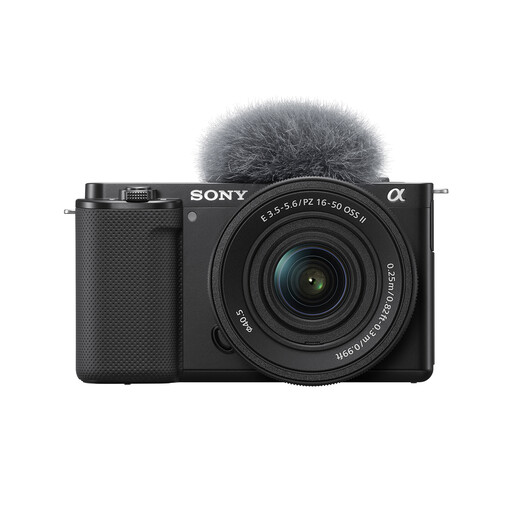
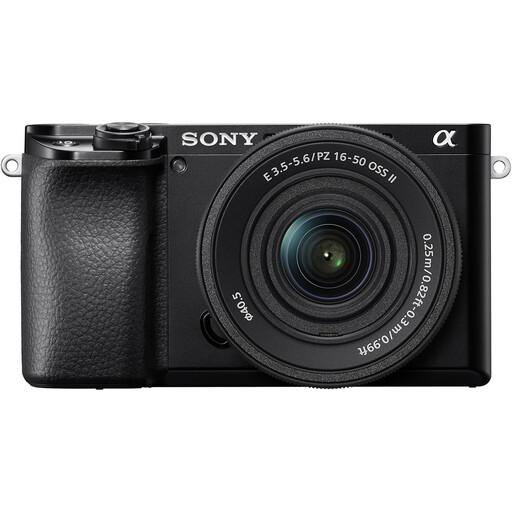
These interchangeable-lens Sony camera kits offer starting points for photographing a pocket watch at a table. Before choosing one for fine details, check the included lens’s close-focus capability and the exact body’s focus-bracketing functions; none should be treated as a confirmed substitute for a dedicated macro setup.
 No image available
This APS-C interchangeable-lens kit is a starting point for table-top watch photographs if the supplied lens frames the details you need.
 No image available
This interchangeable-lens kit may suit whole-watch photographs at a fixed table position, provided its supplied zoom focuses closely enough for your framing.
 No image available
This interchangeable-lens kit gives you a supplied zoom for initial watch photographs, subject to checking how closely it can frame the details you want.
 No image available
This interchangeable-lens camera is an option for table-top watch photographs, but the exact supplied zoom matters when assessing close-up framing.
Not necessarily: a non-macro lens may frame the whole watch if it focuses closely enough. For life-size photographs of engraving or small dial details, check for a true 1:1 macro lens; Sony UK defines 1:1 as reproducing the subject at full size on the sensor.
Depth of field becomes narrow at close range, so a dial, raised hands and case edge may not all be sharp in one frame. For a stationary watch, focus stacking combines exposures focused at different distances; keep both camera and subject still during capture.
A hand-held single exposure is possible when you can keep the camera steady enough, but use a tripod or rigid support for a focus-stacked sequence. Image stabilisation does not keep the watch aligned between frames or remove reflections.
Change the positions of the camera and watch, and check how much working distance the lens gives you. Sony UK notes that the camera or photographer can appear in reflective subjects and recommends changing the shooting angle.
Confirm the exact body and lens variants, then check the retailer’s change-of-mind returns policy separately from its process for faulty goods. GOV.UK states that consumer rights apply to goods bought remotely as well as in person; a retailer’s voluntary policy is distinct from statutory rights.