Joybuy mirrorless cameras for tile photography
These Sony APS-C and full-frame camera-and-zoom combinations offer starting points for whole-tile framing. Before choosing one for texture shots or workstation capture, check the exact included lens’s close-focus ability and the camera’s compatibility with your intended computer workflow; do not assume the Sony α7 IV information above applies to these different models.
 No image available
Sony A6400 APS-C with 16–50mm Power Zoom lens
Consider this included zoom for adjusting whole-tile framing in your available space.
The stated focal-length range is 16–50mm. Check whether the lens can focus closely enough for your texture shots and accepts any polariser you plan to use; confirm computer-control compatibility for this exact camera.
View on Joybuy
 No image available
Sony Alpha 7 III full frame with 28–70mm zoom lens
Consider this full-frame camera-and-zoom combination if its framing range suits your whole-tile setup.
The included lens is identified as a 28–70mm zoom. Verify its closest usable focus, polariser compatibility and the exact camera’s computer-control options before relying on it for detail or tethered shots.
View on Joybuy
 No image available
Sony A6700 APS-C with 16–50mm lens
The included zoom may suit a setup where you need to adjust framing between different tile sizes.
Its stated range is 16–50mm. Confirm the lens’s close-focus performance and filter fit, and check computer software support for the A6700 if on-screen capture is important.
View on Joybuy
 No image available
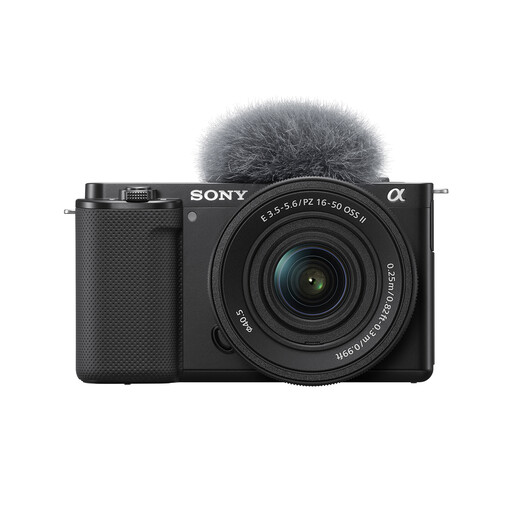
Sony Alpha ZV-E10 II K with 16–50mm f/3.5–5.6 Power Zoom lens
Consider this kit if you want an included zoom for tile stills and also plan to make video.
The product title specifies APS-C, 26 megapixels and a 16–50mm f/3.5–5.6 kit lens. Check the lens’s closest focus and filter fit, plus computer-control support for this exact model.
View on Joybuy
 No image available
Sony ZV-E10K with 16–50mm Power Zoom lens
The included zoom gives you a stated focal-length range to assess against your whole-tile framing distance.
Check the camera’s still-image dimensions against your planned output and crops. Also confirm the 16–50mm lens’s close-focus and filter compatibility, and whether this exact camera supports your intended computer workflow.
View on Joybuy
Frequently asked questions
Do ceramic-tile photos require the highest-resolution full-frame camera?
No: choose resolution to meet your final image dimensions and expected crops, then check the lens needed for detail shots. Canon lists 32.5MP for the APS-C EOS R7, FUJIFILM 40.2MP for the APS-C X-T5, Sony 33.0MP for the full-frame α7 IV and Nikon 45.7MP for the full-frame Z 8; those specifications alone do not determine how your finished tile images will look.
Will a different mirrorless body remove glare from glossy tiles?
No: start with the lighting position and assess the tile’s reflections under your actual setup. Nikon notes that filters can reduce reflections and glare, so a compatible polariser may be worth testing, but retain any highlights needed to convey the finish accurately.
Is tethered shooting useful for a home tile studio?
It can help when you photograph a series of tiles and want to review framing or manage files from a computer during capture. Canon describes EOS R7 tethered operation with EOS Utility, and Sony describes computer-based capture through Remote Camera Control; check support for the exact body, operating system and connection you intend to use.
Can I publish tile photographs taken by someone else?
Check the rights or licence before publishing them. GOV.UK explains that photographs are generally copyright-protected and permission is usually needed to copy or share another person’s images online; for commissioned or supplied photos, confirm the permitted uses in writing.


